AWS Cost Explorer Alternatives: Why Scaling Teams Outgrow Native Cloud Billing
Discover why scaling teams outgrow AWS Cost Explorer. Compare top alternatives and learn how CostGlass delivers flat-rate multi-cloud cost visibility.
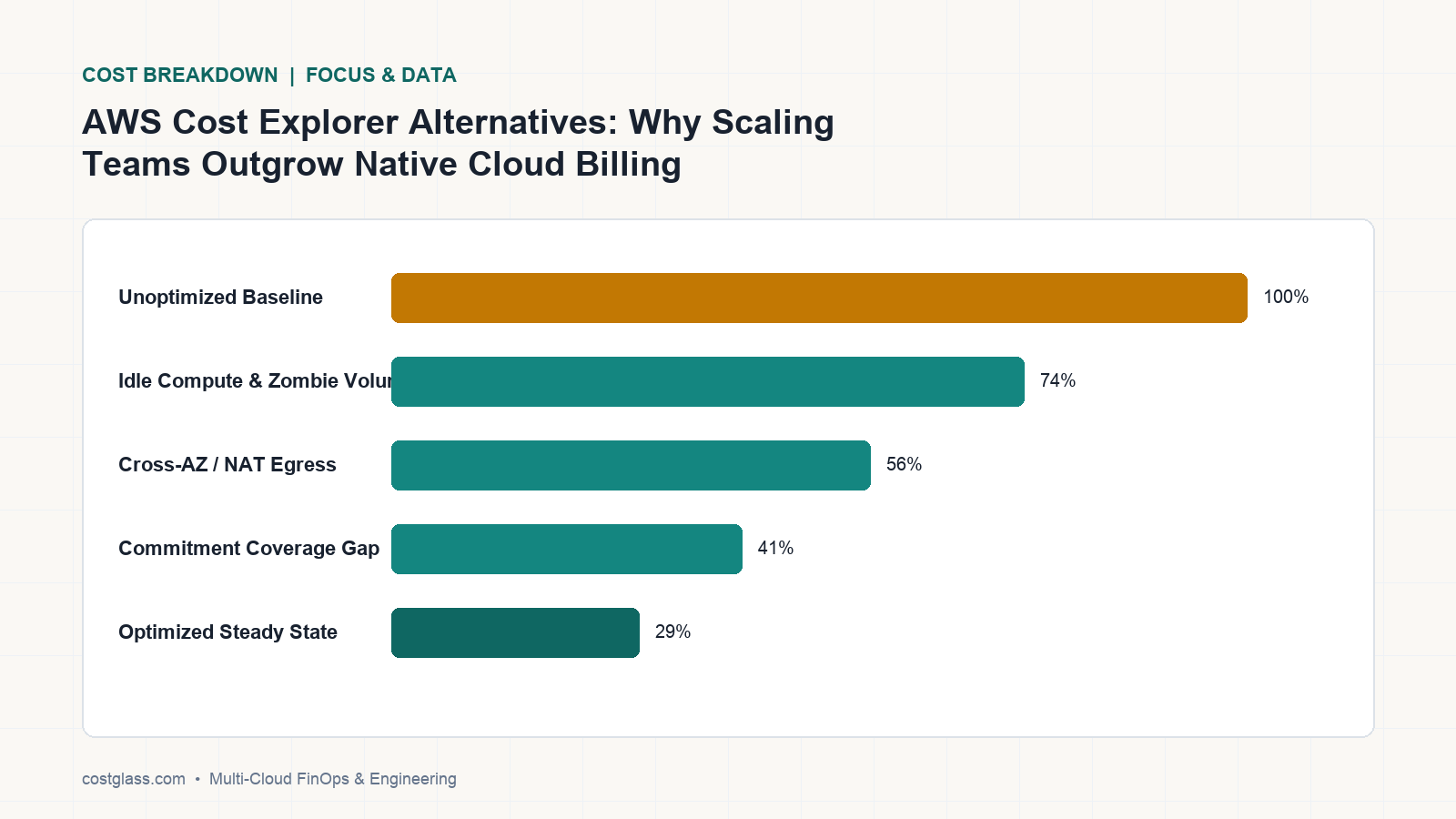
While AWS Cost Explorer is a functional starting point for single-account setups, scaling modern engineering teams outgrow it the moment they adopt Kubernetes, multi-cloud (Azure, GCP), or external SaaS like Snowflake, Datadog, and OpenAI. Legacy native tooling lacks multi-cloud normalization, real-time 6-hour refresh rates, and retroactive Virtual Tagging. To escape blind spots, teams are transitioning to CostGlass—the flat-rate, multi-cloud FinOps alternative.
Why Engineering Teams Outgrow AWS Cost Explorer
AWS Cost Explorer is built to analyze historical spend inside a single cloud boundary. However, as organizations mature, their infrastructure footprint expands beyond native AWS services. This expansion creates critical operational and financial blind spots that native tools cannot address.
1. The Multi-Cloud Blind Spot
Most modern enterprises do not run on AWS alone. They leverage Microsoft Azure for enterprise workloads, Google Cloud Platform (GCP) for data analytics, Oracle Cloud Infrastructure (OCI) for bare-metal databases, or DigitalOcean for developer environments. AWS Cost Explorer is inherently blind to these external platforms. Forcing finance and platform teams to reconcile disparate billing models in spreadsheets leads to fragmented reporting, delayed anomalies, and inaccurate budgeting.
2. Missing Kubernetes Pod & Namespace Allocation
In a shared-cluster environment running on Amazon EKS, AWS Cost Explorer only sees the underlying EC2 node and EBS volume costs. It has zero visibility into how those resources are consumed by individual pods, namespaces, or customer deployments. Without container-level telemetry, platform engineers cannot accurately attribute shared cluster costs to specific product lines or business units, leading to arbitrary allocations.
3. External SaaS & AI Spend Invisibility
Modern SaaS architectures rely on a ecosystem of data and AI platforms. Snowflake warehouse credits, Datadog observability metrics, and LLM API costs from OpenAI or Anthropic often represent up to 40% of an engineering organization's monthly bill. AWS Cost Explorer cannot ingest these usage-based SaaS endpoints, leaving CFOs without a single pane of glass to measure true Cost of Goods Sold (COGS).
4. No Retroactive Virtual Tagging
Tagging policies are notoriously difficult to enforce. If a team spins up resources without tags, AWS Cost Explorer cannot retroactively re-allocate those costs without mutating the physical resources—a process that causes Terraform drift and risk in production. Furthermore, it cannot normalize case-insensitive tag keys (such as treating Environment, environment, and env as a single dimension) or perform complex, nested allocation logic across accounts.
Evaluating AWS Cost Explorer Alternatives: Core Feature Comparison
When evaluating third-party FinOps solutions, organizations must choose between legacy enterprise platforms (which charge opaque, percentage-of-spend fees) and modern, flat-rate platforms designed for engineering execution.
| Feature / Capability | AWS Cost Explorer | Legacy FinOps (CloudZero / Finout) | CostGlass |
|---|---|---|---|
| Pricing Model | Free (API requests charged) | Opaque, percentage-of-spend / annual lock-in | Predictable flat monthly fee (0% tax on savings) |
| SaaS & AI Connectors | None | Limited / expensive add-ons | 13 native connectors (AWS, Azure, GCP, OCI, Snowflake, OpenAI, Datadog) |
| Data Refresh Rate | 24 Hours | 24 to 48 Hours | 6-Hour Refresh |
| Kubernetes Costing | None (requires separate tools) | Extra +25% add-on fee | Included natively via lightweight OpenCost |
| Virtual Tagging | None | Proprietary abstractions | SQL-compiled, retroactive, zero-drift |
| Remediation Support | Software alerts only | Software alerts only | Embedded senior DevOps engineers (Scale/Enterprise) |
| Data Residency | US-centric | US-centric | UK, EU, US, APAC isolated regional cells or private BYOC |
The Financial Math: Flat-Rate FinOps vs. Percentage-of-Spend Taxes
Many commercial alternatives to AWS Cost Explorer charge a fee based on a percentage of your total cloud spend (typically 1% to 3%) or a percentage of your calculated cloud savings.
Consider a mid-market SaaS company spending £100,000 per month on AWS, Kubernetes, and Snowflake.
- Legacy Percentage-of-Spend Tool: Charging a 2% "cloud tax" results in a £2,000/month (£24,000/year) software bill. If your cloud spend increases to £150,000/month due to product success, your FinOps software bill automatically jumps to £3,000/month—penalizing your growth.
- CostGlass Scale Plan: Costs a flat $1,499/month (up to £100,000/mo cloud spend cap). This plan is completely predictable, has no hidden overage fees, and includes 8 dedicated senior DevOps/FinOps engineer-hours every month to execute approved optimizations for you.
By choosing a flat-rate platform, you keep 100% of every dollar saved from rightsizing, scheduling, and commitments, rather than paying a portion of your efficiency back to your tooling vendor.
The DIY Maintenance Trap: Why Building an In-House Billing Pipeline Fails
When engineering teams first outgrow native billing tools, the immediate temptation is to build an in-house cost dashboard. Engineers often propose downloading AWS CUR 2.0 exports, Azure MCA billing profiles, and GCP BigQuery datasets to stitch them together using custom ETL pipelines and BI tools.
This DIY approach is a massive engineering and financial trap:
- Fragile Billing Schemas: Cloud billing schemas change constantly. A single API update or column renaming by AWS or Azure will break your custom ingestion scripts, forcing high-paid platform engineers to spend days debugging data pipelines instead of building your product.
- High Payroll Overhead: Maintaining an internal FinOps dashboard easily consumes 10% to 20% of a senior platform engineer's time. At an average salary of $150,000, this represents a hidden payroll cost of $15,000 to $30,000 per year just to maintain a basic, non-interactive visualization tool.
- No Real-Time Actionability: Internal pipelines rarely achieve real-time anomaly detection or automated instance scheduling. They provide passive, static charts that fail to stop cost spikes before they compound over weeks.
CostGlass eliminates this engineering overhead out-of-the-box. With 13 native connectors, a 6-hour refresh rate, and a ready-to-use platform, you get enterprise-grade multi-cloud cost visibility in 5 minutes without writing a single line of data normalization code.
How to Connect AWS and Automate Multi-Cloud FinOps in CostGlass
Transitioning from AWS Cost Explorer to CostGlass is simple and can be completed in under five minutes using secure, read-only access.
Step 1: Create a Secure, Read-Only Connection
Navigate to the Connectors page in your CostGlass dashboard. Select AWS and generate a custom Terraform configuration or CloudFormation template. This configures a read-only IAM role with a unique ExternalId to grant CostGlass secure access to your Cost and Usage Reports (CUR 2.0) without storing long-lived access keys. For details, refer to the AWS Connection Guide.
Step 2: Configure Virtual Tag Rules
To allocate untagged or shared resources retroactively, open the Virtual Tagging interface. You can write custom boolean logic (e.g., allocating any resource containing the string dev- in its resource ID or account name to the Development environment). CostGlass compiles these rules into an optimized database query, instantly updating your historical cost ledger without causing Terraform drift.
Step 3: Set Up Your Multi-Cloud Cost Explorer Views
Open the Cost Explorer to build custom multi-dimensional views. Group your spend by Cloud Provider, Service, or your newly created Virtual Tags. Save these views and schedule automated Slack, Microsoft Teams, or email reports to keep engineering leads accountable and align with your Unit Economics tracking.
Step 4: Automate Off-Hours Scheduling
To immediately cut non-production costs, configure the built-in Instance Scheduler. Apply the cg-schedule tag to your AWS EC2/RDS, Azure VM, or GCP Cloud SQL resources to automatically stop idle dev/staging instances outside of business hours, saving up to 65% on non-production compute.
Frequently Asked Questions
How does CostGlass secure my cloud billing data?
CostGlass uses read-only IAM roles with strict ExternalId validation. We never store long-lived credentials. For highly regulated enterprises, CostGlass offers isolated data residency cells in the UK, EU, US, and APAC, as well as a private, self-hosted AWS Bring Your Own Cloud (BYOC) deployment option where all billing data remains securely within your own VPC boundary.
Can CostGlass allocate Kubernetes costs down to the pod level?
Yes. CostGlass integrates with the lightweight CNCF OpenCost exporter. This allows you to allocate EKS, AKS, GKE, and self-managed Kubernetes cluster costs down to namespaces, controller deployments, pods, and GPUs. This container-level telemetry is automatically normalized and displayed alongside your non-containerized cloud services in a single view.
What support is included in the Scale plan?
Our Scale plan ($1,499/mo) includes 8 dedicated senior DevOps/FinOps engineer-hours every month. Our team doesn't just hand you a dashboard of recommendations; we actively write the Terraform pull requests, rightsize your database instances, configure off-hours schedules, and execute approved optimizations on your behalf.
Ready to scale your cost visibility beyond native cloud boundaries? Explore our AWS Connection Guide to connect your accounts in minutes, check out our Cost Explorer Guide to build your first multi-cloud dashboard, or compare our transparent flat-rate tiers on our Pricing Page to start your 14-day free trial.
Aunque AWS Cost Explorer es un punto de partida funcional para entornos con una sola cuenta, los equipos modernos de ingeniería lo superan en cuanto adoptan Kubernetes, arquitecturas multicloud (Azure, GCP) o plataformas SaaS externas como Snowflake, Datadog y OpenAI. Las herramientas nativas tradicionales carecen de normalización multicloud, ciclos de actualización en tiempo real de 6 horas y etiquetado virtual retroactivo (Virtual Tagging). Para eliminar estos puntos ciegos, los equipos están migrando a CostGlass: la alternativa de FinOps multicloud con tarifa plana.
Por qué los equipos de ingeniería superan AWS Cost Explorer
AWS Cost Explorer está diseñado para analizar el gasto histórico dentro de los límites de una única nube. Sin embargo, a medida que las organizaciones maduran, su infraestructura se expande más allá de los servicios nativos de AWS. Este crecimiento genera puntos ciegos operativos y financieros críticos que las herramientas nativas no pueden resolver.
1. El punto ciego multicloud
La mayoría de las empresas modernas no operan únicamente en AWS. Utilizan Microsoft Azure para cargas de trabajo empresariales, Google Cloud Platform (GCP) para análisis de datos, Oracle Cloud Infrastructure (OCI) para bases de datos bare-metal o DigitalOcean para entornos de desarrollo. AWS Cost Explorer es intrínsecamente ciego a estas plataformas externas. Obligar a los equipos de finanzas y de plataformas a conciliar modelos de facturación heterogéneos mediante hojas de cálculo genera reportes fragmentados, detección tardía de anomalías y presupuestos imprecisos.
2. Falta de asignación de costos a nivel de pod y namespace en Kubernetes
En un entorno de clúster compartido sobre Amazon EKS, AWS Cost Explorer únicamente visualiza los costos de los nodos EC2 y los volúmenes EBS subyacentes. Carece de visibilidad sobre cómo consumen estos recursos los pods individuales, los namespaces o los despliegues de clientes específicos. Sin telemetría a nivel de contenedor, los ingenieros de plataforma no pueden atribuir con precisión los costos del clúster compartido a líneas de producto o unidades de negocio concretas, lo que deriva en asignaciones arbitrarias.
3. Invisibilidad del gasto en SaaS y servicios de IA externos
Las arquitecturas SaaS modernas dependen de un ecosistema de plataformas de datos e inteligencia artificial. Los créditos de cómputo en Snowflake, las métricas de observabilidad en Datadog y los costos de API para LLM en OpenAI o Anthropic representan frecuentemente hasta el 40 % de la factura mensual de un departamento de ingeniería. AWS Cost Explorer no puede ingerir estos endpoints SaaS basados en el uso, dejando a los directores financieros sin un panel unificado para medir el costo real de los bienes vendidos (COGS).
4. Ausencia de etiquetado virtual retroactivo
Las políticas de etiquetado son sumamente complejas de aplicar de manera uniforme. Si un equipo despliega recursos sin etiquetas, AWS Cost Explorer no puede reasignar dichos costos de forma retroactiva sin modificar los recursos físicos, un proceso que genera desviaciones de estado (drift) en Terraform y riesgos en producción. Además, no puede normalizar claves de etiquetas que difieren en mayúsculas y minúsculas (como tratar Environment, environment y env como una sola dimensión) ni ejecutar lógica de asignación anidada compleja entre múltiples cuentas.
Evaluación de alternativas a AWS Cost Explorer: comparación de capacidades principales
Al evaluar soluciones FinOps de terceros, las organizaciones deben elegir entre plataformas empresariales tradicionales (que cobran tarifas opacas basadas en un porcentaje del gasto) y plataformas modernas con tarifa plana diseñadas para la ejecución técnica de ingeniería.
| Característica / Capacidad | AWS Cost Explorer | FinOps tradicional (CloudZero / Finout) | CostGlass |
|---|---|---|---|
| Modelo de precios | Gratuito (se cobran las solicitudes de API) | Opaco, porcentaje sobre el gasto / permanencia anual | Tarifa plana mensual predecible (0 % de comisión sobre el ahorro) |
| Conectores para SaaS e IA | Ninguno | Limitados / complementos costosos | 13 conectores nativos (AWS, Azure, GCP, OCI, Snowflake, OpenAI, Datadog) |
| Frecuencia de actualización | 24 horas | De 24 a 48 horas | Actualización cada 6 horas |
| Costos de Kubernetes | Ninguno (requiere herramientas independientes) | Tarifa adicional de +25 % | Incluido de forma nativa mediante OpenCost ligero |
| Etiquetado virtual (Virtual Tagging) | Ninguno | Abstracciones propietarias | Compilado en SQL, retroactivo y sin drift |
| Soporte de remediación | Solo alertas de software | Solo alertas de software | Ingenieros senior de DevOps integrados (Scale/Enterprise) |
| Residencia de datos | Centrada en EE. UU. | Centrada en EE. UU. | Celdas regionales aisladas en UK, EU, US, APAC o despliegue privado BYOC |
La ecuación financiera: FinOps con tarifa plana frente a comisiones sobre el gasto
Muchas alternativas comerciales a AWS Cost Explorer cobran una tarifa calculada como un porcentaje de su gasto total en la nube (habitualmente entre el 1 % y el 3 %) o un porcentaje de los ahorros conseguidos.
Considere una empresa SaaS mediana con un gasto de 100.000 £ al mes entre AWS, Kubernetes y Snowflake.
- Herramienta tradicional con porcentaje sobre el gasto: Cobrar una comisión del 2 % sobre la nube supone una factura de software de 2.000 £/mes (24.000 £/año). Si su gasto en infraestructura aumenta a 150.000 £/mes debido al crecimiento de su producto, el costo de su herramienta FinOps sube automáticamente a 3.000 £/mes, penalizando directamente su éxito comercial.
- Plan Scale de CostGlass: Cuesta una tarifa plana de 1.499 $/mes (con un límite de gasto en la nube de hasta 100.000 £/mes). Este plan es totalmente predecible, no tiene tarifas ocultas por exceso de uso e incluye 8 horas mensuales dedicadas de ingenieros senior de DevOps/FinOps para ejecutar las optimizaciones aprobadas por su equipo.
Al elegir una plataforma de tarifa plana, usted retiene el 100 % de cada dólar ahorrado mediante dimensionamiento óptimo (rightsizing), programación de instancias y compromisos de uso, en lugar de transferir una parte de su eficiencia al proveedor de la herramienta.
La trampa del desarrollo interno: por qué fracasa construir un pipeline propio de facturación
Cuando los equipos de ingeniería superan las herramientas nativas de facturación, la tentación inmediata suele ser desarrollar un panel de costos interno. Con frecuencia, los ingenieros proponen descargar las exportaciones de AWS CUR 2.0, los perfiles de facturación MCA de Azure y los conjuntos de datos de BigQuery en GCP para unirlos mediante pipelines ETL personalizados y herramientas de BI.
Este enfoque interno supone una grave trampa operativa y financiera:
- Esquemas de facturación frágiles: Los esquemas de facturación cloud evolucionan continuamente. Una sola actualización de API o el cambio de nombre de una columna por parte de AWS o Azure romperá sus scripts de ingesta personalizados, obligando a ingenieros de plataforma altamente remunerados a dedicar días a depurar pipelines de datos en lugar de desarrollar las funcionalidades de su producto.
- Alto costo en nómina: El mantenimiento de un panel de FinOps interno consume con facilidad entre el 10 % y el 20 % del tiempo de un ingeniero de plataforma senior. Con un salario promedio de 150.000 $, esto representa un costo salarial oculto de 15.000 $ a 30.000 $ anuales únicamente para sostener una herramienta de visualización básica y estática.
- Falta de capacidad de acción en tiempo real: Los pipelines internos rara vez implementan detección de anomalías en tiempo real o programación automatizada de instancias. Proporcionan gráficos pasivos y estáticos que no logran detener los picos de gasto imprevistos antes de que se acumulen durante semanas.
CostGlass elimina esta sobrecarga de ingeniería de forma inmediata. Gracias a 13 conectores nativos, actualizaciones cada 6 horas y una plataforma lista para usar, obtendrá visibilidad de costos multicloud de nivel empresarial en 5 minutos, sin escribir una sola línea de código para normalizar datos.
Cómo conectar AWS y automatizar FinOps multicloud en CostGlass
Migrar de AWS Cost Explorer a CostGlass es un proceso sencillo que se completa en menos de cinco minutos mediante acceso seguro de solo lectura.
Paso 1: Crear una conexión segura de solo lectura
Acceda a la sección de Connectors en su panel de CostGlass. Seleccione AWS y genere una configuración personalizada de Terraform o una plantilla de CloudFormation. Esto aprovisiona un rol IAM de solo lectura con un ExternalId único que concede a CostGlass acceso seguro a sus informes Cost and Usage Reports (CUR 2.0) sin almacenar credenciales de larga duración. Para consultar los detalles, revise la Guía de conexión de AWS.
Paso 2: Configurar reglas de etiquetado virtual (Virtual Tagging)
Para reasignar recursos no etiquetados o compartidos con carácter retroactivo, abra la interfaz de Virtual Tagging. Puede definir lógica booleana personalizada (por ejemplo, asignar cualquier recurso cuyo ID o nombre de cuenta contenga la cadena dev- al entorno Development). CostGlass compila estas reglas en una consulta optimizada sobre la base de datos, actualizando de inmediato su historial de costos sin provocar drift en Terraform.
Paso 3: Configurar vistas en su Multi-Cloud Cost Explorer
Abra el Cost Explorer para construir vistas multidimensionales a medida. Agrupe su gasto por Cloud Provider, Service o mediante sus Virtual Tags recién generadas. Guarde estas vistas y programe reportes automatizados hacia Slack, Microsoft Teams o correo electrónico para fomentar la responsabilidad en los líderes de ingeniería y alinear las métricas con su seguimiento de Unit Economics.
Paso 4: Automatizar la programación de horarios fuera de oficina
Para reducir de inmediato los costos en entornos de no producción, configure el Instance Scheduler integrado. Aplique la etiqueta cg-schedule a sus recursos de AWS EC2/RDS, Azure VM o GCP Cloud SQL para detener automáticamente instancias ociosas de desarrollo y pruebas fuera del horario laboral, ahorrando hasta un 65 % en cómputo de no producción.
Preguntas frecuentes
¿Cómo protege CostGlass mis datos de facturación en la nube?
CostGlass utiliza roles IAM de solo lectura con validación estricta de ExternalId. Nunca almacenamos credenciales de larga duración. Para empresas con normativas estrictas, CostGlass ofrece celdas aisladas de residencia de datos en el Reino Unido, la Unión Europea, Estados Unidos y APAC, así como una opción de despliegue privado Bring Your Own Cloud (BYOC) autohospedada en su propia cuenta de AWS, donde todos los datos de facturación permanecen dentro del perímetro de su propia VPC.
¿Puede CostGlass asignar costos de Kubernetes hasta el nivel de pod?
Sí. CostGlass se integra con el exportador ligero OpenCost de la CNCF. Esto le permite asignar los costos de clústeres Kubernetes en EKS, AKS, GKE y entornos autogestionados hasta el nivel de namespaces, despliegues de controladores, pods y GPUs. Esta telemetría a nivel de contenedor se normaliza de forma automática y se muestra junto con sus servicios en la nube no contenedorizados en una vista unificada.
¿Qué nivel de soporte incluye el plan Scale?
Nuestro plan Scale (1.499 $/mes) incluye 8 horas dedicadas al mes de ingenieros senior de DevOps/FinOps. Nuestro equipo no se limita a entregar un panel con sugerencias; redactamos activamente los pull requests de Terraform, optimizamos el tamaño de sus bases de datos, configuramos calendarios de apagado de instancias y ejecutamos las optimizaciones aprobadas en su nombre.
¿Está listo para expandir la visibilidad de costos más allá de los límites nativos de su nube? Consulte nuestra Guía de conexión de AWS para vincular sus cuentas en cuestión de minutos, revise nuestra Guía de Cost Explorer para diseñar su primer panel multicloud o compare nuestros planes de tarifa plana transparentes en la Página de precios para iniciar su prueba gratuita de 14 días.
Während AWS Cost Explorer ein funktionaler Einstiegspunkt für Setups mit einem einzelnen Konto ist, stoßen wachsende moderne Engineering-Teams genau in dem Moment an dessen Grenzen, in dem sie Kubernetes, Multi-Cloud (Azure, GCP) oder externe SaaS-Dienste wie Snowflake, Datadog und OpenAI einführen. Herkömmlichen nativen Tools fehlt es an Multi-Cloud-Normalisierung, 6-stündigen Echtzeit-Aktualisierungsintervallen und rückwirkendem Virtual Tagging. Um tote Winkel zu vermeiden, wechseln Teams zu CostGlass – der FinOps-Alternative mit Pauschalpreis und Multi-Cloud-Unterstützung.
Warum Engineering-Teams aus AWS Cost Explorer herauswachsen
AWS Cost Explorer wurde entwickelt, um historische Ausgaben innerhalb der Grenzen einer einzelnen Cloud zu analysieren. Sobald Unternehmen jedoch reifen, expandiert ihr Infrastruktur-Footprint über native AWS-Dienste hinaus. Diese Expansion schafft kritische operative und finanzielle tote Winkel, die native Tools nicht abbilden können.
1. Der tote Winkel von Multi-Cloud
Die meisten modernen Unternehmen betreiben ihre Workloads nicht auf AWS allein. Sie nutzen Microsoft Azure für Enterprise-Workloads, Google Cloud Platform (GCP) für Datenanalysen, Oracle Cloud Infrastructure (OCI) für Bare-Metal-Datenbanken oder DigitalOcean für Entwicklungsumgebungen. AWS Cost Explorer ist von Natur aus blind für diese externen Plattformen. Müssen Finanz- und Plattform-Teams unterschiedliche Abrechnungsmodelle in Tabellenkalkulationen zusammenführen, führt das zu fragmentierten Berichten, verzögert erkannten Anomalien und ungenauen Budgets.
2. Fehlende Kostenzuordnung auf Kubernetes-Pod- und Namespace-Ebene
In einer Shared-Cluster-Umgebung auf Amazon EKS sieht AWS Cost Explorer lediglich die zugrunde liegenden Kosten für EC2-Nodes und EBS-Volumes. Es gibt keinerlei Transparenz darüber, wie diese Ressourcen von einzelnen Pods, Namespaces oder Kunden-Deployments verbraucht werden. Ohne Telemetriedaten auf Container-Ebene können Plattform-Engineers gemeinsame Clusterkosten nicht präzise bestimmten Produktlinien oder Geschäftsbereichen zuordnen, was zu willkürlichen Umlagen führt.
3. Unsichtbarkeit von Ausgaben für externe SaaS- und KI-Dienste
Moderne SaaS-Architekturen stützen sich auf ein Ökosystem aus Daten- und KI-Plattformen. Snowflake-Warehouse-Credits, Datadog-Observability-Metriken und LLM-API-Kosten von OpenAI oder Anthropic machen häufig bis zu 40 % der monatlichen Ausgaben einer Engineering-Organisation aus. AWS Cost Explorer kann diese nutzungsbasierten SaaS-Endpunkte nicht erfassen. Dadurch fehlt CFOs eine zentrale Oberfläche, um die tatsächlichen Cost of Goods Sold (COGS) zu ermitteln.
4. Kein rückwirkendes Virtual Tagging
Tagging-Richtlinien sind notorisch schwer durchzusetzen. Erstellt ein Team Ressourcen ohne Tags, kann AWS Cost Explorer diese Kosten nachträglich nicht neu zuordnen, ohne die physischen Ressourcen selbst zu modifizieren – ein Prozess, der Terraform-Drift und Risiken in Produktionsumgebungen birgt. Zudem können weder Tag-Schlüssel unabhängig von Groß- und Kleinschreibung normalisiert (z. B. Environment, environment und env als einheitliche Dimension behandeln) noch komplexe, verschachtelte Zuordnungslogiken über Konten hinweg angewendet werden.
Evaluierung von AWS Cost Explorer Alternativen: Kernfunktionen im Vergleich
Bei der Auswahl von FinOps-Lösungen von Drittanbietern müssen sich Unternehmen zwischen traditionellen Enterprise-Plattformen (die undurchsichtige, prozentuale Gebühren auf die Cloud-Ausgaben verlangen) und modernen Plattformen mit festen Pauschalpreisen für technische Teams entscheiden.
| Funktion / Leistungsmerkmal | AWS Cost Explorer | Legacy-FinOps (CloudZero / Finout) | CostGlass |
|---|---|---|---|
| Preismodell | Kostenlos (API-Anfragen kostenpflichtig) | Undurchsichtig, prozentualer Anteil der Ausgaben / Jahresbindung | Planbare monatliche Pauschale (0 % Abgabe auf Einsparungen) |
| SaaS- & KI-Konnektoren | Keine | Begrenzt / teure Add-ons | 13 native Konnektoren (AWS, Azure, GCP, OCI, Snowflake, OpenAI, Datadog) |
| Datenaktualisierungsrate | 24 Stunden | 24 bis 48 Stunden | 6-Stunden-Aktualisierung |
| Kubernetes-Kostenanalyse | Keine (erfordert separate Tools) | Zusätzliche Gebühr von +25 % | Nativ enthalten über leichtgewichtiges OpenCost |
| Virtual Tagging | Keine | Proprietäre Abstraktionen | SQL-kompiliert, rückwirkend, ohne Drift |
| Support bei der Umsetzung | Nur Software-Benachrichtigungen | Nur Software-Benachrichtigungen | Erfahrene DevOps-Engineers inklusive (Scale/Enterprise) |
| Datenresidenz | US-zentriert | US-zentriert | UK, EU, US, APAC isolierte regionale Zellen oder privates BYOC |
Die finanzielle Rechnung: Pauschalpreis-FinOps vs. Abgaben auf Cloud-Ausgaben
Viele kommerzielle Alternativen zu AWS Cost Explorer berechnen eine Gebühr auf Basis eines Prozentsatzes Ihrer gesamten Cloud-Ausgaben (typischerweise 1 % bis 3 %) oder eines prozentualen Anteils der ermittelten Einsparungen.
Betrachten wir ein mittelständisches SaaS-Unternehmen, das monatlich 100.000 £ für AWS, Kubernetes und Snowflake ausgibt.
- Herkömmliches Tool mit prozentualer Abrechnung: Eine 2-prozentige „Cloud-Steuer“ führt zu einer Software-Rechnung von 2.000 £/Monat (24.000 £/Jahr). Steigen Ihre Cloud-Ausgaben aufgrund des Produkterfolgs auf 150.000 £/Monat, klettert Ihre FinOps-Software-Rechnung automatisch auf 3.000 £/Monat – Ihr Wachstum wird damit bestraft.
- CostGlass Scale-Tarif: Kostet pauschal 1.499 $/Monat (für bis zu 100.000 £ monatliche Cloud-Ausgaben). Dieser Tarif ist vollständig kalkulierbar, enthält keine versteckten Überschreitungsgebühren und beinhaltet jeden Monat 8 dedizierte Arbeitsstunden erfahrener DevOps-/FinOps-Engineers, um freigegebene Optimierungen direkt für Sie umzusetzen.
Mit einer Plattform auf Pauschalpreisbasis behalten Sie 100 % jedes eingesparten Betrags aus Rightsizing, Scheduling und Commitments, anstatt einen Teil Ihrer Effizienzgewinne an Ihren Software-Anbieter abzutreten.
Die DIY-Wartungsfalle: Warum eigene Abrechnungs-Pipelines scheitern
Sobald Engineering-Teams an die Grenzen nativer Abrechnungswerkzeuge stoßen, entsteht schnell die Versuchung, ein internes Kosten-Dashboard zu programmieren. Engineers schlagen oft vor, AWS CUR 2.0-Exporte, Azure MCA-Abrechnungsprofile und GCP BigQuery-Datasets herunterzuladen und sie über eigene ETL-Pipelines und BI-Tools zu verknüpfen.
Dieser DIY-Ansatz erweist sich häufig als enorme technische und finanzielle Falle:
- Fragile Abrechnungsschemata: Abrechnungsschemata der Cloud-Provider ändern sich laufend. Eine einzige API-Aktualisierung oder umbenannte Spalte bei AWS oder Azure bricht Ihre benutzerdefinierten Ingestion-Skripte. Hochbezahlte Plattform-Engineers verbringen daraufhin Tage mit dem Debuggen von Daten-Pipelines, anstatt Ihr Produkt weiterzuentwickeln.
- Hohe Personalkosten: Die Wartung eines internen FinOps-Dashboards bindet problemlos 10 % bis 20 % der Arbeitszeit eines Senior Platform Engineers. Bei einem durchschnittlichen Gehalt von 150.000 $ entspricht dies versteckten Personalkosten von 15.000 bis 30.000 $ pro Jahr, nur um ein grundlegendes, statisches Visualisierungstool instand zu halten.
- Keine Handlungsfähigkeit in Echtzeit: Interne Pipelines bieten selten Echtzeit-Anomalieerkennung oder automatisiertes Instanz-Scheduling. Sie liefern passive, statische Diagramme, die Kostenexplosionen nicht stoppen können, bevor sie sich über Wochen summieren.
CostGlass eliminiert diesen technischen Aufwand von Grund auf. Mit 13 nativen Konnektoren, einer Datenaktualisierung alle 6 Stunden und einer sofort einsatzbereiten Plattform erhalten Sie enterprise-taugliche Multi-Cloud-Kostentransparenz in 5 Minuten – ohne eine einzige Zeile Code zur Datennormalisierung schreiben zu müssen.
So verbinden Sie AWS und automatisieren Multi-Cloud-FinOps in CostGlass
Der Wechsel von AWS Cost Explorer zu CostGlass ist unkompliziert und lässt sich in unter fünf Minuten über einen sicheren, rein lesenden Zugriff abschließen.
Schritt 1: Erstellen Sie eine sichere, lesende Verbindung
Navigieren Sie in Ihrem CostGlass-Dashboard zur Seite Connectors. Wählen Sie AWS aus und generieren Sie eine benutzerdefinierte Terraform-Konfiguration oder ein CloudFormation-Template. Dadurch wird eine rein lesende IAM-Rolle mit einer eindeutigen ExternalId konfiguriert, die CostGlass sicheren Zugriff auf Ihre Cost and Usage Reports (CUR 2.0) gewährt – ganz ohne langlebige Zugriffsschlüssel. Weitere Details finden Sie in unserem AWS-Verbindungsleitfaden.
Schritt 2: Konfigurieren Sie Regeln für Virtual Tagging
Um nicht getaggte oder geteilte Ressourcen rückwirkend zuzuordnen, öffnen Sie das Interface für Virtual Tagging. Sie können benutzerdefinierte boolesche Logiken definieren (z. B. alle Ressourcen, deren Ressourcen-ID oder Account-Name die Zeichenfolge dev- enthält, der Umgebung Development zuweisen). CostGlass kompiliert diese Regeln in eine optimierte Datenbankabfrage und aktualisiert Ihr historisches Kostenbuch sofort, ohne Terraform-Drift zu verursachen.
Schritt 3: Richten Sie Ihre Multi-Cloud Cost Explorer Ansichten ein
Öffnen Sie den Cost Explorer, um maßgeschneiderte mehrdimensionale Ansichten zu erstellen. Gruppieren Sie Ihre Ausgaben nach Cloud Provider, Service oder Ihren neu erstellten Virtual Tags. Speichern Sie diese Ansichten und planen Sie automatisierte Berichte über Slack, Microsoft Teams oder E-Mail, um Engineering-Leads einzubinden und Ihr Tracking der Unit Economics zu unterstützen.
Schritt 4: Automatisieren Sie Betriebszeitpläne außerhalb der Geschäftszeiten
Um Kosten außerhalb der Produktionsumgebung sofort zu senken, konfigurieren Sie den integrierten Instance Scheduler. Wenden Sie das Tag cg-schedule auf Ihre AWS EC2/RDS-, Azure VM- oder GCP Cloud SQL-Ressourcen an, um ungenutzte Dev- und Staging-Instanzen außerhalb der Arbeitszeiten automatisch herunterzufahren – und so bis zu 65 % der Compute-Kosten außerhalb der Produktion einzusparen.
Häufig gestellte Fragen (FAQ)
Wie sichert CostGlass meine Cloud-Abrechnungsdaten ab?
CostGlass verwendet rein lesende IAM-Rollen mit strikter ExternalId-Validierung. Wir speichern niemals langlebige Zugangsdaten. Für regulierte Unternehmen bietet CostGlass isolierte Datenresidenz-Zellen in Großbritannien, der EU, den USA und APAC sowie eine private, selbst gehostete Bring-Your-Own-Cloud-Option (BYOC) auf AWS, bei der alle Abrechnungsdaten vollständig innerhalb Ihrer eigenen VPC-Grenzen verbleiben.
Kann CostGlass Kubernetes-Kosten bis auf Pod-Ebene zuordnen?
Ja. CostGlass integriert sich nahtlos mit dem leichtgewichtigen CNCF OpenCost-Exporter. Dadurch können Sie Kosten von EKS-, AKS-, GKE- und selbstverwalteten Kubernetes-Clustern bis auf Namespaces, Controller-Deployments, Pods und GPUs aufschlüsseln. Diese Telemetriedaten auf Container-Ebene werden automatisch normalisiert und zusammen mit Ihren restlichen Cloud-Diensten in einer einheitlichen Ansicht dargestellt.
Welche Unterstützung ist im Scale-Tarif enthalten?
Unser Scale-Tarif (1.499 $/Monat) beinhaltet jeden Monat 8 dedizierte Arbeitsstunden erfahrener DevOps-/FinOps-Engineers. Unser Team liefert Ihnen nicht nur ein Dashboard voller Empfehlungen, sondern erstellt aktiv Terraform-Pull-Requests, führt Rightsizing für Datenbank-Instanzen durch, richtet Zeitpläne für Instanzen ein und setzt genehmigte Optimierungen direkt für Sie um.
Bereit, Ihre Kostentransparenz über die Grenzen einzelner Clouds hinaus zu erweitern? Nutzen Sie unseren AWS-Verbindungsleitfaden, um Ihre Konten in wenigen Minuten anzubinden, lesen Sie unseren Cost Explorer Leitfaden, um Ihr erstes Multi-Cloud-Dashboard aufzubauen, oder vergleichen Sie unsere transparenten Pauschalpreis-Tarife auf unserer Preisseite, um Ihre 14-tägige kostenlose Testphase zu starten.
Bien qu'AWS Cost Explorer constitue un point de départ fonctionnel pour les configurations mono-compte, les équipes d'ingénierie modernes en pleine croissance le dépassent dès lors qu'elles adoptent Kubernetes, le multi-cloud (Azure, GCP) ou des solutions SaaS externes telles que Snowflake, Datadog et OpenAI. L'outillage natif hérité manque de normalisation multi-cloud, de taux de rafraîchissement en temps réel à 6 heures et de Virtual Tagging rétroactif. Pour éliminer ces angles morts, les équipes migrent vers CostGlass — l'alternative FinOps multi-cloud au forfait fixe.
Pourquoi les équipes d'ingénierie dépassent AWS Cost Explorer
AWS Cost Explorer est conçu pour analyser les dépenses historiques au sein d'un seul périmètre cloud. Cependant, à mesure que les organisations gagnent en maturité, leur empreinte d'infrastructure s'étend bien au-delà des services natifs d'AWS. Cette expansion crée des angles morts opérationnels et financiers critiques auxquels les outils natifs ne peuvent répondre.
1. L'angle mort du multi-cloud
La plupart des entreprises modernes ne fonctionnent plus uniquement sur AWS. Elles exploitent Microsoft Azure pour leurs charges de travail d'entreprise, Google Cloud Platform (GCP) pour l'analyse de données, Oracle Cloud Infrastructure (OCI) pour les bases de données bare-metal ou DigitalOcean pour les environnements de développement. AWS Cost Explorer est intrinsèquement aveugle à ces plateformes externes. Contraindre les équipes financières et de plateforme à réconcilier des modèles de facturation hétérogènes dans des feuilles de calcul engendre un reporting fragmenté, des détections d'anomalies tardives et des prévisions budgétaires inexactes.
2. L'absence d'allocation pour les pods et namespaces Kubernetes
Dans un environnement de clusters partagés exécuté sur Amazon EKS, AWS Cost Explorer ne voit que les coûts sous-jacents des nœuds EC2 et des volumes EBS. Il n'offre aucune visibilité sur la manière dont ces ressources sont consommées par les pods individuels, les namespaces ou les déploiements clients. Sans télémétrie granulaire au niveau des conteneurs, les ingénieurs de plateforme ne peuvent pas attribuer avec précision les coûts des clusters partagés à des lignes de produits ou entités métier spécifiques, ce qui conduit à des allocations arbitraires.
3. L'invisibilité des dépenses SaaS externes et d'IA
Les architectures SaaS modernes reposent sur un écosystème de plateformes de données et d'intelligence artificielle. Les crédits d'entrepôt Snowflake, les métriques d'observabilité Datadog et les coûts d'API LLM provenant d'OpenAI ou d'Anthropic représentent fréquemment jusqu'à 40 % de la facture mensuelle d'une organisation d'ingénierie. AWS Cost Explorer ne peut pas ingérer ces points de terminaison SaaS basés sur l'usage, privant ainsi les directeurs financiers d'un panneau de contrôle unifié pour mesurer le coût réel des marchandises vendues (COGS).
4. L'absence de Virtual Tagging rétroactif
L'application stricte des politiques d'étiquetage (tagging) est notoirement difficile. Si une équipe déploie des ressources sans tags, AWS Cost Explorer ne peut pas réallouer ces dépenses de manière rétroactive sans modifier physiquement les ressources — une opération qui provoque des dérives (drift) Terraform et engendre des risques en production. De plus, il s'avère incapable d'harmoniser les clés d'étiquettes insensibles à la casse (comme unifier Environment, environment et env sous une seule dimension) ou d'exécuter des logiques d'allocation complexes et imbriquées entre plusieurs comptes.
Évaluation des alternatives à AWS Cost Explorer : Comparatif des fonctionnalités clés
Lors de l'évaluation des solutions FinOps tierces, les organisations doivent choisir entre des plateformes d'entreprise traditionnelles (qui prélèvent des commissions opaques indexées sur les dépenses cloud) et des plateformes modernes au forfait conçues pour l'exécution technique des équipes d'ingénierie.
| Fonctionnalité / Capacité | AWS Cost Explorer | FinOps traditionnels (CloudZero / Finout) | CostGlass |
|---|---|---|---|
| Modèle tarifaire | Gratuit (requêtes API payantes) | Opaque, pourcentage des dépenses / engagement annuel | Forfait mensuel fixe prévisible (0 % de taxe sur les économies) |
| Connecteurs SaaS & IA | Aucun | Limités / modules complémentaires coûteux | 13 connecteurs natifs (AWS, Azure, GCP, OCI, Snowflake, OpenAI, Datadog) |
| Fréquence de rafraîchissement | 24 heures | 24 à 48 heures | Rafraîchissement toutes les 6 heures |
| Coûts Kubernetes | Aucun (nécessite des outils distincts) | Supplément de +25 % via module optionnel | Inclus nativement via OpenCost léger |
| Virtual Tagging | Aucun | Abstractions propriétaires | Compilé en SQL, rétroactif, sans dérive d'infrastructure |
| Support de remédiation | Alertes logicielles uniquement | Alertes logicielles uniquement | Ingénieurs DevOps seniors intégrés (plans Scale/Enterprise) |
| Résidence des données | Centrée sur les États-Unis | Centrée sur les États-Unis | Cellules régionales isolées (UK, EU, US, APAC) ou BYOC privé |
Le calcul financier : FinOps au forfait vs taxes indexées sur les dépenses
De nombreuses alternatives commerciales à AWS Cost Explorer facturent des frais basés sur un pourcentage de votre dépense cloud totale (généralement entre 1 % et 3 %) ou sur un pourcentage des économies identifiées.
Prenons le cas d'une entreprise SaaS du mid-market dépensant 100 000 £ par mois sur AWS, Kubernetes et Snowflake.
- Outil traditionnel indexé sur les dépenses : L'application d'une taxe cloud de 2 % génère une facture logicielle de 2 000 £/mois (24 000 £/an). Si vos dépenses cloud augmentent à 150 000 £/mois en raison du succès de votre produit, votre abonnement FinOps grimpe automatiquement à 3 000 £/mois — pénalisant directement votre croissance.
- Plan CostGlass Scale : Coûte un montant forfaitaire de 1 499 $/mois (jusqu'à un plafond de dépenses cloud de 100 000 £/mois). Ce plan est entièrement prévisible, sans frais de dépassement dissimulés, et inclut 8 heures dédiées chaque mois avec un ingénieur DevOps/FinOps senior pour exécuter les optimisations approuvées à votre place.
En optant pour une plateforme au forfait, vous conservez 100 % de chaque euro économisé grâce au rightsizing, à la planification et aux engagements, au lieu de reverser une part de votre efficacité financière à votre fournisseur d'outils.
Le piège de la maintenance DIY : pourquoi créer son propre pipeline de facturation échoue
Lorsque les équipes d'ingénierie se sentent limitées par les outils de facturation natifs, la tentation immédiate est de développer un tableau de bord des coûts en interne. Les ingénieurs proposent souvent d'extraire les rapports AWS CUR 2.0, les profils de facturation Azure MCA et les ensembles de données GCP BigQuery afin de les assembler à l'aide de pipelines ETL sur mesure et d'outils de BI.
Cette approche « fait maison » représente un piège technique et financier majeur :
- Schémas de facturation instables : Les formats de facturation des fournisseurs cloud évoluent constamment. Une simple mise à jour d'API ou le renommage d'une colonne par AWS ou Azure brisera vos scripts d'ingestion personnalisés, contraignant des ingénieurs de plateforme chevronnés à passer des journées entières à corriger des pipelines de données plutôt qu'à développer votre produit.
- Coût salarial masqué élevé : La maintenance d'un tableau de bord FinOps interne monopolise facilement entre 10 % et 20 % du temps d'un ingénieur de plateforme senior. Avec un salaire moyen de 150 000 $, cela représente un coût salarial indirect de 15 000 $ à 30 000 $ par an simplement pour maintenir un outil de visualisation basique et non interactif.
- Absence d'actionnabilité en temps réel : Les pipelines internes atteignent rarement une détection des anomalies en temps réel ou une planification automatisée des instances. Ils se limitent à produire des graphiques statiques et passifs qui ne parviennent pas à stopper les dérives de coûts avant qu'elles ne s'accumulent sur plusieurs semaines.
CostGlass supprime cette charge d'ingénierie dès l'installation. Grâce à 13 connecteurs natifs, un rafraîchissement toutes les 6 heures et une plateforme immédiatement opérationnelle, vous bénéficiez d'une visibilité multi-cloud de niveau entreprise en 5 minutes, sans écrire la moindre ligne de code de normalisation de données.
Comment connecter AWS et automatiser le FinOps multi-cloud dans CostGlass
Passer d'AWS Cost Explorer à CostGlass est simple et s'effectue en moins de cinq minutes grâce à un accès sécurisé en lecture seule.
Étape 1 : Créer une connexion sécurisée en lecture seule
Accédez à la page Connectors de votre tableau de bord CostGlass. Sélectionnez AWS et générez une configuration Terraform personnalisée ou un modèle CloudFormation. Cette procédure configure un rôle IAM en lecture seule avec un ExternalId unique pour accorder à CostGlass un accès sécurisé à vos rapports d'utilisation et de coûts (CUR 2.0), sans stocker d'identifiants à longue durée de vie. Pour plus de détails, consultez le Guide de connexion AWS.
Étape 2 : Configurer les règles de Virtual Tagging
Pour allouer rétroactivement les ressources partagées ou non étiquetées, ouvrez l'interface de Virtual Tagging. Vous pouvez rédiger des règles logiques personnalisées (par exemple, attribuer toute ressource contenant la chaîne dev- dans son identifiant ou son nom de compte à l'environnement Development). CostGlass compile ces règles sous forme de requêtes de base de données optimisées, actualisant instantanément votre grand livre de coûts historique sans provoquer de dérive Terraform.
Étape 3 : Configurer vos vues dans le Cost Explorer multi-cloud
Ouvrez le Cost Explorer pour créer des vues multidimensionnelles personnalisées. Regroupez vos dépenses par Cloud Provider, par Service ou selon vos nouveaux Virtual Tags. Enregistrez ces vues et planifiez l'envoi de rapports automatisés par Slack, Microsoft Teams ou email afin de responsabiliser les responsables techniques et de synchroniser le suivi de vos indicateurs d'Unit Economics.
Étape 4 : Automatiser l'extinction en dehors des heures ouvrées
Pour réduire immédiatement les coûts hors production, activez l'Instance Scheduler intégré. Appliquez le tag cg-schedule à vos ressources AWS EC2/RDS, machines virtuelles Azure ou GCP Cloud SQL pour éteindre automatiquement les instances inactives de test et de staging en dehors des heures de bureau, réduisant ainsi jusqu'à 65 % les coûts de calcul hors production.
Foire aux questions
Comment CostGlass sécurise-t-il mes données de facturation cloud ?
CostGlass utilise des rôles IAM en lecture seule avec une validation stricte via ExternalId. Nous ne stockons jamais d'identifiants permanents. Pour les entreprises aux exigences réglementaires élevées, CostGlass propose des cellules régionales isolées de résidence des données au Royaume-Uni, dans l'UE, aux États-Unis et en APAC, ainsi qu'une option de déploiement privé hébergé Bring Your Own Cloud (BYOC) sur AWS où l'intégralité des données de facturation demeure strictement confinée au sein de votre propre VPC.
CostGlass peut-il allouer les coûts Kubernetes jusqu'au niveau du pod ?
Oui. CostGlass s'intègre avec l'exportateur léger CNCF OpenCost. Cela vous permet de ventiler les coûts des clusters EKS, AKS, GKE et des clusters Kubernetes auto-hébergés jusqu'aux namespaces, aux contrôleurs de déploiement, aux pods individuels et aux GPU. Cette télémétrie granulaire au niveau des conteneurs est automatiquement normalisée et affichée aux côtés de vos services cloud traditionnels dans une interface unifiée.
Quel support est inclus dans le forfait Scale ?
Notre plan Scale (1 499 $/mois) comprend 8 heures mensuelles dédiées d'un ingénieur DevOps/FinOps senior. Notre équipe ne se contente pas de vous fournir un tableau de bord de recommandations : nous rédigeons activement les pull requests Terraform, procédons au redimensionnement de vos instances de bases de données, paramétrons les plages d'extinction automatique et mettons en œuvre les optimisations validées à vos côtés.
Prêt à étendre la visibilité de vos coûts au-delà des frontières natives de votre cloud ? Consultez notre Guide de connexion AWS pour relier vos comptes en quelques minutes, découvrez notre Guide du Cost Explorer pour concevoir votre premier tableau de bord multi-cloud, ou explorez nos forfaits fixes transparents sur notre Page des tarifs afin de démarrer votre essai gratuit de 14 jours.
Ready to unify your multi-cloud costs?
See your AWS, Azure, GCP, and Kubernetes spend in canonical FOCUS 1.0 in under 15 minutes.