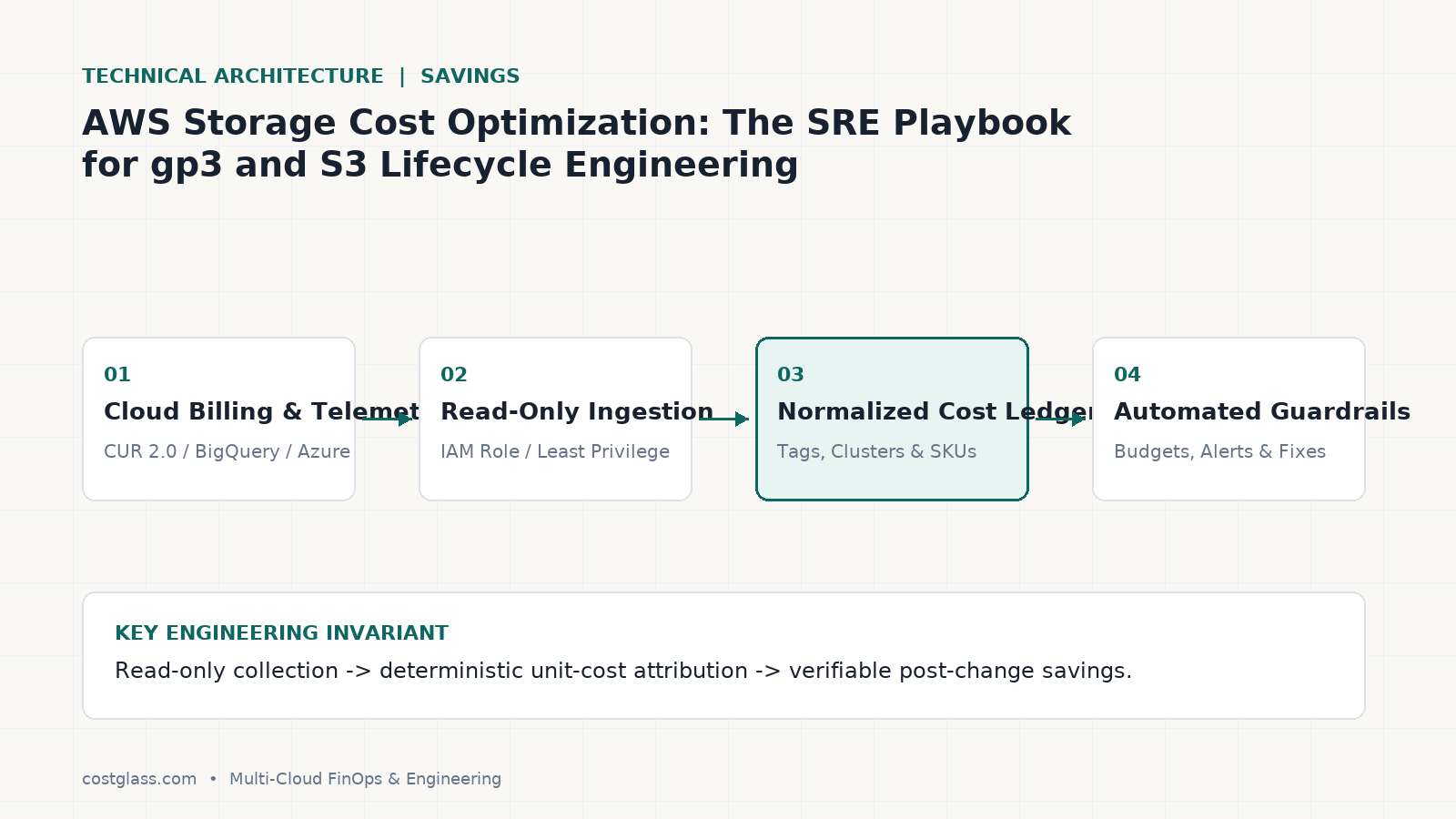
AWS Storage Cost Optimization: The SRE Playbook for gp3 and S3 Lifecycle Engineering
Slash AWS storage costs by 35%. Master gp2 to gp3 migration math, S3 lifecycle policies, and unattached disk cleanup with CostGlass flat-rate FinOps.
Migrating legacy Elastic Block Store (EBS) gp2 volumes to gp3 and implementing precise Simple Storage Service (S3) lifecycle transitions can instantly reduce storage expenses by 20% to 50%. Yet, because storage resources accumulate incrementally across hundreds of developer accounts, these opportunities are frequently overlooked until they comprise a major portion of the cloud bill.
This guide outlines the precise technical mechanics of EBS and S3 optimization, provides concrete remediation steps, and explains how to translate engineering actions into board-ready gross margin impact.
The Real Cost of Storage Inertia
Unlike compute instances, which can be scheduled or shut down, storage is persistent. It incurs costs 24 hours a day, 365 days a year, regardless of whether the attached virtual machines are running or idle.
In many mature AWS environments, three primary architectural anti-patterns drive storage waste:
- Over-Provisioned gp2 Volumes: Relying on legacy
gp2volumes where Input/Output Operations Per Second (IOPS) and throughput are artificially tied to disk size, forcing teams to purchase excess gigabytes just to achieve performance targets. - Orphaned EBS Volumes and Snapshots: Retaining block storage volumes after their host EC2 instances are terminated, or keeping daily backup snapshots indefinitely without a rotation policy.
- S3 Storage Class Mismanagement: Storing petabytes of historical logs, raw database backups, or transient analytical assets in S3 Standard forever, rather than tiering them to Glacier or Intelligent-Tiering.
By systematically addressing these areas, platform engineers can reclaim thousands of dollars in wasted monthly cloud spend.
EBS gp2 vs. gp3: Performance and Financial Math
In 2020, AWS introduced gp3 to decouple storage performance from capacity. Under gp2, volumes receive a baseline performance of 3 IOPS per GB, up to a maximum of 16,000. If an application requires 3,000 IOPS, engineers are forced to provision a 1,000 GB volume—even if they only need 50 GB of actual storage capacity.
In contrast, gp3 offers a flat baseline of 3,000 IOPS and 125 MB/s of throughput included in the base storage price, completely independent of volume size. You can provision a 10 GB volume and still receive 3,000 IOPS.
The Unit Cost Comparison
| Metric | gp2 Volume (Baseline) | gp3 Volume (Optimized) | Net Savings |
|---|---|---|---|
| Storage Cost per GB-month | $0.10 | $0.08 | 20% reduction |
| Baseline IOPS Included | 3 IOPS per GB (min 100, max 16k) | 3,000 (regardless of volume size) | Free performance |
| Baseline Throughput Included | N/A (tied to volume size) | 125 MB/s (regardless of size) | Free performance |
| Cost for 10 TB (3,000 IOPS) | $1,000.00 | $800.00 | $200.00 (20% saved) |
| Cost for 100 GB (10,000 IOPS) | $1,000.00 (forced to 3,333 GB size) | $138.00 ($8.00 storage + $130.00 IOPS) | $862.00 (86.2% saved) |
Executing gp2 to gp3 Migrations Online
EBS volumes can be modified on-the-fly without detaching the volume or restarting the instance. AWS Elastic Volumes handles the transition in the background with zero downtime. SREs can execute this transition via the AWS CLI:
aws ec2 modify-volume \
  --volume-id vol-0123456789abcdef0 \
  --volume-type gp3 \
  --iops 3000 \
  --throughput 125
To perform this migration safely at scale, platform teams should use Terraform. This ensures your Infrastructure as Code (IaC) remains synchronized with your actual cloud environment, preventing configuration drift:
resource "aws_instance" "app_server" {
  ami           = "ami-0c55b159cbfafe1f0"
  instance_type = "m7g.xlarge"

  root_block_device {
    volume_type           = "gp3"
    volume_size           = 100
    iops                  = 3000
    throughput            = 125
    delete_on_termination = true
  }
}
S3 Lifecycle & Intelligent-Tiering Engineering
Amazon S3 is deceptively inexpensive at $0.023 per GB-month for the Standard tier. However, when storage grows to hundreds of terabytes, S3 bills become a significant component of your Cost of Goods Sold (COGS).
Understanding S3 Storage Tiers
- S3 Standard ($0.023/GB): Designed for active, frequently accessed data.
- S3 Standard-IA ($0.0125/GB): For data accessed less than once a month, but requiring millisecond retrieval. Beware of the retrieval fee ($0.01 per GB).
- S3 Glacier Instant Retrieval ($0.004/GB): Ideal for medical records or media archives accessed once or twice a year, with instant retrieval.
- S3 Glacier Deep Archive ($0.00099/GB): The lowest cost tier, designed for multi-year regulatory compliance backups with 12-hour retrieval times.
The S3 Transition Fee Trap
SREs often write aggressive lifecycle policies to transition objects to Glacier without calculating transition costs. AWS charges a transition request fee per 1,000 objects ($0.03 to $0.05 depending on the destination tier).
If you have 10 million small files (each under 100 KB) in an S3 bucket, migrating them to Glacier Deep Archive costs $500 in API requests alone, while the monthly storage savings might only be $5.
Rule of Thumb: Only transition large objects (> 1 MB) to cold tiers, or aggregate small files into larger tarballs before upload.
Implementing S3 Intelligent-Tiering
For buckets with unpredictable access patterns, S3 Intelligent-Tiering automatically moves objects between frequent, infrequent, and archive access tiers based on usage history. There are no retrieval fees, only a small monitoring fee of $0.0025 per 1,000 objects (for objects larger than 128 KB).
Here is an AWS CLI command to apply an Intelligent-Tiering configuration to an existing S3 bucket:
aws s3api put-bucket-lifecycle-configuration \
  --bucket my-production-data-lake \
  --lifecycle-configuration '{
    "Rules": [
      {
        "ID": "AutoTieringRule",
        "Status": "Enabled",
        "Filter": {
          "Prefix": ""
        },
        "Transitions": [
          {
            "Days": 0,
            "StorageClass": "INTELLIGENT_TIERING"
          }
        ]
      }
    ]
  }'
The Build vs. Buy Storage Governance Trap
To keep storage costs under control, many engineering organizations attempt to build in-house automation pipelines. Typically, this involves writing Python scripts that run as nightly AWS Lambda functions to query the EC2 API, locate unattached EBS volumes, find old snapshots, and alert engineers via Slack.
This DIY approach almost always fails over time:
- Maintenance Overhead: API schemas change, scripts break, and SREs spend valuable engineering hours maintaining internal dashboards rather than focusing on core product features.
- Alert Fatigue: Raw Slack alerts listing hundreds of unattached disks are ignored by busy development teams, leaving waste unaddressed.
- No Cross-Cloud Unified Visibility: If your organization also uses Azure Managed Disks or Google Cloud Persistent Disks, SREs must build and maintain separate, complex scripts for each cloud provider.
How CostGlass Eliminates Storage Waste Out-of-the-Box
Instead of wasting internal engineering resources building fragile tracking tools, CostGlass connects to your AWS, Azure, and Google Cloud environments in five minutes using secure, read-only IAM roles.
CostGlass immediately identifies and aggregates storage waste across your entire multi-cloud footprint:
- Idle Volume Detection: Identifies unattached EBS volumes, Azure managed disks, and GCP persistent disks, highlighting exactly how much money is being wasted on orphaned storage.
- gp2 to gp3 Rightsizing Recommendations: Scans all active EBS volumes, calculates the potential savings of migrating to
gp3, and provides the exact Terraform or AWS CLI commands to execute the migration. - S3 Bucket Analysis: Visualizes storage growth trends and identifies buckets that are prime candidates for S3 Intelligent-Tiering or Glacier transition policies.
Furthermore, on the Scale plan ($1,499/mo), you do not even have to write the remediation code yourself. CostGlass includes 8 hours of dedicated senior DevOps and SRE engineer time every single month. Our engineers will write the Terraform pull requests, configure the S3 lifecycle policies, and clean up the orphaned volumes for you—delivering immediate ROI without distracting your core product team.
Step-by-Step Storage Remediation Workflow with CostGlass
To systematically eliminate storage waste inside your organization, follow this three-step workflow using CostGlass:
Step 1: Isolate Storage Spend in Cost Explorer
Log into your CostGlass account and navigate to the Cost Explorer. Filter your multi-cloud ledger by Service (e.g., AmazonEC2 and AmazonS3) and group by UsageType or Resource ID. This exposes the exact volumes and buckets driving your storage costs.
Step 2: Review Rightsizing Recommendations
Go to the Rightsizing Playbook to view a prioritized list of idle volumes and gp2 to gp3 migration candidates. CostGlass calculates the exact monthly savings for each resource, factoring in IOPS and throughput configurations to prevent performance degradation.
Step 3: Authorize Execution
If you are on the Scale or Enterprise plan, flag the approved recommendations in your dashboard. Your dedicated CostGlass SRE will pick up the tasks, write the necessary Terraform code, and coordinate with your team to safely apply the updates during your standard maintenance windows.
Frequently Asked Questions
Will migrating from gp2 to gp3 cause any application downtime?
No. AWS Elastic Volumes allows you to modify the volume type, size, and IOPS of active EBS volumes while they are attached to running instances with zero downtime. However, volume performance may be slightly degraded during the modification state, so we recommend executing migrations during off-peak hours.
Are there any scenarios where gp2 is cheaper than gp3?
No. At $0.08 per GB-month, gp3 storage is flatly 20% cheaper than gp2 ($0.10 per GB-month). The only edge case is if you provision extremely high IOPS (> 3,000) and throughput (> 125 MB/s) on very small volumes, where the add-on performance costs of gp3 could theoretically exceed the baseline cost. CostGlass's recommendation engine automatically detects these rare scenarios and only suggests migrations that guarantee positive savings.
How does S3 Intelligent-Tiering handle deep archiving?
S3 Intelligent-Tiering includes two opt-in archive access tiers: Archive Access (90 days of inactivity) and Deep Archive Access (180 days of inactivity). Once activated, objects are automatically moved to these ultra-low-cost tiers, matching the pricing of Glacier and Glacier Deep Archive, while maintaining automated retrieval if the data is ever requested.
Ready to stop paying the legacy storage tax? Learn how to automate storage cleanups and gp3 migrations by reviewing our Savings Playbook. To see how CostGlass's flat-rate plans compare to percentage-of-spend tools, check out our CostGlass vs. CloudZero Comparison. For transparent flat pricing starting at $0, visit CostGlass Pricing.
La migración de volúmenes heredados Elastic Block Store (EBS) gp2 a gp3 y la implementación de transiciones precisas de ciclo de vida en Simple Storage Service (S3) pueden reducir de inmediato los gastos de almacenamiento entre un 20% y un 50%. Sin embargo, dado que los recursos de almacenamiento se acumulan de manera gradual a lo largo de cientos de cuentas de desarrolladores, estas oportunidades con frecuencia se pasan por alto hasta que representan una porción sustancial de la factura de la nube.
Esta guía describe los mecanismos técnicos precisos para optimizar EBS y S3, proporciona pasos concretos de corrección y explica cómo traducir las acciones de ingeniería en un impacto directo sobre el margen bruto para la junta directiva.
El costo real de la inercia del almacenamiento
A diferencia de las instancias de cómputo, que pueden programarse o apagarse, el almacenamiento es persistente. Genera costos las 24 horas del día, los 365 días del año, independientemente de si las máquinas virtuales asociadas están en ejecución o inactivas.
En muchos entornos maduros de AWS, tres antipatrones arquitectónicos principales impulsan el desperdicio de almacenamiento:
- Volúmenes gp2 sobredimensionados: Depender de volúmenes heredados
gp2donde las operaciones de entrada/salida por segundo (IOPS) y el rendimiento (throughput) están vinculados artificialmente al tamaño del disco, forzando a los equipos a comprar gigabytes adicionales solo para alcanzar los objetivos de rendimiento. - Volúmenes EBS y snapshots huérfanos: Conservar volúmenes de almacenamiento en bloque después de haber terminado sus instancias host EC2, o mantener snapshots diarios de respaldo indefinidamente sin una política de rotación.
- Mala gestión de clases de almacenamiento de S3: Almacenar petabytes de registros históricos, respaldos de bases de datos sin procesar o artefactos analíticos transitorios en S3 Standard de forma permanente, en lugar de moverlos a Glacier o Intelligent-Tiering mediante niveles escalonados.
Al abordar sistemáticamente estas áreas, los ingenieros de plataforma pueden recuperar miles de dólares en gasto desperdiciado cada mes en la nube.
EBS gp2 vs. gp3: Matemáticas de rendimiento y financieras
En 2020, AWS presentó gp3 para desacoplar el rendimiento de almacenamiento de la capacidad. Con gp2, los volúmenes reciben un rendimiento de línea base de 3 IOPS por GB, hasta un máximo de 16,000. Si una aplicación requiere 3,000 IOPS, los ingenieros se ven forzados a aprovisionar un volumen de 1,000 GB, incluso si solo necesitan 50 GB de capacidad real de almacenamiento.
Por el contrario, gp3 ofrece una línea base fija de 3,000 IOPS y 125 MB/s de throughput incluidos en el precio base del almacenamiento, de forma completamente independiente del tamaño del volumen. Es posible aprovisionar un volumen de 10 GB y seguir recibiendo 3,000 IOPS.
Comparación de costos unitarios
| Métrica | Volumen gp2 (Línea base) | Volumen gp3 (Optimizado) | Ahorro neto |
|---|---|---|---|
| Costo de almacenamiento por GB-mes | $0.10 | $0.08 | 20% de reducción |
| IOPS de línea base incluidos | 3 IOPS por GB (mín. 100, máx. 16k) | 3,000 (independientemente del tamaño) | Rendimiento gratuito |
| Throughput de línea base incluido | N/A (vinculado al tamaño del volumen) | 125 MB/s (independientemente del tamaño) | Rendimiento gratuito |
| Costo para 10 TB (3,000 IOPS) | $1,000.00 | $800.00 | $200.00 (20% ahorrado) |
| Costo para 100 GB (10,000 IOPS) | $1,000.00 (forzado a un tamaño de 3,333 GB) | $138.00 ($8.00 almacenamiento + $130.00 IOPS) | $862.00 (86.2% ahorrado) |
Ejecución de migraciones de gp2 a gp3 en línea
Los volúmenes EBS se pueden modificar en caliente sin desmontar el volumen ni reiniciar la instancia. AWS Elastic Volumes procesa la transición en segundo plano sin tiempo de inactividad. Los SRE pueden ejecutar esta transición mediante la AWS CLI:
aws ec2 modify-volume \
  --volume-id vol-0123456789abcdef0 \
  --volume-type gp3 \
  --iops 3000 \
  --throughput 125
Para ejecutar esta migración de forma segura y a escala, los equipos de plataforma deben utilizar Terraform. Esto garantiza que su infraestructura como código (IaC) permanezca sincronizada con su entorno de nube real, evitando la desviación de configuración:
resource "aws_instance" "app_server" {
  ami           = "ami-0c55b159cbfafe1f0"
  instance_type = "m7g.xlarge"

  root_block_device {
    volume_type           = "gp3"
    volume_size           = 100
    iops                  = 3000
    throughput            = 125
    delete_on_termination = true
  }
}
Ingeniería de ciclo de vida de S3 e Intelligent-Tiering
Amazon S3 resulta engañosamente económico a $0.023 por GB-mes para el nivel Standard. Sin embargo, cuando el almacenamiento escala a cientos de terabytes, las facturas de S3 se convierten en un componente significativo del costo de los bienes vendidos (COGS).
Comprensión de los niveles de almacenamiento de S3
- S3 Standard ($0.023/GB): Diseñado para datos activos a los que se accede con frecuencia.
- S3 Standard-IA ($0.0125/GB): Para datos consultados menos de una vez al mes, pero que exigen recuperación en milisegundos. Considere el cargo por recuperación ($0.01 por GB).
- S3 Glacier Instant Retrieval ($0.004/GB): Ideal para registros médicos o archivos multimedia consultados una o dos veces al año, con recuperación instantánea.
- S3 Glacier Deep Archive ($0.00099/GB): El nivel de menor costo, diseñado para respaldos de cumplimiento normativo a largo plazo con tiempos de recuperación de 12 horas.
La trampa de las tarifas de transición en S3
Los SRE a menudo configuran políticas de ciclo de vida agresivas para migrar objetos a Glacier sin calcular los costos de transición. AWS aplica un cargo por solicitud de transición por cada 1,000 objetos (entre $0.03 y $0.05 según el nivel de destino).
Si almacena 10 millones de archivos pequeños (cada uno inferior a 100 KB) en un bucket S3, migrarlos a Glacier Deep Archive cuesta $500 solo en llamadas a la API, mientras que el ahorro mensual de almacenamiento podría ser de apenas $5.
Regla práctica: Realice la transición solo para objetos grandes (> 1 MB) hacia niveles fríos, o empaquete los archivos pequeños en archivos comprimidos de mayor tamaño antes de subirlos.
Implementación de S3 Intelligent-Tiering
Para buckets con patrones de acceso impredecibles, S3 Intelligent-Tiering mueve automáticamente los objetos entre niveles de acceso frecuente, poco frecuente y de archivo según el historial de uso. No aplica tarifas por recuperación, solo un pequeño cargo de monitoreo de $0.0025 por cada 1,000 objetos (para objetos mayores a 128 KB).
A continuación se muestra un comando de la AWS CLI para aplicar una configuración de Intelligent-Tiering a un bucket S3 existente:
aws s3api put-bucket-lifecycle-configuration \
  --bucket my-production-data-lake \
  --lifecycle-configuration '{
    "Rules": [
      {
        "ID": "AutoTieringRule",
        "Status": "Enabled",
        "Filter": {
          "Prefix": ""
        },
        "Transitions": [
          {
            "Days": 0,
            "StorageClass": "INTELLIGENT_TIERING"
          }
        ]
      }
    ]
  }'
La trampa de construir frente a comprar en gobernanza de almacenamiento
Para controlar los costos de almacenamiento, muchas organizaciones de ingeniería intentan construir pipelines de automatización internos. Por lo general, esto implica desarrollar scripts en Python que se ejecutan como funciones nocturnas en AWS Lambda para consultar la API de EC2, identificar volúmenes EBS desasociados, localizar snapshots antiguos y enviar alertas a los ingenieros vía Slack.
Este enfoque casero casi siempre fracasa con el tiempo:
- Sobrecarga de mantenimiento: Los esquemas de la API cambian, los scripts fallan y los SRE dedican horas valiosas de ingeniería a mantener paneles internos en lugar de centrarse en las funciones clave del producto.
- Fatiga de alertas: Las alertas crudas en Slack que enumeran cientos de discos desasociados son ignoradas por equipos de desarrollo sobrecargados, lo que deja el desperdicio sin resolver.
- Falta de visibilidad unificada multinube: Si su organización también utiliza Azure Managed Disks o Google Cloud Persistent Disks, los SRE deben programar y mantener scripts complejos e independientes para cada proveedor de nube.
Cómo CostGlass elimina el desperdicio de almacenamiento de forma nativa
En lugar de consumir recursos internos de ingeniería construyendo herramientas de seguimiento frágiles, CostGlass se conecta a sus entornos de AWS, Azure y Google Cloud en cinco minutos mediante roles IAM de solo lectura completamente seguros.
CostGlass identifica y agrupa de inmediato el desperdicio de almacenamiento en toda su infraestructura multinube:
- Detección de volúmenes inactivos: Identifica volúmenes EBS desasociados, Azure Managed Disks y GCP Persistent Disks, destacando con precisión cuánto dinero se pierde en almacenamiento huérfano.
- Recomendaciones de rightsizing de gp2 a gp3: Examina todos los volúmenes EBS activos, calcula los ahorros potenciales de migrar a
gp3y proporciona los comandos exactos de Terraform o AWS CLI para ejecutar la migración. - Análisis de buckets S3: Visualiza las tendencias de crecimiento del almacenamiento e identifica los buckets idóneos para S3 Intelligent-Tiering o políticas de transición a Glacier.
Además, en el plan Scale ($1,499/mes), ni siquiera necesita escribir el código de corrección usted mismo. CostGlass incluye 8 horas de trabajo dedicado de ingenieros senior de DevOps y SRE cada mes. Nuestros ingenieros redactarán los pull requests de Terraform, configurarán las políticas de ciclo de vida de S3 y limpiarán los volúmenes huérfanos por usted, generando un ROI inmediato sin distraer a su equipo de producto principal.
Flujo de trabajo paso a paso para la corrección del almacenamiento con CostGlass
Para erradicar sistemáticamente el desperdicio de almacenamiento en su organización, siga este flujo de tres pasos utilizando CostGlass:
Paso 1: Aislar el gasto de almacenamiento en Cost Explorer
Inicie sesión en su cuenta de CostGlass y acceda a Cost Explorer. Filtre su registro multinube por Service (por ejemplo, AmazonEC2 y AmazonS3) y agrupe por UsageType o Resource ID. Esto revelará con total precisión los volúmenes y buckets que impulsan sus costos de almacenamiento.
Paso 2: Revisar las recomendaciones de rightsizing
Vaya a la Guía de rightsizing para consultar una lista priorizada de volúmenes inactivos y candidatos a migración de gp2 a gp3. CostGlass calcula el ahorro mensual exacto para cada recurso, considerando las configuraciones de IOPS y throughput para evitar cualquier degradación de rendimiento.
Paso 3: Autorizar la ejecución
Si cuenta con el plan Scale o Enterprise, marque las recomendaciones aprobadas en su panel. Su SRE asignado en CostGlass tomará las tareas, redactará el código de Terraform necesario y coordinará con su equipo para aplicar las actualizaciones de manera segura durante sus ventanas estándar de mantenimiento.
Preguntas frecuentes
¿La migración de gp2 a gp3 provocará tiempo de inactividad en la aplicación?
No. AWS Elastic Volumes le permite modificar el tipo de volumen, el tamaño y los IOPS de los volúmenes EBS activos mientras están conectados a instancias en funcionamiento, sin generar ningún tiempo de inactividad. No obstante, el rendimiento del volumen puede verse ligeramente reducido durante el estado de modificación, por lo que recomendamos realizar las migraciones fuera de las horas pico.
¿Existen escenarios en los que gp2 sea más económico que gp3?
No. A $0.08 por GB-mes, el almacenamiento gp3 es un 20% más económico que gp2 ($0.10 por GB-mes) en términos netos. El único caso atípico surge si aprovisiona niveles extremadamente altos de IOPS (> 3,000) y throughput (> 125 MB/s) en volúmenes sumamente pequeños, donde los costos adicionales de rendimiento de gp3 podrían teóricamente superar el costo base. El motor de recomendaciones de CostGlass detecta automáticamente estos escenarios excepcionales y solo sugiere migraciones que garanticen un ahorro positivo comprobado.
¿Cómo gestiona S3 Intelligent-Tiering el archivo profundo?
S3 Intelligent-Tiering incluye dos niveles de acceso de archivo opcionales: Archive Access (tras 90 días de inactividad) y Deep Archive Access (tras 180 días de inactividad). Una vez activados, los objetos se transfieren automáticamente a estos niveles de costo ultrabajo, igualando las tarifas de Glacier y Glacier Deep Archive, al tiempo que conservan la recuperación automática si los datos vuelven a solicitarse.
¿Listo para dejar de pagar el impuesto del almacenamiento heredado? Descubra cómo automatizar la limpieza de almacenamiento y las migraciones a gp3 consultando nuestro Playbook de ahorro. Para ver cómo se comparan los planes de tarifa plana de CostGlass frente a herramientas basadas en porcentaje de gasto, revise nuestra Comparación de CostGlass vs. CloudZero. Para conocer nuestros precios fijos transparentes a partir de $0, visite los Precios de CostGlass.
Die Migration älterer Elastic Block Store (EBS) gp2-Volumes zu gp3 und die Implementierung präziser Simple Storage Service (S3) Lifecycle-Übergänge können Speicherausgaben unmittelbar um 20 % bis 50 % senken. Da Speicherressourcen jedoch inkrementell über Hunderte von Entwicklerkonten hinweg anwachsen, werden diese Optimierungspotenziale häufig übersehen, bis sie einen erheblichen Teil der Cloud-Rechnung ausmachen.
Dieser Leitfaden beschreibt die technischen Mechanismen der EBS- und S3-Optimierung, liefert konkrete Schritte zur Behebung und erläutert, wie sich Engineering-Maßnahmen in eine messbare Steigerung der Bruttomarge für das Board übersetzen lassen.
Die wahren Kosten von Speicher-Inertia
Im Gegensatz zu Compute-Instanzen, die zeitgesteuert oder abgeschaltet werden können, ist Speicher persistent. Er verursacht 24 Stunden am Tag und 365 Tage im Jahr Kosten – unabhängig davon, ob die angeschlossenen virtuellen Maschinen aktiv sind oder im Leerlauf laufen.
In vielen gewachsenen AWS-Umgebungen treiben drei primäre architektonische Anti-Patterns die Speicherverschwendung:
- Überdimensionierte gp2-Volumes: Die Verwendung veralteter
gp2-Volumes, bei denen Input/Output Operations Per Second (IOPS) und Durchsatz künstlich an die Festplattengröße gekoppelt sind. Dies zwingt Teams dazu, überschüssige Gigabytes einzukaufen, nur um Leistungsziele zu erreichen. - Verwaiste EBS-Volumes und Snapshots: Das Beibehalten von Block-Storage-Volumes nach dem Beenden ihrer EC2-Host-Instanzen oder das unbegrenzte Aufbewahren täglicher Backup-Snapshots ohne Rotationsrichtlinie.
- Fehlkonfiguration von S3-Speicherklassen: Das dauerhafte Speichern von Petabytes an historischen Logs, rohen Datenbank-Backups oder transienten Analysedaten in S3 Standard, anstatt sie in Glacier oder Intelligent-Tiering zu überführen.
Durch das systematische Bereinigen dieser Bereiche können Plattformingenieure monatlich Tausende von Dollar an verschwendeten Cloud-Ausgaben zurückholen.
EBS gp2 vs. gp3: Performance- und Kostenrechnung
Im Jahr 2020 führte AWS gp3 ein, um die Speicherleistung von der Kapazität zu entkoppeln. Bei gp2 erhalten Volumes eine Baseline-Performance von 3 IOPS pro GB, bis zu einem Maximum von 16.000. Benötigt eine Anwendung 3.000 IOPS, sind Ingenieure gezwungen, ein 1.000-GB-Volume bereitzustellen – selbst wenn sie nur 50 GB tatsächliche Speicherkapazität benötigen.
Im Gegensatz dazu bietet gp3 eine feste Baseline von 3.000 IOPS und 125 MB/s Durchsatz, die im Grundpreis des Speichers enthalten sind – völlig unabhängig von der Volume-Größe. Sie können ein 10-GB-Volume bereitstellen und erhalten dennoch 3.000 IOPS.
Der Einheitskostenvergleich
| Metrik | gp2-Volume (Baseline) | gp3-Volume (Optimiert) | Netto-Ersparnis |
|---|---|---|---|
| Speicherkosten pro GB-Monat | $0.10 | $0.08 | 20 % Reduktion |
| Enthaltene Baseline-IOPS | 3 IOPS pro GB (min. 100, max. 16k) | 3.000 (unabhängig von der Volume-Größe) | Kostenlose Performance |
| Enthaltene Baseline-Throughput | Nicht verfügbar (an Volume-Größe gekoppelt) | 125 MB/s (unabhängig von der Größe) | Kostenlose Performance |
| Kosten für 10 TB (3.000 IOPS) | $1,000.00 | $800.00 | $200.00 (20 % gespart) |
| Kosten für 100 GB (10.000 IOPS) | $1,000.00 (erzwungene Größe von 3.333 GB) | $138.00 ($8.00 Speicher + $130.00 IOPS) | $862.00 (86,2 % gespart) |
Ausführen von gp2-zu-gp3-Migrationen im laufenden Betrieb
EBS-Volumes können im laufenden Betrieb modifiziert werden, ohne das Volume auszuhängen oder die Instanz neu zu starten. AWS Elastic Volumes übernimmt die Umstellung im Hintergrund ohne Ausfallzeit. SREs können diese Transition über das AWS CLI durchführen:
aws ec2 modify-volume \
  --volume-id vol-0123456789abcdef0 \
  --volume-type gp3 \
  --iops 3000 \
  --throughput 125
Um diese Migration in großem Maßstab sicher durchzuführen, sollten Plattform-Teams Terraform nutzen. Dies stellt sicher, dass Ihre Infrastructure as Code (IaC) synchron mit Ihrer tatsächlichen Cloud-Umgebung bleibt und Configuration Drift vermieden wird:
resource "aws_instance" "app_server" {
  ami           = "ami-0c55b159cbfafe1f0"
  instance_type = "m7g.xlarge"

  root_block_device {
    volume_type           = "gp3"
    volume_size           = 100
    iops                  = 3000
    throughput            = 125
    delete_on_termination = true
  }
}
S3-Lifecycle & Intelligent-Tiering Engineering
Amazon S3 ist mit $0.023 pro GB-Monat in der Standard-Stufe scheinbar günstig. Wenn der Speicher jedoch auf Hunderte von Terabytes anwächst, werden die S3-Rechnungen zu einem erheblichen Bestandteil Ihrer Cost of Goods Sold (COGS).
S3-Speicherklassen im Überblick
- S3 Standard ($0.023/GB): Konzipiert für aktive, häufig abgerufene Daten.
- S3 Standard-IA ($0.0125/GB): Für Daten, auf die weniger als einmal im Monat zugegriffen wird, die jedoch einen Abruf im Millisekundenbereich erfordern. Beachten Sie die Abrufgebühr ($0.01 pro GB).
- S3 Glacier Instant Retrieval ($0.004/GB): Ideal für medizinische Aufzeichnungen oder Medienarchive, auf die ein- bis zweimal im Jahr zugegriffen wird, mit sofortigem Abruf.
- S3 Glacier Deep Archive ($0.00099/GB): Die kostengünstigste Speicherklasse, gedacht für mehrjährige regulatorische Compliance-Backups mit Abrufzeiten von bis zu 12 Stunden.
Die Kostenfalle bei S3-Transitionsgebühren
SREs definieren oft aggressive Lifecycle-Richtlinien, um Objekte in Glacier zu überführen, ohne die Transitionskosten zu kalkulieren. AWS berechnet eine Transition-Anfragegebühr pro 1.000 Objekte ($0.03 bis $0.05 je nach Zielspeicherklasse).
Wenn Sie 10 Millionen kleine Dateien (jeweils unter 100 KB) in einem S3-Bucket haben, kostet die Migration zu Glacier Deep Archive allein an API-Aufrufen $500, während die monatliche Speicherersparnis möglicherweise nur $5 beträgt.
Faustregel: Überführen Sie nur große Objekte (> 1 MB) in Cold Tiers oder fassen Sie kleine Dateien vor dem Hochladen in größere Archive (z. B. Tarballs) zusammen.
Implementierung von S3 Intelligent-Tiering
Für Buckets mit unvorhersehbaren Zugriffsmustern verschiebt S3 Intelligent-Tiering Objekte basierend auf dem Nutzungsverlauf automatisch zwischen Frequent-, Infrequent- und Archive-Access-Tiers. Es fallen keine Abrufgebühren an, lediglich eine geringe Überwachungsgebühr von $0.0025 pro 1.000 Objekte (für Objekte größer als 128 KB).
Hier ist ein AWS-CLI-Befehl, um eine Intelligent-Tiering-Konfiguration auf einen bestehenden S3-Bucket anzuwenden:
aws s3api put-bucket-lifecycle-configuration \
  --bucket my-production-data-lake \
  --lifecycle-configuration '{
    "Rules": [
      {
        "ID": "AutoTieringRule",
        "Status": "Enabled",
        "Filter": {
          "Prefix": ""
        },
        "Transitions": [
          {
            "Days": 0,
            "StorageClass": "INTELLIGENT_TIERING"
          }
        ]
      }
    ]
  }'
Die Build-vs.-Buy-Falle bei der Storage Governance
Um die Speicherkosten unter Kontrolle zu halten, versuchen viele Engineering-Organisationen, interne Automatisierungs-Pipelines zu entwickeln. Typischerweise schreiben sie Python-Skripte, die als nächtliche AWS-Lambda-Funktionen laufen, um die EC2-API abzufragen, nicht angehängte EBS-Volumes zu lokalisieren, alte Snapshots zu finden und Ingenieure über Slack zu benachrichtigen.
Dieser Do-it-yourself-Ansatz scheitert im Laufe der Zeit fast immer:
- Wartungsaufwand: API-Schemas ändern sich, Skripte brechen ab und SREs verbringen wertvolle Entwicklungszeit damit, interne Dashboards zu warten, anstatt sich auf zentrale Produktfeatures zu konzentrieren.
- Alert Fatigue: Unstrukturierte Slack-Benachrichtigungen, die Hunderte von ungenutzten Datenträgern auflisten, werden von viel beschäftigten Entwicklungsteams ignoriert, sodass die Verschwendung bestehen bleibt.
- Keine einheitliche Multi-Cloud-Sicht: Wenn Ihr Unternehmen auch Azure Managed Disks oder Google Cloud Persistent Disks nutzt, müssen SREs separate, komplexe Skripte für jeden Cloud-Anbieter erstellen und pflegen.
Wie CostGlass Speicherverschwendung standardmäßig eliminiert
Anstatt interne Engineering-Ressourcen für den Bau fragiler Tracking-Tools zu binden, verbindet sich CostGlass über sichere, schreibgeschützte IAM-Rollen in fünf Minuten mit Ihren AWS-, Azure- und Google Cloud-Umgebungen.
CostGlass identifiziert und aggregiert Speicherverschwendung über Ihren gesamten Multi-Cloud-Footprint hinweg unmittelbar:
- Erkennung ungenutzter Volumes: Erkennt unangehängte EBS-Volumes, Azure Managed Disks und GCP Persistent Disks und zeigt exakt an, wie viel Geld für verwaisten Speicher verschwendet wird.
- Empfehlungen zum gp2-zu-gp3-Rightsizing: Durchsucht alle aktiven EBS-Volumes, berechnet das Einsparpotenzial einer Migration zu
gp3und liefert die exakten Terraform- oder AWS-CLI-Befehle zur Durchführung. - S3-Bucket-Analyse: Visualisiert Speichertrends und identifiziert Buckets, die sich ideal für S3 Intelligent-Tiering oder Glacier-Transitionsrichtlinien eignen.
Darüber hinaus müssen Sie im Scale-Plan ($1,499/Monat) den Bereinigungscode nicht einmal selbst schreiben. CostGlass beinhaltet jeden Monat 8 Stunden dedizierte Senior-DevOps- und SRE-Arbeitszeit. Unsere Ingenieure erstellen die Terraform-Pull-Requests, konfigurieren die S3-Lifecycle-Regeln und bereinigen die verwaisten Volumes für Sie – für einen sofortigen ROI, ohne Ihr Kernprodukt-Team abzulenken.
Schritt-für-Schritt-Workflow zur Speicherbereinigung mit CostGlass
Um Speicherverschwendung in Ihrer Organisation systematisch zu eliminieren, folgen Sie diesem dreistufigen Workflow mit CostGlass:
Schritt 1: Speicherausgaben im Cost Explorer isolieren
Melden Sie sich in Ihrem CostGlass-Konto an und navigieren Sie zum Cost Explorer. Filtern Sie Ihr Multi-Cloud-Ledger nach Service (z. B. AmazonEC2 und AmazonS3) und gruppieren Sie nach UsageType oder Resource ID. Dadurch werden genau die Volumes und Buckets sichtbar, die Ihre Speicherkosten in die Höhe treiben.
Schritt 2: Rightsizing-Empfehlungen prüfen
Wechseln Sie zum Rightsizing Playbook, um eine priorisierte Liste ungenutzter Volumes und Kandidaten für die Migration von gp2 zu gp3 anzuzeigen. CostGlass berechnet die exakte monatliche Ersparnis für jede Ressource unter Berücksichtigung von IOPS- und Durchsatzkonfigurationen, um Performance-Einbußen zu verhindern.
Schritt 3: Ausführung autorisieren
Wenn Sie den Scale- oder Enterprise-Plan nutzen, markieren Sie die freigegebenen Empfehlungen in Ihrem Dashboard. Ihr dedizierter CostGlass-SRE übernimmt die Aufgaben, erstellt den erforderlichen Terraform-Code und stimmt sich mit Ihrem Team ab, um die Änderungen sicher während Ihrer regulären Wartungsfenster auszurollen.
Häufig gestellte Fragen (FAQ)
Führt die Migration von gp2 zu gp3 zu Ausfallzeiten der Anwendung?
Nein. AWS Elastic Volumes ermöglicht es Ihnen, den Volume-Typ, die Größe und die IOPS aktiver EBS-Volumes zu ändern, während sie an laufende Instanzen angehängt sind – ganz ohne Downtime. Allerdings kann die Volume-Leistung während des Modifikationsprozesses leicht beeinträchtigt sein, weshalb wir empfehlen, Migrationen außerhalb der Spitzenzeiten durchzuführen.
Gibt es Szenarien, in denen gp2 günstiger ist als gp3?
Nein. Mit $0.08 pro GB-Monat ist gp3-Speicher pauschal 20 % günstiger als gp2 ($0.10 pro GB-Monat). Der einzige Ausnahmefall tritt auf, wenn Sie extrem hohe IOPS (> 3.000) und Durchsätze (> 125 MB/s) auf sehr kleinen Volumes provisionieren, bei denen die zusätzlichen Performance-Kosten von gp3 theoretisch die Basiskosten übersteigen könnten. Die Recommendation Engine von CostGlass erkennt diese seltenen Szenarien automatisch und schlägt nur Migrationen vor, die eine garantierte Ersparnis bringen.
Wie handhabt S3 Intelligent-Tiering die Archivierung in Deep Archive?
S3 Intelligent-Tiering beinhaltet zwei optionale Archiv-Zugriffsstufen: Archive Access (nach 90 Tagen Inaktivität) und Deep Archive Access (nach 180 Tagen Inaktivität). Nach der Aktivierung werden Objekte automatisch in diese extrem günstigen Stufen verschoben, was den Preisen von Glacier und Glacier Deep Archive entspricht, während der automatisierte Abruf erhalten bleibt, falls die Daten jemals wieder angefordert werden.
Sind Sie bereit, die Altlasten-Steuer für Ihren Speicher zu stoppen? Erfahren Sie, wie Sie Speicherbereinigungen und gp3-Migrationen automatisieren können, indem Sie unser Savings Playbook lesen. Um zu sehen, wie die Pauschalpreis-Tarife von CostGlass im Vergleich zu prozentualen Abrechnungsmodellen abschneiden, werfen Sie einen Blick auf unseren Vergleich: CostGlass vs. CloudZero. Transparente Festpreise ab $0 finden Sie unter CostGlass Pricing.
Migrer les volumes Elastic Block Store (EBS) gp2 existants vers gp3 et mettre en place des transitions de cycle de vie précises sur Simple Storage Service (S3) permet de réduire immédiatement les dépenses de stockage de 20 % à 50 %. Pourtant, comme les ressources de stockage s'accumulent progressivement sur des centaines de comptes de développement, ces opportunités sont fréquemment négligées jusqu'à ce qu'elles représentent une part majeure de la facture cloud.
Ce guide détaille les mécanismes techniques précis de l'optimisation d'EBS et de S3, fournit des étapes concrètes de remédiation et explique comment traduire les actions d'ingénierie en un impact tangible sur la marge brute, prêt pour le comité de direction.
Le coût réel de l'inertie du stockage
Contrairement aux instances de calcul, qui peuvent être planifiées ou arrêtées, le stockage est persistant. Il engendre des coûts 24h/24 et 365 jours par an, que les machines virtuelles associées soient en cours d'exécution ou inactives.
Dans de nombreux environnements AWS matures, trois principaux anti-patterns architecturaux entraînent le gaspillage du stockage :
- Volumes gp2 surdimensionnés : L'utilisation de volumes
gp2historiques où les opérations d'entrée/sortie par seconde (IOPS) et le débit sont artificiellement liés à la taille du disque, contraignant les équipes à allouer des gigaoctets superflus uniquement pour atteindre les objectifs de performance. - Volumes EBS et snapshots orphelins : La conservation des volumes de stockage en mode bloc après la suppression de leurs instances EC2 hôtes, ou le maintien indéfini de snapshots de sauvegarde quotidiens sans politique de rotation.
- Mauvaise gestion des classes de stockage S3 : Le stockage de pétaoctets de logs historiques, de sauvegardes brutes de bases de données ou de données analytiques temporaires dans S3 Standard pour une durée indéterminée, au lieu de les basculer vers Glacier ou Intelligent-Tiering.
En s'attaquant méthodiquement à ces aspects, les ingénieurs de plateformes peuvent récupérer des milliers de dollars de dépenses cloud mensuelles gaspillées.
EBS gp2 vs gp3 : performances et équations financières
En 2020, AWS a introduit gp3 pour découpler les performances de stockage de la capacité. Avec gp2, les volumes bénéficient d'une performance de référence de 3 IOPS par Go, jusqu'à un maximum de 16 000. Si une application requiert 3 000 IOPS, les ingénieurs sont contraints de provisionner un volume de 1 000 Go, même si un espace de stockage réel de 50 Go leur suffit.
À l'inverse, gp3 offre un socle standard de 3 000 IOPS et 125 Mo/s de débit inclus dans le prix de base du stockage, de manière totalement indépendante de la taille du volume. Vous pouvez ainsi provisionner un volume de 10 Go tout en conservant 3 000 IOPS.
Comparatif des coûts unitaires
| Métrique | Volume gp2 (Référence) | Volume gp3 (Optimisé) | Économies nettes |
|---|---|---|---|
| Coût de stockage par Go-mois | 0,10 $ | 0,08 $ | Réduction de 20 % |
| IOPS de référence inclus | 3 IOPS par Go (min 100, max 16k) | 3 000 (quelle que soit la taille du volume) | Performance sans surcoût |
| Débit de référence inclus | N/A (lié à la taille du volume) | 125 Mo/s (quelle que soit la taille) | Performance sans surcoût |
| Coût pour 10 To (3 000 IOPS) | 1 000,00 $ | 800,00 $ | 200,00 $ (20 % économisés) |
| Coût pour 100 Go (10 000 IOPS) | 1 000,00 $ (taille imposée de 3 333 Go) | 138,00 $ (8,00 $ stockage + 130,00 $ IOPS) | 862,00 $ (86,2 % économisés) |
Exécuter des migrations gp2 vers gp3 à chaud
Les volumes EBS peuvent être modifiés à la volée, sans détacher le volume ni redémarrer l'instance. AWS Elastic Volumes prend en charge la transition en arrière-plan sans aucune interruption de service. Les SRE peuvent exécuter cette modification via l'AWS CLI :
aws ec2 modify-volume \
  --volume-id vol-0123456789abcdef0 \
  --volume-type gp3 \
  --iops 3000 \
  --throughput 125
Pour exécuter cette migration en toute sécurité à grande échelle, les équipes de plateforme doivent privilégier Terraform. Cela garantit que votre infrastructure as code (IaC) reste synchronisée avec votre environnement cloud réel, évitant ainsi toute dérive de configuration :
resource "aws_instance" "app_server" {
  ami           = "ami-0c55b159cbfafe1f0"
  instance_type = "m7g.xlarge"

  root_block_device {
    volume_type           = "gp3"
    volume_size           = 100
    iops                  = 3000
    throughput            = 125
    delete_on_termination = true
  }
}
Ingénierie du cycle de vie S3 et d'Intelligent-Tiering
Amazon S3 semble très économique à 0,023 $ par Go-mois pour le niveau Standard. Cependant, lorsque le volume de données atteint des centaines de téraoctets, la facture S3 devient une part prépondérante du coût de revient des ventes (COGS).
Comprendre les classes de stockage S3
- S3 Standard (0,023 $/Go) : Conçu pour les données actives et fréquemment consultées.
- S3 Standard-IA (0,0125 $/Go) : Pour les données consultées moins d'une fois par mois, mais exigeant un accès en quelques millisecondes. Attention aux frais de récupération (0,01 $ par Go).
- S3 Glacier Instant Retrieval (0,004 $/Go) : Idéal pour les dossiers médicaux ou les archives médias consultés une ou deux fois par an, avec un temps d'accès instantané.
- S3 Glacier Deep Archive (0,00099 $/Go) : La classe la plus économique, conçue pour les sauvegardes de conformité réglementaire sur plusieurs années, avec un délai de récupération de 12 heures.
Le piège des frais de transition S3
Les SRE définissent souvent des règles de cycle de vie agressives pour déplacer des objets vers Glacier sans évaluer les coûts de transition. AWS facture des frais de requête de transition par millier d'objets (entre 0,03 $ et 0,05 $ selon la classe de destination).
Si vous disposez de 10 millions de petits fichiers (chacun inférieur à 100 Ko) dans un bucket S3, leur migration vers Glacier Deep Archive coûte 500 $ rien qu'en requêtes d'API, tandis que les économies mensuelles de stockage pourraient n'être que de 5 $.
Règle empirique : Ne transférez vers les classes froides que les objets volumineux (> 1 Mo), ou regroupez les petits fichiers dans des archives compressées plus volumineuses avant leur envoi.
Implémentation de S3 Intelligent-Tiering
Pour les buckets aux profils d'accès imprévisibles, S3 Intelligent-Tiering déplace automatiquement les objets entre les niveaux d'accès fréquent, peu fréquent et d'archivage en fonction de l'historique d'utilisation. Il n'applique aucun frais de récupération, seulement de faibles frais de surveillance de 0,0025 $ par millier d'objets (pour les fichiers de plus de 128 Ko).
Voici la commande AWS CLI pour appliquer une configuration Intelligent-Tiering à un bucket S3 existant :
aws s3api put-bucket-lifecycle-configuration \
  --bucket my-production-data-lake \
  --lifecycle-configuration '{
    "Rules": [
      {
        "ID": "AutoTieringRule",
        "Status": "Enabled",
        "Filter": {
          "Prefix": ""
        },
        "Transitions": [
          {
            "Days": 0,
            "StorageClass": "INTELLIGENT_TIERING"
          }
        ]
      }
    ]
  }'
Le piège du « Build vs Buy » dans la gouvernance du stockage
Pour maîtriser les coûts de stockage, de nombreuses organisations d'ingénierie tentent de concevoir leurs propres pipelines d'automatisation internes. Généralement, cela consiste à développer des scripts Python exécutés chaque nuit via des fonctions AWS Lambda pour interroger l'API EC2, identifier les volumes EBS non attachés, repérer les anciens snapshots et alerter les équipes via Slack.
Cette approche artisanale s'essouffle presque systématiquement avec le temps :
- Charge de maintenance : Les schémas d'API évoluent, les scripts tombent en panne et les SRE consacrent de précieuses heures d'ingénierie à maintenir des tableaux de bord internes plutôt qu'à développer les fonctionnalités clés du produit.
- Fatigue d'alerte : Les notifications Slack brutes listant des centaines de disques non attachés sont ignorées par les équipes de développement surchargées, laissant le gaspillage s'installer.
- Absence de visibilité unifiée multi-cloud : Si votre entreprise utilise également Azure Managed Disks ou Google Cloud Persistent Disks, les SRE doivent concevoir et maintenir des scripts distincts et complexes pour chaque fournisseur cloud.
Comment CostGlass élimine le gaspillage de stockage prêt à l'emploi
Plutôt que d'épuiser vos ressources d'ingénierie internes à créer des outils de suivi instables, CostGlass se connecte à vos environnements AWS, Azure et Google Cloud en cinq minutes à l'aide de rôles IAM sécurisés en lecture seule.
CostGlass identifie et agrège immédiatement le gaspillage de stockage sur l'ensemble de votre empreinte multi-cloud :
- Détection des volumes inactifs : Identifie les volumes EBS, les disques managés Azure et les disques persistants GCP non attachés, en chiffrant précisément les montants gaspillés par le stockage orphelin.
- Recommandations de dimensionnement de gp2 vers gp3 : Analyse l'ensemble des volumes EBS actifs, calcule les économies potentielles liées à la migration vers
gp3et génère les commandes exactes pour Terraform ou l'AWS CLI afin de réaliser la migration. - Analyse des buckets S3 : Visualise les tendances de croissance du stockage et identifie les buckets qui constituent d'excellents candidats pour S3 Intelligent-Tiering ou pour des règles de transition Glacier.
De plus, avec le forfait Scale (1 499 $/mois), vous n'avez même pas besoin d'écrire le code de remédiation vous-même. CostGlass inclut 8 heures par mois dédiées d'ingénieurs seniors DevOps et SRE. Nos ingénieurs rédigent les pull requests Terraform, configurent les politiques de cycle de vie S3 et nettoient les volumes orphelins à votre place, offrant un retour sur investissement immédiat sans mobiliser votre équipe produit principale.
Workflow de remédiation du stockage étape par étape avec CostGlass
Pour éliminer méthodiquement le gaspillage de stockage au sein de votre organisation, suivez ce workflow en trois étapes avec CostGlass :
Étape 1 : Isoler les dépenses de stockage dans Cost Explorer
Connectez-vous à votre compte CostGlass et accédez au Cost Explorer. Filtrez votre registre multi-cloud par Service (par exemple, AmazonEC2 et AmazonS3) et regroupez par UsageType ou Resource ID. Cela met en évidence les volumes et buckets précis à l'origine de vos coûts de stockage.
Étape 2 : Examiner les recommandations de dimensionnement
Rendez-vous sur le Rightsizing Playbook pour consulter la liste priorisée des volumes inactifs et des candidats à la migration de gp2 vers gp3. CostGlass calcule les économies mensuelles exactes pour chaque ressource, en intégrant les configurations d'IOPS et de débit afin de prévenir toute dégradation de performance.
Étape 3 : Valider l'exécution
Si vous bénéficiez du plan Scale ou Enterprise, sélectionnez les recommandations validées dans votre tableau de bord. Votre SRE CostGlass dédié prendra en charge les tâches, produira le code Terraform nécessaire et se coordonnera avec votre équipe pour déployer les mises à jour en toute sécurité pendant vos fenêtres de maintenance habituelles.
Foire aux questions
La migration de gp2 vers gp3 entraîne-t-elle une interruption de service pour l'application ?
Non. AWS Elastic Volumes vous permet de modifier le type de volume, sa taille et ses IOPS sur des volumes EBS actifs lorsqu'ils sont rattachés à des instances en cours d'exécution, sans interruption d'activité. Toutefois, les performances du volume peuvent être légèrement réduites pendant l'état de modification ; nous préconisons donc d'exécuter les migrations pendant les heures creuses.
Existe-t-il des scénarios où gp2 est moins cher que gp3 ?
Non. À 0,08 $ par Go-mois, le stockage gp3 est systématiquement 20 % moins cher que gp2 (0,10 $ par Go-mois). Le seul cas particulier concerne le provisionnement d'IOPS très élevés (> 3 000) et d'un débit très important (> 125 Mo/s) sur de très petits volumes, où le coût des performances additionnelles de gp3 pourrait théoriquement dépasser le coût de base. Le moteur de recommandations de CostGlass détecte automatiquement ces cas raréfies et ne suggère que les migrations garantissant des économies nettes positives.
Comment S3 Intelligent-Tiering gère-t-il l'archivage profond ?
S3 Intelligent-Tiering comprend deux niveaux d'accès aux archives configurables : Archive Access (90 jours d'inactivité) et Deep Archive Access (180 jours d'inactivité). Une fois activés, les objets sont automatiquement basculés vers ces paliers à coût ultra-faible, alignés sur les tarifs de Glacier et Glacier Deep Archive, tout en garantissant une récupération automatisée dès que les données sont sollicitées.
Prêt à ne plus subir la taxe sur le stockage hérité ? Découvrez comment automatiser le nettoyage du stockage et les migrations gp3 en consultant notre Savings Playbook. Pour comparer les tarifs forfaitaires de CostGlass aux outils facturés au pourcentage des dépenses, consultez notre comparatif CostGlass vs CloudZero. Pour une tarification forfaitaire transparente débutant à 0 $, découvrez la tarification CostGlass.
Ready to unify your multi-cloud costs?
See your AWS, Azure, GCP, and Kubernetes spend in canonical FOCUS 1.0 in under 15 minutes.