AWS NAT Gateway Cost Optimization: The SRE Playbook for Slashing Data Transfer Bills
Learn how to slash AWS NAT Gateway and cross-AZ data transfer costs by 40% with VPC endpoints, S3 Gateway routes, and CostGlass flat-rate FinOps.
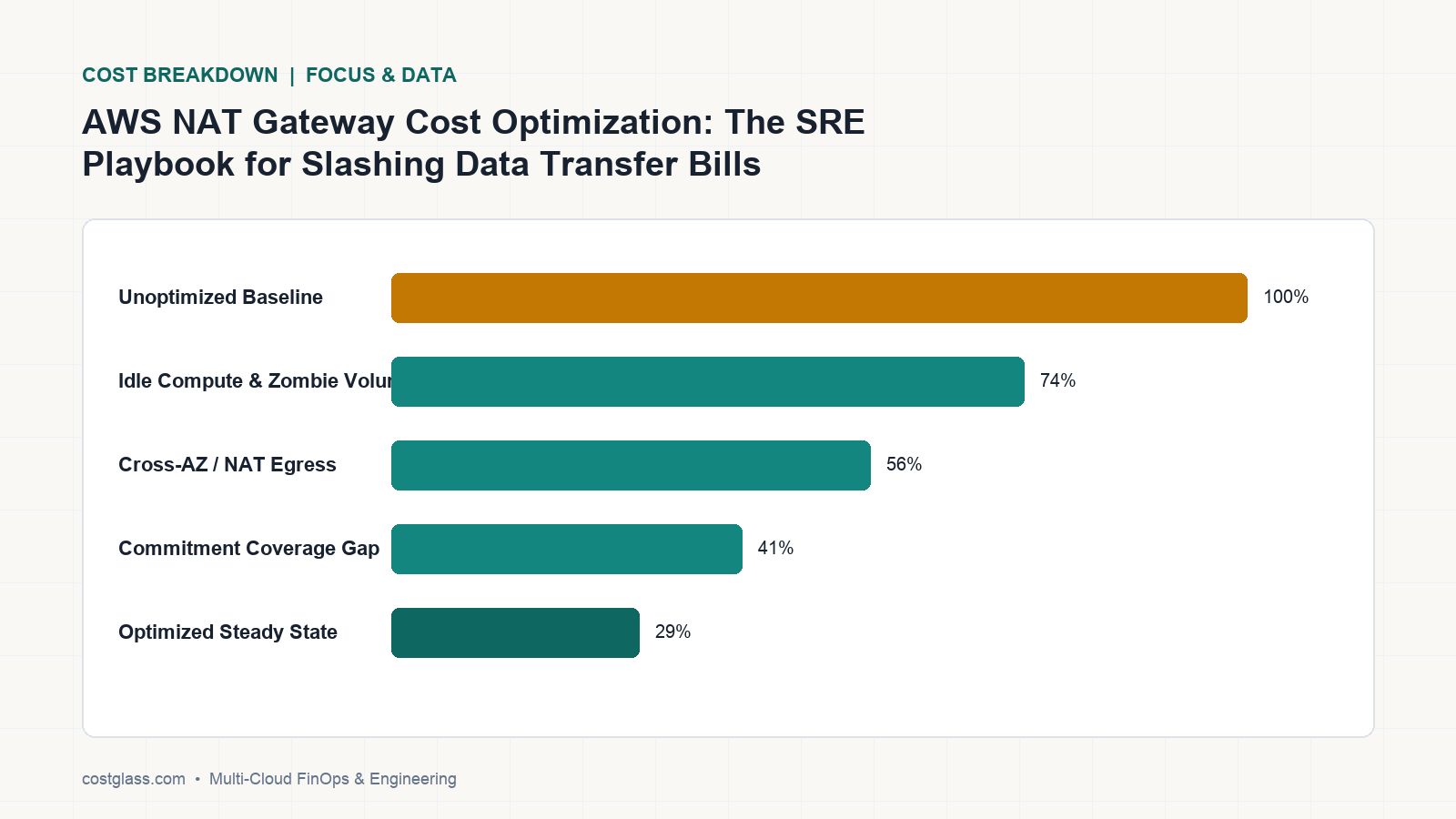
AWS NAT Gateway and cross-Availability Zone (cross-AZ) data transfer charges are silent drivers of cloud waste, often comprising 15% to 30% of an enterprise AWS bill. By deploying S3 Gateway Endpoints, leveraging AWS PrivateLink, and aligning multi-AZ topologies, engineering teams can instantly slash transit costs by up to 40%. CostGlass automates this visibility and executes these remediations via our flat-rate Scale plan.
The Anatomy of the AWS Data Transfer Bill: Why NAT Gateways Are So Expensive
Many engineering teams treat AWS data transfer as an unavoidable cost of doing business. However, AWS charges for data transit in two distinct, compounding ways that quickly spiral out of control in high-throughput microservice architectures:
1. Idle Hourly Charges vs. Data Processing Fees
Every NAT Gateway deployed in a public subnet incurs a flat hourly charge of $0.045 per hour (~$32.40/month per gateway). While this base charge is negligible, AWS tacks on a data processing fee of $0.045 per GB for all data passing through the gateway. This processing fee applies to both inbound and outbound traffic, meaning a high-volume Kubernetes cluster pulling container images from public registries or streaming large datasets to S3 can easily rack up thousands of dollars in processing fees alone.
2. The Cross-Availability Zone (Cross-AZ) Data Tax
AWS charges $0.01 per GB for data transferred in both directions across Availability Zones within the same region. If a service in AZ us-east-1a communicates with a database or another microservice in AZ us-east-1b, you are billed $0.02 per GB ($0.01 for egress, $0.01 for ingress). When Kubernetes pods are distributed randomly across AZs without topology-aware routing, this cross-AZ traffic represents pure architectural waste.
The Three-Step SRE Remediation Playbook
To systematically eliminate these charges, platform engineers can deploy a highly optimized VPC architecture. Below is the technical playbook to safely execute these optimizations in production.
Step 1: Deploying Gateway Endpoints for S3 and DynamoDB
Gateway Endpoints are completely free, require no infrastructure management, and route traffic to AWS S3 and DynamoDB directly over the AWS internal network, bypassing the NAT Gateway entirely.
Here is a Terraform snippet to deploy a standard S3 Gateway Endpoint and associate it with your private subnet route tables:
resource "aws_vpc_endpoint" "s3" {
  vpc_id            = var.vpc_id
  service_name      = "com.amazonaws.us-east-1.s3"
  vpc_endpoint_type = "Gateway"

  route_table_ids = [
    var.private_route_table_id_1,
    var.private_route_table_id_2
  ]

  tags = {
    Name = "s3-gateway-endpoint"
  }
}
Once associated, any S3 API call made from instances or pods within those private subnets will automatically route through the endpoint at $0.00 per GB processing cost, instantly removing S3 traffic from your NAT Gateway bill.
Step 2: Replacing NAT Gateways with Interface VPC Endpoints (PrivateLink)
For other AWS services (like ECR, Secrets Manager, Systems Manager, or KMS), you should deploy Interface VPC Endpoints. While Interface Endpoints cost a small hourly fee (~$0.01 per hour per AZ) and a low processing fee of $0.01 per GB, this is still a 77% discount compared to the $0.045 per GB processing fee charged by NAT Gateways.
Step 3: Aligning Compute Topologies to Minimize Cross-AZ Traffic
For Kubernetes workloads running on EKS, enable Topology-Aware Hints (or Topology-Aware Routing in newer Kubernetes versions). This instructs the cluster's service proxy (kube-proxy) to keep network traffic within the originating Availability Zone whenever possible, eliminating the cross-AZ egress/ingress fee.
AWS Data Transit Options: A TCO Comparison
Understanding the cost characteristics of each routing method is critical for designing a cost-effective multi-AZ architecture:
| Traffic Route | AWS Processing Fee (per GB) | Hourly Fee (per Endpoint) | Best Use Case | CostGlass Automated Insight |
|---|---|---|---|---|
| Public IP / NAT Gateway | $0.045 | $0.045 | General outbound internet | High-waste alerts & usage spikes |
| S3 Gateway Endpoint | $0.00 | $0.00 | S3, DynamoDB | Identifies missing gateway routes |
| Interface Endpoint (PrivateLink) | $0.01 | $0.01 | ECR, KMS, Secrets Manager | Recommends endpoint deployment |
| Cross-AZ Direct Traffic | $0.01 (in + out) | $0.00 | Inter-node pod communication | Topology alignment recommendations |
The Build vs. Buy Trap: Why DIY Data Transfer Tracking Fails
Many organizations attempt to track and optimize data transfer costs by writing custom SQL queries against the AWS Cost and Usage Report (CUR 2.0). However, building an in-house data transfer analyzer is a notorious engineering trap:
- Fragile Schemas: AWS frequently updates CUR schemas, meaning internal ETL pipelines and dashboards break without warning.
- High Maintenance Overhead: SREs must waste valuable engineering hours maintaining Athena databases, writing complex SQL to parse obscure usage types like
DataTransfer-Regional-Bytes, and building custom visualization layers. - No Actionable Context: A DIY dashboard can show you that data transfer is high, but it cannot correlate that traffic to specific Kubernetes namespaces, pods, or business units.
Instead of wasting $100k+ in engineering payroll on internal dashboards that break every month, CostGlass provides a turnkey solution. Our platform connects to your cloud accounts in 5 minutes via read-only IAM, normalizes your billing telemetry every 6 hours, and isolates network waste out-of-the-box.
With CostGlass, you get institutional-grade FinOps capabilities for a predictable flat monthly fee—Free ($0 up to £5k/mo spend), Starter ($99/mo), Growth ($499/mo), or Scale ($1,499/mo). We never penalize your cloud growth with percentage-of-spend pricing, meaning you keep 100% of every dollar saved.
How to Analyze and Automate Data Transfer Savings in CostGlass
Optimizing data transfer in CostGlass is straightforward and requires no manual scripting:
- Isolate the Waste: Navigate to the Cost Explorer and filter by
Service = "EC2-Other"(the AWS billing bucket for data transfer) and group byUsage TypeorResource ID. This immediately surfaces the exact NAT Gateways driving your processing fees. - Attribute Container Traffic: Use Kubernetes Cost Allocation to trace which pods, controllers, or namespaces are generating the external network traffic.
- Leverage the Savings Playbook: Review the Savings Playbook for automated, evidence-based recommendations on deploying S3 Gateway Endpoints and rightsizing idle NAT resources.
- Let CostGlass SREs Execute the Fixes: If you are on our Scale or Enterprise plan, you don't even need to write the Terraform code. Simply submit the recommendation to your dedicated senior DevOps/FinOps engineers (included with 8 hours/month on the Scale plan), and they will write the Terraform PR, deploy the VPC endpoints, and safely apply the optimization in your environment.
Frequently Asked Questions
How do I identify which specific S3 bucket is driving NAT Gateway costs?
By combining CostGlass's Cost Explorer with AWS S3 Server Access Logs or VPC Flow Logs, you can pinpoint the exact buckets receiving traffic. CostGlass automatically flags buckets that are accessed without a Gateway Endpoint in place.
Are S3 Gateway Endpoints safe to deploy in production?
Yes. Gateway Endpoints are highly available routing table entries managed natively by AWS. They do not introduce network latency, require no security group configurations, and have a 99.99% availability SLA. They can be safely deployed with zero downtime.
How does topology-aware routing impact application latency?
Topology-aware routing actively improves application performance. By keeping traffic within the same Availability Zone, you minimize physical network hops, resulting in lower round-trip latency for your microservices while simultaneously eliminating cross-AZ charges.
To start identifying and eliminating your AWS network waste today, connect your AWS accounts in 5 minutes with our secure, read-only connector. Learn more about analyzing transit costs in our Cost Explorer documentation, compare our flat-rate plans on our pricing page, or see how we stack up against percentage-of-spend competitors at CostGlass Comparisons.
Los cargos por AWS NAT Gateway y la transferencia de datos entre zonas de disponibilidad (cross-AZ) son generadores silenciosos de desperdicio en la nube, representando a menudo entre el 15 % y el 30 % de la factura corporativa de AWS. Mediante el despliegue de S3 Gateway Endpoints, el aprovechamiento de AWS PrivateLink y la alineación de topologías multi-AZ, los equipos de ingeniería pueden reducir de inmediato los costes de tránsito hasta en un 40 %. CostGlass automatiza esta visibilidad y ejecuta estas remediaciones a través de nuestro plan Scale de tarifa plana.
La anatomía de la factura de transferencia de datos en AWS: por qué los NAT Gateways son tan caros
Muchos equipos de ingeniería consideran la transferencia de datos en AWS como un coste operativo inevitable. Sin embargo, AWS factura el tránsito de datos de dos formas distintas y acumulativas que se descontrolan con rapidez en arquitecturas de microservicios de alto rendimiento:
1. Tarifas horarias por inactividad frente a tarifas de procesamiento de datos
Cada NAT Gateway desplegado en una subred pública genera un cargo fijo por hora de $0.045 (~$32.40/mes por gateway). Aunque este cargo base es insignificante, AWS añade una tarifa de procesamiento de datos de $0.045 por GB para todos los datos que atraviesan la pasarela. Esta tarifa de procesamiento se aplica tanto al tráfico entrante como al saliente, lo que significa que un clúster de Kubernetes de gran volumen que descarga imágenes de contenedores desde registros públicos o transmite grandes conjuntos de datos hacia S3 puede acumular fácilmente miles de dólares únicamente en tarifas de procesamiento.
2. El impuesto sobre los datos entre zonas de disponibilidad (Cross-AZ)
AWS cobra $0.01 por GB para los datos transferidos en ambas direcciones entre zonas de disponibilidad dentro de la misma región. Si un servicio en la AZ us-east-1a se comunica con una base de datos o con otro microservicio en la AZ us-east-1b, se le facturan $0.02 por GB ($0.01 por salida y $0.01 por entrada). Cuando los pods de Kubernetes se distribuyen aleatoriamente entre zonas de disponibilidad sin enrutamiento consciente de la topología (topology-aware routing), este tráfico cross-AZ representa puro desperdicio arquitectónico.
El playbook de SRE en tres pasos para la remediación
Para eliminar estos cargos de manera sistemática, los ingenieros de plataforma pueden desplegar una arquitectura de VPC altamente optimizada. A continuación se presenta el playbook técnico para ejecutar estas optimizaciones de forma segura en producción.
Paso 1: Desplegar Gateway Endpoints para S3 y DynamoDB
Los Gateway Endpoints son completamente gratuitos, no requieren gestión de infraestructura y enrutan el tráfico hacia AWS S3 y DynamoDB directamente a través de la red interna de AWS, omitiendo el NAT Gateway por completo.
Aquí tiene un fragmento de Terraform para desplegar un S3 Gateway Endpoint estándar y asociarlo con las tablas de enrutamiento de sus subredes privadas:
resource "aws_vpc_endpoint" "s3" {
  vpc_id            = var.vpc_id
  service_name      = "com.amazonaws.us-east-1.s3"
  vpc_endpoint_type = "Gateway"

  route_table_ids = [
    var.private_route_table_id_1,
    var.private_route_table_id_2
  ]

  tags = {
    Name = "s3-gateway-endpoint"
  }
}
Una vez asociado, cualquier llamada a la API de S3 realizada desde instancias o pods dentro de esas subredes privadas se enrutará automáticamente a través del endpoint con un coste de procesamiento de $0.00 por GB, eliminando al instante el tráfico de S3 de su factura de NAT Gateway.
Paso 2: Sustituir NAT Gateways por Interface VPC Endpoints (PrivateLink)
Para otros servicios de AWS (como ECR, Secrets Manager, Systems Manager o KMS), debe desplegar Interface VPC Endpoints. Aunque los Interface Endpoints conllevan una pequeña tarifa horaria (~$0.01 por hora por AZ) y una reducida tarifa de procesamiento de $0.01 por GB, esto sigue representando un descuento del 77 % en comparación con la tarifa de procesamiento de $0.045 por GB que cobran los NAT Gateways.
Paso 3: Alinear las topologías de cómputo para minimizar el tráfico Cross-AZ
Para cargas de trabajo de Kubernetes que se ejecutan en EKS, active los Topology-Aware Hints (o Topology-Aware Routing en versiones más recientes de Kubernetes). Esto indica al proxy de servicios del clúster (kube-proxy) que mantenga el tráfico de red dentro de la zona de disponibilidad de origen siempre que sea posible, eliminando la tarifa de salida/entrada entre zonas de disponibilidad.
Opciones de tránsito de datos en AWS: una comparación de TCO
Comprender las características de coste de cada método de enrutamiento resulta fundamental para diseñar una arquitectura multi-AZ rentable:
| Ruta de tráfico | Tarifa de procesamiento de AWS (por GB) | Tarifa horaria (por Endpoint) | Caso de uso óptimo | Información automatizada de CostGlass |
|---|---|---|---|---|
| IP pública / NAT Gateway | $0.045 | $0.045 | Internet saliente general | Alertas de alto desperdicio y picos de uso |
| S3 Gateway Endpoint | $0.00 | $0.00 | S3, DynamoDB | Identifica rutas de gateway ausentes |
| Interface Endpoint (PrivateLink) | $0.01 | $0.01 | ECR, KMS, Secrets Manager | Recomienda el despliegue del endpoint |
| Tráfico directo Cross-AZ | $0.01 (entrada + salida) | $0.00 | Comunicación entre pods de distintos nodos | Recomendaciones de alineación topológica |
La trampa de construir frente a comprar: por qué fracasa el rastreo casero de la transferencia de datos
Muchas organizaciones intentan monitorizar y optimizar los costes de transferencia de datos redactando consultas SQL personalizadas sobre el AWS Cost and Usage Report (CUR 2.0). Sin embargo, construir un analizador interno de transferencia de datos es una trampa de ingeniería muy conocida:
- Esquemas frágiles: AWS actualiza con frecuencia los esquemas de CUR, lo que significa que los pipelines de ETL internos y los cuadros de mando se rompen sin previo aviso.
- Alta sobrecarga de mantenimiento: Los SRE deben perder valiosas horas de ingeniería manteniendo bases de datos de Athena, escribiendo consultas SQL complejas para analizar tipos de uso poco comunes como
DataTransfer-Regional-Bytesy creando capas de visualización a medida. - Falta de contexto procesable: Un cuadro de mando casero puede mostrarle que la transferencia de datos es alta, pero no puede correlacionar ese tráfico con namespaces, pods o unidades de negocio concretas de Kubernetes.
En lugar de desperdiciar más de $100k en salarios de ingeniería para cuadros de mando internos que se rompen cada mes, CostGlass ofrece una solución llave en mano. Nuestra plataforma se conecta a sus cuentas en la nube en 5 minutos mediante IAM de solo lectura, normaliza su telemetría de facturación cada 6 horas y aísla el desperdicio de red de forma nativa.
Con CostGlass, obtiene capacidades FinOps de nivel institucional por una tarifa mensual fija y predecible: Free ($0 hasta £5k/mes de gasto), Starter ($99/mes), Growth ($499/mes) o Scale ($1,499/mes). Nunca penalizamos el crecimiento de su infraestructura con precios basados en porcentajes de gasto, lo que significa que usted conserva el 100 % de cada dólar ahorrado.
Cómo analizar y automatizar el ahorro en transferencia de datos en CostGlass
Optimizar la transferencia de datos en CostGlass es directo y no requiere scripts manuales:
- Aislar el desperdicio: Acceda al Cost Explorer, filtre por
Service = "EC2-Other"(el agrupador de facturación de AWS para la transferencia de datos) y agrupe porUsage TypeoResource ID. Esto revelará de inmediato los NAT Gateways exactos que generan sus tarifas de procesamiento. - Atribuir el tráfico de contenedores: Utilice la asignación de costes de Kubernetes para rastrear qué pods, controladores o namespaces están generando el tráfico de red externo.
- Aprovechar el Savings Playbook: Revise el Savings Playbook para obtener recomendaciones automáticas y respaldadas por evidencias sobre el despliegue de S3 Gateway Endpoints y el rightsizing de recursos NAT inactivos.
- Permita que los SRE de CostGlass ejecuten las correcciones: Si cuenta con nuestro plan Scale o Enterprise, ni siquiera necesita escribir el código de Terraform. Simplemente envíe la recomendación a sus ingenieros senior dedicados de DevOps/FinOps (incluidos con 8 horas/mes en el plan Scale), y ellos redactarán la PR de Terraform, desplegarán los VPC endpoints y aplicarán la optimización en su entorno de forma segura.
Preguntas frecuentes
¿Cómo identifico qué bucket de S3 específico está incrementando los costes de NAT Gateway?
Combinando el Cost Explorer de CostGlass con los logs de acceso al servidor de AWS S3 o los VPC Flow Logs, puede señalar con precisión los buckets exactos que reciben tráfico. CostGlass marca automáticamente aquellos buckets a los que se accede sin un Gateway Endpoint configurado.
¿Es seguro desplegar S3 Gateway Endpoints en entornos de producción?
Sí. Los Gateway Endpoints son entradas de tablas de enrutamiento de alta disponibilidad gestionadas de forma nativa por AWS. No introducen latencia de red, no requieren configuraciones de grupos de seguridad y cuentan con un SLA de disponibilidad del 99.99 %. Se pueden desplegar con total seguridad y sin tiempo de inactividad.
¿Cómo afecta el enrutamiento consciente de la topología a la latencia de la aplicación?
El enrutamiento consciente de la topología mejora activamente el rendimiento de las aplicaciones. Al mantener el tráfico dentro de la misma zona de disponibilidad, se minimizan los saltos de red física, lo que reduce la latencia de ida y vuelta para sus microservicios y elimina de forma simultánea los cargos entre zonas de disponibilidad.
Para comenzar a identificar y eliminar el desperdicio de red en AWS hoy mismo, conecte sus cuentas de AWS en 5 minutos con nuestro conector seguro de solo lectura. Obtenga más información sobre cómo analizar los costes de tránsito en nuestra documentación de Cost Explorer, compare nuestros planes de tarifa plana en nuestra página de precios o descubra cómo nos diferenciamos frente a los competidores que cobran un porcentaje de su gasto en Comparativas de CostGlass.
AWS NAT Gateway- und Cross-Availability-Zone-Datenübertragungsgebühren (Cross-AZ) sind schleichende Kostentreiber in der Cloud, die häufig 15 % bis 30 % einer unternehmensweiten AWS-Rechnung ausmachen. Durch die Bereitstellung von S3 Gateway Endpoints, den Einsatz von AWS PrivateLink und die Ausrichtung von Multi-AZ-Topologien können Engineering-Teams ihre Transitkosten unmittelbar um bis zu 40 % senken. CostGlass automatisiert diese Transparenz und setzt diese Optimierungen über unseren Scale-Pauschaltarif direkt um.
Die Anatomie der AWS-Datenübertragungsrechnung: Warum NAT Gateways so teuer sind
Viele Engineering-Teams betrachten AWS-Datenübertragungskosten als unvermeidbare Betriebsausgaben. AWS stellt den Datentransit jedoch über zwei getrennte, sich kumulierende Kostenarten in Rechnung, die in durchsatzstarken Microservice-Architekturen schnell außer Kontrolle geraten:
1. Feste Stundensätze vs. Datenverarbeitungsgebühren
Jedes in einem öffentlichen Subnetz bereitgestellte NAT Gateway verursacht feste Kosten von 0,045 $ pro Stunde (~32,40 $/Monat pro Gateway). Obwohl dieser Grundpreis überschaubar ist, erhebt AWS zusätzlich eine Datenverarbeitungsgebühr von 0,045 $ pro GB für alle Daten, die das Gateway passieren. Diese Verarbeitungsgebühr fällt sowohl für ein- als auch ausgehenden Datenverkehr an. Das bedeutet, dass ein Kubernetes-Cluster mit hohem Durchsatz, der Container-Images aus öffentlichen Registries zieht oder große Datensätze nach S3 streamt, allein Tausende von Dollar an Datenverarbeitungsgebühren verursachen kann.
2. Die Cross-Availability-Zone-Datensteuer (Cross-AZ)
AWS berechnet 0,01 $ pro GB für Daten, die in beide Richtungen zwischen Availability Zones innerhalb derselben Region übertragen werden. Wenn ein Dienst in AZ us-east-1a mit einer Datenbank oder einem anderen Microservice in AZ us-east-1b kommuniziert, werden Ihnen 0,02 $ pro GB in Rechnung gestellt (0,01 $ für Egress, 0,01 $ für Ingress). Wenn Kubernetes-Pods ohne topologiebewusstes Routing zufällig über Availability Zones verteilt werden, stellt dieser Cross-AZ-Traffic reine architektonische Verschwendung dar.
Das dreistufige SRE-Playbook zur Kostenremediation
Um diese Gebühren systematisch zu eliminieren, können Platform Engineers eine hochgradig optimierte VPC-Architektur implementieren. Nachfolgend finden Sie das technische Playbook, um diese Optimierungen sicher in der Produktion umzusetzen.
Schritt 1: Bereitstellung von Gateway Endpoints für S3 und DynamoDB
Gateway Endpoints sind vollständig kostenlos, erfordern keine Infrastrukturverwaltung und leiten den Datenverkehr zu AWS S3 und DynamoDB direkt über das interne AWS-Netzwerk weiter, wodurch das NAT Gateway vollständig umgangen wird.
Hier ist ein Terraform-Ausschnitt, um einen Standard-S3-Gateway-Endpoint bereitzustellen und ihn mit den Routing-Tabellen Ihrer privaten Subnetze zu verknüpfen:
resource "aws_vpc_endpoint" "s3" {
  vpc_id            = var.vpc_id
  service_name      = "com.amazonaws.us-east-1.s3"
  vpc_endpoint_type = "Gateway"

  route_table_ids = [
    var.private_route_table_id_1,
    var.private_route_table_id_2
  ]

  tags = {
    Name = "s3-gateway-endpoint"
  }
}
Nach der Verknüpfung wird jeder S3-API-Aufruf von Instanzen oder Pods innerhalb dieser privaten Subnetze automatisch über den Endpoint zu Verarbeitungsgebühren von 0,00 $ pro GB geroutet. Dadurch wird der S3-Datenverkehr sofort von Ihrer NAT Gateway-Rechnung entfernt.
Schritt 2: Ersetzen von NAT Gateways durch Interface VPC Endpoints (PrivateLink)
Für andere AWS-Dienste (wie ECR, Secrets Manager, Systems Manager oder KMS) sollten Sie Interface VPC Endpoints bereitstellen. Zwar fällt für Interface Endpoints eine geringe Stundengebühr (~0,01 $ pro Stunde pro AZ) und eine niedrige Verarbeitungsgebühr von 0,01 $ pro GB an, doch entspricht dies immer noch einem Rabatt von 77 % gegenüber der Verarbeitungsgebühr von 0,045 $ pro GB, die von NAT Gateways erhoben wird.
Schritt 3: Ausrichtung der Compute-Topologien zur Minimierung von Cross-AZ-Traffic
Aktivieren Sie für Kubernetes-Workloads auf EKS Topology-Aware Hints (oder Topology-Aware Routing in neueren Kubernetes-Versionen). Dies weist den Service-Proxy des Clusters (kube-proxy) an, den Netzwerkverkehr nach Möglichkeit innerhalb der ursprünglichen Availability Zone zu halten, wodurch die Cross-AZ-Egress- und Ingress-Gebühren entfallen.
AWS-Datentransit-Optionen: Ein TCO-Vergleich
Das Verständnis der Kostenmerkmale jeder Routing-Methode ist entscheidend für das Design einer kosteneffizienten Multi-AZ-Architektur:
| Routing-Pfad | AWS-Verarbeitungsgebühr (pro GB) | Stundengebühr (pro Endpoint) | Optimaler Anwendungsfall | Automatisierter CostGlass Insight |
|---|---|---|---|---|
| Öffentliche IP / NAT Gateway | 0,045 $ | 0,045 $ | Allgemeines ausgehendes Internet | Alerts bei Verschwendung & Verbrauchsspitzen |
| S3 Gateway Endpoint | 0,00 $ | 0,00 $ | S3, DynamoDB | Erkennt fehlende Gateway-Routen |
| Interface Endpoint (PrivateLink) | 0,01 $ | 0,01 $ | ECR, KMS, Secrets Manager | Empfiehlt Endpoint-Bereitstellung |
| Direkter Cross-AZ-Traffic | 0,01 $ (In + Out) | 0,00 $ | Inter-Node-Pod-Kommunikation | Empfehlungen zur Topologieausrichtung |
Die Build-vs.-Buy-Falle: Warum eigenes Datenübertragungs-Tracking scheitert
Viele Unternehmen versuchen, Datenübertragungskosten zu verfolgen und zu optimieren, indem sie benutzerdefinierte SQL-Abfragen für den AWS Cost and Usage Report (CUR 2.0) schreiben. Der Eigenbau eines internen Datenübertragungs-Analyzers ist jedoch eine bekannte Falle für Entwicklungsteams:
- Fragile Schemas: AWS aktualisiert CUR-Schemas häufig, was dazu führt, dass interne ETL-Pipelines und Dashboards ohne Vorwarnung ausfallen.
- Hoher Wartungsaufwand: SREs müssen wertvolle Engineering-Kapazitäten dafür aufwenden, Athena-Datenbanken zu warten, komplexe SQL-Queries zur Analyse obskurer Nutzungstypen wie
DataTransfer-Regional-Byteszu verfassen und eigene Visualisierungen zu pflegen. - Fehlender handlungsrelevanter Kontext: Ein selbstgebautes Dashboard kann zwar zeigen, dass die Datenübertragungskosten hoch sind, den Traffic jedoch nicht konkreten Kubernetes-Namespaces, Pods oder Geschäftsbereichen zuordnen.
Anstatt über 100.000 $ an Personalkosten für interne Dashboards zu verschwenden, die jeden Monat kaputtgehen, bietet CostGlass eine schlüsselfertige Lösung. Unsere Plattform bindet Ihre Cloud-Accounts in 5 Minuten über eine schreibgeschützte IAM-Rolle an, normalisiert Ihre Abrechnungstelemetrie alle 6 Stunden und isoliert Netzwerkverschwendung ab Werk.
Mit CostGlass erhalten Sie professionelle FinOps-Funktionen zu einem planbaren monatlichen Festpreis – Free (0 $ bis zu 5.000 £ monatlichen Ausgaben), Starter (99 $/Monat), Growth (499 $/Monat) oder Scale (1.499 $/Monat). Wir bestrafen Ihr Cloud-Wachstum niemals mit prozentualen Beteiligungen an Ihren Ausgaben – Sie behalten 100 % jedes eingesparten Dollars.
Wie Sie Datenübertragungs-Einsparungen in CostGlass analysieren und automatisieren
Die Optimierung der Datenübertragung in CostGlass ist unkompliziert und erfordert kein manuelles Scripting:
- Verschwendung isolieren: Navigieren Sie zum Cost Explorer, filtern Sie nach
Service = "EC2-Other"(dem AWS-Abrechnungstopf für Datenübertragung) und gruppieren Sie nachUsage TypeoderResource ID. Dadurch werden sofort die genauen NAT Gateways sichtbar, die Ihre Verarbeitungsgebühren verursachen. - Container-Traffic zuordnen: Nutzen Sie die Kubernetes-Kostenallokation, um nachzuvollziehen, welche Pods, Controller oder Namespaces den externen Netzwerkverkehr erzeugen.
- Das Savings Playbook nutzen: Prüfen Sie das Savings Playbook auf automatisierte, evidenzbasierte Empfehlungen zur Bereitstellung von S3 Gateway Endpoints und zum Rightsizing ungenutzter NAT-Ressourcen.
- Die Optimierungen von CostGlass-SREs umsetzen lassen: Wenn Sie unseren Scale- oder Enterprise-Plan nutzen, müssen Sie den Terraform-Code nicht einmal selbst schreiben. Übergeben Sie die Empfehlung einfach an Ihre dedizierten Senior-DevOps-/FinOps-Engineers (8 Stunden/Monat im Scale-Plan enthalten). Diese erstellen den Terraform-PR, stellen die VPC-Endpoints bereit und wenden die Optimierung sicher in Ihrer Umgebung an.
Häufig gestellte Fragen (FAQ)
Wie finde ich heraus, welcher spezifische S3-Bucket die NAT Gateway-Kosten verursacht?
Durch die Kombination des CostGlass Cost Explorers mit AWS S3 Server Access Logs oder VPC Flow Logs können Sie exakt die Buckets lokalisieren, die Traffic empfangen. CostGlass markiert automatisch Buckets, auf die ohne eingerichteten Gateway Endpoint zugegriffen wird.
Können S3 Gateway Endpoints sicher in der Produktion bereitgestellt werden?
Ja. Gateway Endpoints sind hochverfügbare Routing-Tabelleneinträge, die nativ von AWS verwaltet werden. Sie verursachen keine Netzwerklatenz, erfordern keine Konfiguration von Security Groups und bieten ein Verfügbarkeits-SLA von 99,99 %. Sie können ohne Ausfallzeiten sicher in der Produktion implementiert werden.
Wie wirkt sich topologiebewusstes Routing auf die Anwendungslatenz aus?
Topologiebewusstes Routing verbessert die Anwendungsleistung spürbar. Da der Datenverkehr innerhalb derselben Availability Zone verbleibt, minimieren Sie physische Netzwerk-Hops. Dies führt zu geringeren Round-Trip-Latenzen für Ihre Microservices und eliminiert gleichzeitig Cross-AZ-Gebühren.
Um noch heute Netzwerkverschwendung in AWS zu identifizieren und zu eliminieren, binden Sie Ihre AWS-Accounts in nur 5 Minuten über unseren sicheren Read-Only-Connector an. Erfahren Sie mehr über die Analyse von Transitkosten in unserer Cost Explorer Dokumentation, vergleichen Sie unsere Festpreise auf unserer Preisseite oder sehen Sie auf CostGlass Comparisons, wie wir uns von Anbietern mit umsatzabhängigen Preismodellen abheben.
Les frais associés aux AWS NAT Gateway et aux transferts de données entre zones de disponibilité (inter-AZ) constituent des facteurs silencieux de gaspillage cloud, représentant souvent entre 15 % et 30 % de la facture AWS d'une entreprise. En déployant des S3 Gateway Endpoints, en exploitant AWS PrivateLink et en alignant les topologies multi-AZ, les équipes d'ingénierie peuvent réduire instantanément leurs coûts de transit jusqu'à 40 %. CostGlass automatise cette visibilité et applique ces remédiations via son forfait Scale.
L'anatomie de la facture de transfert de données AWS : pourquoi les NAT Gateways sont si coûteuses
De nombreuses équipes d'ingénierie considèrent le transfert de données AWS comme un coût incompressible inhérent à leur activité. Pourtant, AWS facture le transit de données de deux manières distinctes qui se cumulent et deviennent rapidement incontrôlables dans les architectures microservices à haut débit :
1. Frais horaires fixes vs frais de traitement des données
Chaque NAT Gateway déployée dans un sous-réseau public engendre un coût fixe horaire de 0,045 $ par heure (~32,40 $/mois par passerelle). Bien que ce coût de base soit modéré, AWS y ajoute un frais de traitement des données de 0,045 $ par Go pour l'ensemble du trafic transitant par la passerelle. Ces frais s'appliquent au trafic entrant comme au trafic sortant, ce qui signifie qu'un cluster Kubernetes volumineux extrayant des images de conteneurs depuis des registres publics ou envoyant d'importants volumes de données vers S3 peut accumuler des milliers de dollars uniquement en frais de traitement.
2. La taxe sur les données inter-zones de disponibilité (inter-AZ)
AWS facture 0,01 $ par Go pour les données transférées dans les deux sens entre zones de disponibilité au sein d'une même région. Si un service situé dans l'AZ us-east-1a communique avec une base de données ou un autre microservice dans l'AZ us-east-1b, vous êtes facturé 0,02 $ par Go (0,01 $ en sortie, 0,01 $ en entrée). Lorsque des pods Kubernetes sont répartis de manière aléatoire entre les AZ sans routage prenant en compte la topologie, ce trafic inter-AZ représente un pur gaspillage architectural.
Le guide de remédiation SRE en trois étapes
Pour éliminer méthodiquement ces frais, les ingénieurs plateforme peuvent déployer une architecture VPC hautement optimisée. Voici la méthode technique pour exécuter ces optimisations en toute sécurité en production.
Étape 1 : Déployer des Gateway Endpoints pour S3 et DynamoDB
Les Gateway Endpoints sont entièrement gratuits, ne requièrent aucune gestion d'infrastructure et acheminent le trafic vers AWS S3 et DynamoDB directement via le réseau interne d'AWS, en contournant intégralement la NAT Gateway.
Voici un extrait Terraform pour déployer un S3 Gateway Endpoint standard et l'associer aux tables de routage de vos sous-réseaux privés :
resource "aws_vpc_endpoint" "s3" {
  vpc_id            = var.vpc_id
  service_name      = "com.amazonaws.us-east-1.s3"
  vpc_endpoint_type = "Gateway"

  route_table_ids = [
    var.private_route_table_id_1,
    var.private_route_table_id_2
  ]

  tags = {
    Name = "s3-gateway-endpoint"
  }
}
Une fois l'association effectuée, chaque appel API S3 émis depuis des instances ou des pods situés dans ces sous-réseaux privés empruntera automatiquement le endpoint pour un coût de traitement de 0,00 $ par Go, supprimant instantanément le trafic S3 de votre facture NAT Gateway.
Étape 2 : Remplacer les NAT Gateways par des Interface VPC Endpoints (PrivateLink)
Pour les autres services AWS (tels qu'ECR, Secrets Manager, Systems Manager ou KMS), vous devriez déployer des Interface VPC Endpoints. Bien que les Interface Endpoints impliquent de légers frais horaires (~0,01 $ par heure et par AZ) et un coût de traitement modéré de 0,01 $ par Go, cela représente tout de même une réduction de 77 % par rapport aux frais de traitement de 0,045 $ par Go appliqués par les NAT Gateways.
Étape 3 : Aligner les topologies de calcul pour minimiser le trafic inter-AZ
Pour les charges de travail Kubernetes exécutées sur EKS, activez les Topology-Aware Hints (ou Topology-Aware Routing dans les versions plus récentes de Kubernetes). Cela indique au proxy de service du cluster (kube-proxy) de conserver le trafic réseau au sein de la zone de disponibilité d'origine dès que possible, éliminant ainsi les frais de transfert inter-AZ sortants et entrants.
Options de transit de données AWS : comparaison du coût total de possession (TCO)
Comprendre les caractéristiques de coût de chaque méthode de routage est essentiel pour concevoir une architecture multi-AZ rentable :
| Route de trafic | Frais de traitement AWS (par Go) | Frais horaires (par endpoint) | Meilleur cas d'usage | Insight automatisé CostGlass |
|---|---|---|---|---|
| IP publique / NAT Gateway | $0.045 | $0.045 | Internet sortant général | Alertes de gaspillage élevé et pics d'usage |
| S3 Gateway Endpoint | $0.00 | $0.00 | S3, DynamoDB | Identifie les routes gateway manquantes |
| Interface Endpoint (PrivateLink) | $0.01 | $0.01 | ECR, KMS, Secrets Manager | Recommande le déploiement d'endpoints |
| Trafic direct inter-AZ | $0.01 (entrant + sortant) | $0.00 | Communication inter-nœuds entre pods | Recommandations d'alignement de topologie |
Le piège du « Build vs Buy » : pourquoi le suivi maison du transfert de données échoue
Beaucoup d'entreprises tentent de suivre et d'optimiser leurs coûts de transfert de données en rédigeant des requêtes SQL personnalisées sur le rapport AWS Cost and Usage Report (CUR 2.0). Cependant, développer un outil d'analyse interne du transfert de données représente un piège bien connu des équipes d'ingénierie :
- Schémas instables : AWS met fréquemment à jour les schémas CUR, ce qui entraîne l'interruption inattendue des pipelines ETL et des tableaux de bord internes.
- Charge de maintenance élevée : Les SRE consacrent de précieuses heures d'ingénierie à maintenir des bases Athena, à concevoir des requêtes SQL complexes pour décortiquer des types d'usage obscurs tels que
DataTransfer-Regional-Bytes, et à développer des couches de visualisation sur mesure. - Absence de contexte exploitable : Un tableau de bord interne peut vous signaler un volume élevé de transfert de données, mais il ne peut pas corréler ce trafic avec des namespaces Kubernetes, des pods ou des centres de coûts spécifiques.
Plutôt que d'investir plus de 100 000 $ de masse salariale technique dans des tableaux de bord internes qui se détériorent continuellement, CostGlass fournit une solution clé en main. Notre plateforme se connecte à vos comptes cloud en 5 minutes via un rôle IAM en lecture seule, normalise votre télémétrie de facturation toutes les 6 heures et isole le gaspillage réseau dès le départ.
Avec CostGlass, vous disposez de capacités FinOps de niveau professionnel pour un tarif mensuel prévisible et forfaitaire : Free (0 $ jusqu'à 5 000 £/mois de dépenses), Starter (99 $/mois), Growth (499 $/mois) ou Scale (1 499 $/mois). Nous ne pénalisons jamais votre expansion cloud avec une tarification basée sur un pourcentage de vos dépenses, ce qui signifie que vous conservez 100 % de chaque dollar économisé.
Comment analyser et automatiser les économies de transfert de données dans CostGlass
L'optimisation du transfert de données dans CostGlass est directe et ne nécessite aucun script manuel :
- Isoler le gaspillage : Accédez au Cost Explorer, filtrez par
Service = "EC2-Other"(le poste de facturation AWS dédié au transfert de données) et regroupez parUsage TypeouResource ID. Cela fait ressortir instantanément les NAT Gateways précises à l'origine de vos frais de traitement. - Attribuer le trafic des conteneurs : Utilisez la Kubernetes Cost Allocation pour identifier les pods, contrôleurs ou namespaces à l'origine du trafic réseau externe.
- Exploiter le Savings Playbook : Consultez le Savings Playbook pour obtenir des recommandations automatisées et étayées sur le déploiement de S3 Gateway Endpoints et le rightsizing des ressources NAT inactives.
- Laisser les SRE CostGlass appliquer les correctifs : Si vous utilisez nos forfaits Scale ou Enterprise, vous n'avez même pas besoin d'écrire le code Terraform. Soumettez simplement la recommandation à vos ingénieurs DevOps/FinOps seniors dédiés (inclus à hauteur de 8 heures/mois dans le forfait Scale), et ils créeront la pull request Terraform, déploieront les endpoints VPC et appliqueront l'optimisation en toute sécurité au sein de votre environnement.
Foire aux questions
Comment identifier le compartiment S3 spécifique à l'origine des coûts de NAT Gateway ?
En combinant le Cost Explorer de CostGlass avec les S3 Server Access Logs ou les VPC Flow Logs d'AWS, vous pouvez localiser avec précision les compartiments sollicités. CostGlass signale automatiquement les compartiments consultés sans passer par un Gateway Endpoint.
Les S3 Gateway Endpoints peuvent-ils être déployés en production en toute sécurité ?
Oui. Les Gateway Endpoints sont des entrées de table de routage hautement disponibles gérées nativement par AWS. Ils n'induisent aucune latence réseau, ne requièrent aucune configuration de groupe de sécurité et bénéficient d'un SLA de disponibilité de 99,99 %. Ils peuvent être déployés en toute sécurité sans aucune interruption de service.
Quel est l'impact du routage conscient de la topologie sur la latence des applications ?
Le routage conscient de la topologie améliore directement les performances applicatives. En maintenant le trafic au sein de la même zone de disponibilité, vous limitez les sauts réseau physiques, réduisant ainsi la latence aller-retour de vos microservices tout en éliminant les frais inter-AZ.
Pour commencer à identifier et éliminer le gaspillage réseau sur AWS dès aujourd'hui, connectez vos comptes AWS en 5 minutes grâce à notre connecteur sécurisé en lecture seule. Découvrez-en davantage sur l'analyse des coûts de transit dans notre documentation Cost Explorer, comparez nos forfaits fixes sur notre page de tarification ou découvrez comment nous nous positionnons face aux solutions facturant un pourcentage des dépenses sur notre page Comparatifs CostGlass.
Ready to unify your multi-cloud costs?
See your AWS, Azure, GCP, and Kubernetes spend in canonical FOCUS 1.0 in under 15 minutes.