Multi-Cloud Commitment Portfolio Engineering: RIs, Savings Plans, and CUDs Demystified
Master multi-cloud commitment management. Learn how to engineer Savings Plans, RIs, and CUDs without over-purchasing using CostGlass flat-rate FinOps.
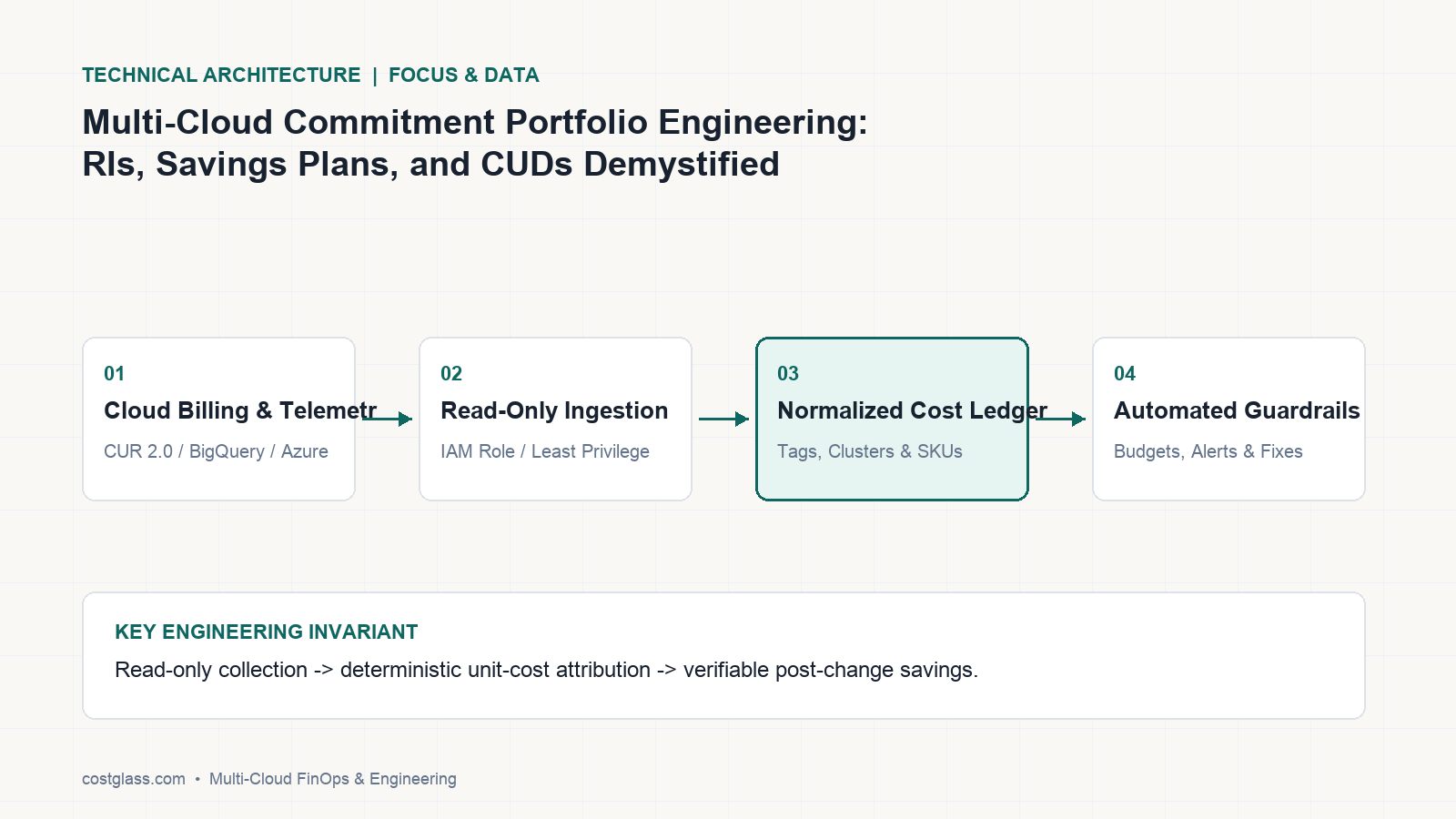
Multi-cloud commitment portfolio engineering—balancing AWS Savings Plans, Reserved Instances (RIs), Azure Reservations, and Google Cloud Committed Use Discounts (CUDs)—requires strict mathematical alignment. Over-purchasing commitments while executing concurrent rightsizing or instance scheduling is a multi-million-dollar trap. To secure maximum coverage without waste, organizations must leverage evidence-based simulator modeling and deterministic overlap de-duplication, ensuring every rate-reduction strategy aligns with real-time operational shifts.
The Multi-Cloud Commitment Landscape: AWS, Azure, and GCP
Rate optimization is one of the most powerful levers in cloud financial management. However, managing commitments across a heterogeneous multi-cloud footprint introduces severe operational complexity. Each hyperscaler operates on different mechanics, billing granularities, and flexibility rules.
1. Amazon Web Services (AWS)
AWS offers a tiered hierarchy of commitments that trade flexibility for deeper discounts:
- Compute Savings Plans (CSPs): Apply automatically to compute usage across Amazon EC2, AWS Fargate, and AWS Lambda, regardless of instance family, size, AZ, region, or operating system. They offer up to 66% savings.
- EC2 Instance Savings Plans: Require commitment to a specific instance family within a selected region (e.g.,
m6ginus-east-1). They offer higher discounts (up to 72%) but restrict flexibility across families. - Reserved Instances (RIs): Standard and Convertible RIs apply to EC2, RDS, ElastiCache, OpenSearch, and Redshift. Standard RIs can be traded on the AWS RI Marketplace, whereas Convertible RIs allow changing instance attributes but require manual exchange actions.
2. Microsoft Azure
Azure unifies its commitment portfolio through the Azure Billing Profile Reader, allowing organizations to leverage:
- Azure Reservations: Pre-purchased resource capacity for Virtual Machines, SQL Databases, Azure Cosmos DB, and storage. Reservations are scoped to a single resource group, subscription, or shared across an entire billing profile.
- Azure Savings Plans for Compute: A flexible spend-based commitment model (similar to AWS Compute Savings Plans) that applies dynamically to Azure VMs, Dedicated Hosts, Container Instances, and Premium Functions.
3. Google Cloud Platform (GCP)
GCP operates primarily on Committed Use Discounts (CUDs):
- Resource-Based CUDs: Tied to specific machine types (e.g.,
n2orn2d) within a specific region. Highly restrictive but offering up to 70% discounts. - Spend-Based CUDs: Flexible commitments linked to dollar-per-hour spend across managed services like Google Cloud SQL, Google Kubernetes Engine (GKE) Autopilot, Cloud Run, and BigQuery.
The Over-Purchasing Trap: Why Concurrent Rightsizing and Scheduling Destroys Commitment ROI
The most common failure mode in enterprise FinOps is the lack of coordination between rate optimization (buying commitments) and usage optimization (rightsizing and scheduling).
Consider this mathematical scenario: Your current unoptimized AWS compute baseline is $100/hour. You purchase a 3-year No Upfront Compute Savings Plan for $70/hour, expecting a comfortable 70% coverage ratio.
Two weeks later, your platform engineering team executes two highly effective initiatives:
- They implement the CostGlass Multi-Cloud Instance Scheduler to turn off dev and staging environments on weekends and off-hours, cutting staging compute costs by 65%.
- They execute evidence-based rightsizing using p95 CloudWatch metrics, migrating over-provisioned
m5.2xlargeinstances to modernm6g.largeshapes, slashing production compute requirements by another 30%.
Suddenly, your real-time compute baseline drops from $100/hour to $45/hour.
Because your Compute Savings Plan is a non-refundable, contractually binding commitment to pay $70/hour, you are now paying a $25/hour penalty for idle, unused commitment. Your effective savings rate has gone negative, and you are actively burning $18,000 every month on phantom compute.
[Unoptimized Baseline: $100/hr]
       |
       +---> Buy $70/hr CSP (70% Coverage)
       |
[Apply Rightsizing & Scheduling]
       |
       v
[Real-Time Compute Drops to: $45/hr]
       |
       +---> WASTED COMMITMENT PENALTY: $25/hr ($18,000/mo) paid for zero active resources
To prevent this, CostGlass utilizes a deterministic overlap de-duplication engine (combine_overlapping). When analyzing billing telemetry from our 13 native connectors, CostGlass models rightsizing targets and active off-hours schedules before generating commitment recommendations. This ensures your baseline is calculated against your optimized future state, protecting you from over-purchasing contracts.
Cloud TCO Comparison: CostGlass vs. Competitors on Rate Optimization
Legacy FinOps tools penalize your engineering efficiency by tying their software fees directly to your cloud spend or, worse, taking a direct cut of your achieved savings.
- nOps Alternatives: Competitors like nOps charge a percentage share of your rate-optimization savings. If their platform helps you save $50,000/month through automated commitments, they tax your efficiency by demanding thousands of dollars of those savings every month.
- CloudZero and Finout Alternatives: CloudZero relies on opaque, annual-only contract structures that lock you in, while Finout charges heavy add-on surcharges for Kubernetes allocation and cost-per-customer unit economics.
- The CostGlass Model: CostGlass operates on a transparent, predictable flat monthly fee: Free ($0 up to %5,000/mo spend), Starter ($99/mo), Growth ($499/mo), and Scale ($1,499/mo up to %100,000/mo spend). On our Scale plan, you keep 100% of every dollar saved—plus you get 8 dedicated senior DevOps/FinOps engineer-hours every month to safely execute these optimizations for you.
| Feature / Capability | CostGlass (Scale Plan) | nOps | CloudZero | Vantage |
|---|---|---|---|---|
| Pricing Model | Flat %1,499/mo (No spend tax) | Percentage of Savings Tax | Percentage of Spend | Tiered Spend Brackets |
| SaaS/AI Connectors | 13 Native (inc. OpenAI, Datadog) | Limited Cloud Only | Limited Cloud Only | Standard Cloud Only |
| Commitment Simulator | Included (What-If modeling) | Included | Included | Included |
| Overlap De-duplication | Yes (combine_overlapping) |
No | No | No |
| Hands-on Execution | Yes (8 SRE hours/mo included) | Software-Only | Software-Only | Software-Only |
| Data Sovereignty | UK, EU, US, APAC Cells + BYOC | US-Only SaaS | US-Only SaaS | US-Only SaaS |
Build vs. Buy: The High Cost of DIY Commitment Simulation Pipelines
Many engineering organizations attempt to build their own internal commitment tracking spreadsheets or custom Python scripts to parse AWS CUR 2.0 or Azure MCA billing exports.
This DIY approach is a massive engineering and maintenance trap. Hyperscaler billing schemas are fragile and update continuously. For instance, reconciling AWS SavingsPlanNegation and DiscountedUsage columns alongside Azure MCA amortized records requires writing thousands of lines of complex ETL code. Your SRE team will spend dozens of hours every month maintaining a fragile internal dashboard that breaks whenever a cloud provider updates their billing API.
Instead of wasting $100,000+ in engineering payroll on internal billing pipelines, platform teams use CostGlass's 5-minute read-only setup. Here is an example of the clean, least-privilege Terraform configuration used to connect an AWS account to CostGlass's secure ingestion engine via an IAM Role with an ExternalId constraint:
# Terraform template to securely connect AWS Billing Telemetry to CostGlass

data "aws_caller_identity" "current" {}

resource "aws_iam_role" "costglass_readonly" {
  name               = "CostGlassReadOnlyIntegrationRole"
  assume_role_policy = data.aws_iam_policy_document.costglass_assume_role.json
}

data "aws_iam_policy_document" "costglass_assume_role" {
  statement {
    actions = ["sts:AssumeRole"]
    principals {
      type        = "AWS"
      identifiers = ["arn:aws:iam::471112253501:root"] # CostGlass secure ingestion principal
    }
    condition {
      test     = "StringEquals"
      variable = "sts:ExternalId"
      values   = ["cg_org_external_id_prod_99827"] # Your unique tenant external ID
    }
  }
}

resource "aws_iam_role_policy_attachment" "readonly_access" {
  role       = aws_iam_role.costglass_readonly.name
  policy_arn = "arn:aws:iam::aws:policy/ReadOnlyAccess"
}
This secure, read-only IAM integration allows CostGlass to safely pull your normalized multi-cloud billing ledger every 6 hours, feeding the data directly into our AI-driven What-If Commitment Simulator.
How to Configure and Automate Commitment Planning in CostGlass
Optimizing your commitment portfolio within CostGlass takes less than 15 minutes:
- Connect Your Clouds: Navigate to
#settings:manage-accountsand follow our onboarding guides for AWS, Azure, and GCP. - Verify Data Normalization: Ensure your multi-cloud billing records have compiled successfully. CostGlass unifies your cross-cloud spend into a standardized multi-cloud schema updated every 6 hours.
- Open the Commitment Portfolio: Navigate to the Commitments Dashboard (
#finops:commitments) to view your current global coverage, utilization rates, and monthly waste. - Run the What-If Simulator: Model 1-year vs. 3-year commitment horizons. Adjust the toggles to see the exact break-even month for No Upfront, Partial Upfront, and All Upfront scenarios.
- Coordinate SRE Execution: If you are on the Scale or Enterprise plan, do not buy these commitments alone. Open a ticket in the platform, and your dedicated CostGlass FinOps engineer will write the Terraform PRs, schedule the purchases, and verify the coverage post-buy.
Frequently Asked Questions
1. How does CostGlass calculate commitment recommendations if we are already rightsizing?
CostGlass calculates rightsizing and instance scheduling potential first. Our recommendation engine dynamically subtracts projected usage drops from your historical baseline, ensuring we only recommend commitments for your optimized, future-state compute needs.
2. Can CostGlass track commitments for Snowflake and Datadog?
Yes. CostGlass integrates natively with Snowflake (ORGANIZATION_USAGE key-pair integration) to track warehouse credit burn and capacity contracts, as well as Datadog log ingestion and custom metric commitments, unifying all SaaS and cloud spend into one pane of glass.
3. Is our commitment data safe? Do you store sensitive financial credentials?
No. CostGlass connects using read-only IAM roles with strict external ID validation. For highly regulated enterprises, CostGlass offers isolated regional cells in the US, UK, EU, and APAC, or a private in-account AWS BYOC (Bring Your Own Cloud) deployment so no billing metadata ever leaves your security boundary.
To eliminate cloud waste and build an optimized rate portfolio without paying a percentage of your savings as a tax, read our comprehensive CostGlass Savings Playbook or explore our flat-rate tiers on the CostGlass Pricing Page.
La ingeniería de carteras de compromisos multicloud —equilibrando AWS Savings Plans, Reserved Instances (RIs), Azure Reservations y Google Cloud Committed Use Discounts (CUDs)— requiere una alineación matemática estricta. Sobrecomprar compromisos mientras se ejecutan iniciativas simultáneas de rightsizing o programación de instancias es una trampa multimillonaria. Para asegurar una cobertura máxima sin desperdicio, las organizaciones deben aprovechar el modelado mediante simuladores basados en evidencia y la deduplicación determinista de solapamientos, garantizando que cada estrategia de reducción de tarifas se alinee con los cambios operativos en tiempo real.
El panorama de compromisos multicloud: AWS, Azure y GCP
La optimización de tarifas es una de las palancas más potentes en la gestión financiera de la nube. Sin embargo, gestionar compromisos en un entorno multicloud heterogéneo introduce una grave complejidad operativa. Cada hyperscaler opera con diferentes mecánicas, granularidades de facturación y reglas de flexibilidad.
1. Amazon Web Services (AWS)
AWS ofrece una jerarquía escalonada de compromisos que intercambia flexibilidad por mayores descuentos:
- Compute Savings Plans (CSPs): Se aplican automáticamente al uso de cómputo en Amazon EC2, AWS Fargate y AWS Lambda, independientemente de la familia de instancias, tamaño, AZ, región o sistema operativo. Ofrecen hasta un 66% de ahorro.
- EC2 Instance Savings Plans: Requieren el compromiso con una familia de instancias específica dentro de una región seleccionada (por ejemplo,
m6genus-east-1). Ofrecen mayores descuentos (hasta un 72%), pero restringen la flexibilidad entre familias. - Reserved Instances (RIs): Las RIs Standard y Convertible se aplican a EC2, RDS, ElastiCache, OpenSearch y Redshift. Las RIs Standard pueden comercializarse en el AWS RI Marketplace, mientras que las RIs Convertible permiten modificar los atributos de la instancia pero requieren acciones de intercambio manuales.
2. Microsoft Azure
Azure unifica su cartera de compromisos a través del lector de perfiles de facturación de Azure, lo que permite a las organizaciones aprovechar:
- Azure Reservations: Capacidad de recursos prepagada para Virtual Machines, SQL Databases, Azure Cosmos DB y almacenamiento. Las reservas se delimitan a un único grupo de recursos, suscripción o se comparten en todo el perfil de facturación.
- Azure Savings Plans for Compute: Un modelo de compromiso flexible basado en gasto (similar a los Compute Savings Plans de AWS) que se aplica dinámicamente a Azure VMs, Dedicated Hosts, Container Instances y Premium Functions.
3. Google Cloud Platform (GCP)
GCP opera principalmente con Committed Use Discounts (CUDs):
- Resource-Based CUDs: Vinculados a tipos de máquina específicos (por ejemplo,
n2on2d) dentro de una región determinada. Son altamente restrictivos, pero ofrecen hasta un 70% de descuento. - Spend-Based CUDs: Compromisos flexibles vinculados al gasto de dólares por hora en servicios gestionados como Google Cloud SQL, Google Kubernetes Engine (GKE) Autopilot, Cloud Run y BigQuery.
La trampa de la sobrecompra: por qué el rightsizing y la programación simultáneos destruyen el ROI de los compromisos
El modo de fallo más común en el FinOps empresarial es la falta de coordinación entre la optimización de tarifas (compra de compromisos) y la optimización del uso (rightsizing y programación horaria).
Considere este escenario matemático: Su línea base actual de cómputo de AWS no optimizada es de $100/hora. Compra un Compute Savings Plan de 3 años sin pago inicial (No Upfront) por $70/hora, esperando una cómoda tasa de cobertura del 70%.
Dos semanas después, su equipo de ingeniería de plataformas ejecuta dos iniciativas sumamente efectivas:
- Implementan el Multi-Cloud Instance Scheduler de CostGlass para apagar los entornos de desarrollo y staging durante los fines de semana y fuera del horario laboral, reduciendo los costes de cómputo de staging en un 65%.
- Ejecutan un rightsizing basado en evidencia utilizando métricas p95 de CloudWatch, migrando instancias sobreaprovisionadas
m5.2xlargea formatos modernosm6g.large, recortando las necesidades de cómputo en producción en un 30% adicional.
De repente, su línea base de cómputo en tiempo real se desploma de $100/hora a $45/hora.
Debido a que su Compute Savings Plan es un compromiso contractual vinculante y no reembolsable de pagar $70/hora, ahora está pagando una penalización de $25/hora por compromisos inactivos y no utilizados. Su tasa de ahorro efectiva se ha vuelto negativa y está quemando activamente $18.000 cada mes en cómputo fantasma.
[Línea base no optimizada: $100/h]
       |
       +---> Comprar CSP de $70/h (70% de cobertura)
       |
[Aplicar rightsizing y programación]
       |
       v
[El cómputo en tiempo real cae a: $45/h]
       |
       +---> PENALIZACIÓN POR COMPROMISO DESPERDICIADO: $25/h ($18.000/mes) pagados por cero recursos activos
Para evitar esto, CostGlass utiliza un motor determinista de deduplicación de solapamientos (combine_overlapping). Al analizar la telemetría de facturación de nuestros 13 conectores nativos, CostGlass modela los objetivos de rightsizing y los calendarios activos fuera de horario antes de generar recomendaciones de compromisos. Esto asegura que su línea base se calcule contra su estado futuro optimizado, protegiéndole de la sobrecompra de contratos.
Comparación del TCO en la nube: CostGlass frente a la competencia en optimización de tarifas
Las herramientas tradicionales de FinOps penalizan su eficiencia de ingeniería al vincular sus tarifas de software directamente con su gasto en la nube o, peor aún, cobrando una comisión directa sobre los ahorros obtenidos.
- Alternativas a nOps: Competidores como nOps cobran una comisión porcentual de sus ahorros derivados de la optimización de tarifas. Si su plataforma le ayuda a ahorrar $50.000/mes mediante compromisos automatizados, gravan su eficiencia exigiendo miles de dólares de esos ahorros cada mes.
- Alternativas a CloudZero y Finout: CloudZero recurre a estructuras contractuales opacas y exclusivamente anuales que le atan, mientras que Finout aplica elevados recargos adicionales por asignación de Kubernetes y economía unitaria de coste por cliente.
- El modelo CostGlass: CostGlass opera bajo una tarifa mensual plana, transparente y predecible: Free ($0 hasta $5.000/mes de gasto), Starter ($99/mes), Growth ($499/mes) y Scale ($1.499/mes hasta $100.000/mes de gasto). En nuestro plan Scale, usted conserva el 100% de cada dólar ahorrado; además, recibe mensualmente 8 horas dedicadas de ingenieros senior DevOps/FinOps para ejecutar estas optimizaciones por usted de forma segura.
| Característica / Capacidad | CostGlass (Plan Scale) | nOps | CloudZero | Vantage |
|---|---|---|---|---|
| Modelo de precios | Tarifa plana de $1.499/mes (Sin impuesto sobre el gasto) | Impuesto por porcentaje de ahorros | Porcentaje del gasto | Tramos de gasto escalonados |
| Conectores SaaS/IA | 13 nativos (incl. OpenAI, Datadog) | Limitado solo a nube | Limitado solo a nube | Nube estándar solamente |
| Simulador de compromisos | Incluido (modelado What-If) | Incluido | Incluido | Incluido |
| Deduplicación de solapamientos | Sí (combine_overlapping) |
No | No | No |
| Ejecución práctica directa | Sí (8 horas de SRE/mes incluidas) | Solo software | Solo software | Solo software |
| Soberanía de datos | Células en UK, EU, US, APAC + BYOC | SaaS exclusivo en EE. UU. | SaaS exclusivo en EE. UU. | SaaS exclusivo en EE. UU. |
Crear frente a comprar: el alto coste de los pipelines caseros de simulación de compromisos
Muchas organizaciones de ingeniería intentan construir sus propias hojas de cálculo internas de seguimiento de compromisos o scripts personalizados en Python para procesar las exportaciones de facturación de AWS CUR 2.0 o Azure MCA.
Este enfoque casero representa una trampa masiva de ingeniería y mantenimiento. Los esquemas de facturación de los hyperscalers son frágiles y se actualizan de forma continua. Por ejemplo, reconciliar las columnas SavingsPlanNegation y DiscountedUsage de AWS junto con los registros amortizados de Azure MCA requiere escribir miles de líneas de código ETL complejo. Su equipo de SRE dedicará decenas de horas cada mes a mantener un panel interno frágil que deja de funcionar cada vez que un proveedor de nube actualiza su API de facturación.
En lugar de malgastar más de $100.000 en nóminas de ingeniería para crear pipelines de facturación internos, los equipos de plataformas adoptan la configuración de solo lectura de CostGlass en 5 minutos. A continuación, se muestra un ejemplo de la configuración limpia de Terraform con privilegios mínimos que se utiliza para conectar una cuenta de AWS al motor de ingesta seguro de CostGlass mediante un rol de IAM con una restricción de ExternalId:
# Terraform template to securely connect AWS Billing Telemetry to CostGlass

data "aws_caller_identity" "current" {}

resource "aws_iam_role" "costglass_readonly" {
  name               = "CostGlassReadOnlyIntegrationRole"
  assume_role_policy = data.aws_iam_policy_document.costglass_assume_role.json
}

data "aws_iam_policy_document" "costglass_assume_role" {
  statement {
    actions = ["sts:AssumeRole"]
    principals {
      type        = "AWS"
      identifiers = ["arn:aws:iam::471112253501:root"] # CostGlass secure ingestion principal
    }
    condition {
      test     = "StringEquals"
      variable = "sts:ExternalId"
      values   = ["cg_org_external_id_prod_99827"] # Your unique tenant external ID
    }
  }
}

resource "aws_iam_role_policy_attachment" "readonly_access" {
  role       = aws_iam_role.costglass_readonly.name
  policy_arn = "arn:aws:iam::aws:policy/ReadOnlyAccess"
}
Esta integración segura de IAM de solo lectura permite a CostGlass extraer con total seguridad su libro mayor de facturación multicloud normalizado cada 6 horas, alimentando los datos directamente en nuestro simulador de compromisos What-If impulsado por IA.
Cómo configurar y automatizar la planificación de compromisos en CostGlass
Optimizar su cartera de compromisos en CostGlass requiere menos de 15 minutos:
- Conecte sus nubes: Vaya a
#settings:manage-accountsy siga nuestras guías de incorporación para AWS, Azure y GCP. - Verifique la normalización de datos: Asegúrese de que sus registros de facturación multicloud se hayan compilado correctamente. CostGlass unifica su gasto entre diferentes nubes en un esquema estandarizado que se actualiza cada 6 horas.
- Abra la cartera de compromisos: Diríjase al panel de compromisos (
#finops:commitments) para consultar su cobertura global actual, las tasas de utilización y el desperdicio mensual. - Ejecute el simulador What-If: Modele horizontes de compromiso a 1 año frente a 3 años. Ajuste los controles para visualizar el mes exacto de amortización en los escenarios No Upfront, Partial Upfront y All Upfront.
- Coordine la ejecución con SRE: Si se encuentra en el plan Scale o Enterprise, no compre estos compromisos en solitario. Abra un ticket en la plataforma y su ingeniero de FinOps asignado de CostGlass redactará las PRs de Terraform, programará las compras y verificará la cobertura posterior a la compra.
Preguntas frecuentes
1. ¿Cómo calcula CostGlass las recomendaciones de compromisos si ya estamos realizando rightsizing?
CostGlass calcula en primer lugar el potencial de rightsizing y de programación horaria de instancias. Nuestro motor de recomendaciones descuenta dinámicamente las reducciones de uso previstas de su línea base histórica, garantizando que solo recomendemos compromisos para sus necesidades de cómputo optimizadas de cara al futuro.
2. ¿Puede CostGlass rastrear compromisos para Snowflake y Datadog?
Sí. CostGlass se integra de forma nativa con Snowflake (mediante integración por par de claves ORGANIZATION_USAGE) para supervisar el consumo de créditos de almacén y los contratos de capacidad, así como los compromisos de métricas personalizadas y de ingesta de logs en Datadog, unificando todo el gasto en SaaS y nube en un único panel de control.
3. ¿Están seguros nuestros datos de compromisos? ¿Almacenan credenciales financieras confidenciales?
No. CostGlass se conecta mediante roles de IAM de solo lectura con una estricta validación de ID externo. Para empresas altamente reguladas, CostGlass ofrece células regionales aisladas en EE. UU., Reino Unido, la Unión Europea y APAC, o un despliegue privado BYOC (Bring Your Own Cloud) dentro de su propia cuenta de AWS, de modo que ningún metadato de facturación abandona su perímetro de seguridad.
Para eliminar el desperdicio en la nube y construir una cartera de tarifas optimizada sin tributar un porcentaje de sus ahorros, consulte nuestro exhaustivo CostGlass Savings Playbook o explore nuestros planes de tarifa plana en la página de precios de CostGlass.
Multi-Cloud Commitment-Portfolio-Engineering – die präzise Balance aus AWS Savings Plans, Reserved Instances (RIs), Azure Reservations und Google Cloud Committed Use Discounts (CUDs) – erfordert strikte mathematische Ausrichtung. Commitments zu überkaufen, während parallel Rightsizing-Maßnahmen oder Instanz-Scheduling umgesetzt werden, ist eine Kostenfalle in Millionenhöhe. Um maximale Coverage ohne Verschwendung zu erzielen, müssen Unternehmen auf evidenzbasierte Simulatormodellierung und deterministische Overlap-Deduplizierung setzen, damit jede Ratenreduktionsstrategie nahtlos mit operativen Echtzeit-Verschiebungen synchronisiert bleibt.
Die Multi-Cloud-Commitment-Landschaft: AWS, Azure und GCP
Die Ratenoptimierung (Rate Optimization) ist einer der wirksamsten Hebel im Cloud Financial Management. Die Verwaltung von Verpflichtungen über eine heterogene Multi-Cloud-Infrastruktur hinweg führt jedoch zu erheblicher operativer Komplexität. Jeder Hyperscaler operiert mit unterschiedlichen Mechanismen, Abrechnungsgranularitäten und Flexibilitätsregeln.
1. Amazon Web Services (AWS)
AWS bietet eine gestaffelte Hierarchie von Commitments, bei denen Flexibilität gegen höhere Rabatte eingetauscht wird:
- Compute Savings Plans (CSPs): Greifen automatisch für Compute-Nutzung über Amazon EC2, AWS Fargate und AWS Lambda hinweg – unabhängig von Instanzfamilie, Größe, Availability Zone (AZ), Region oder Betriebssystem. Sie bieten Einsparungen von bis zu 66 %.
- EC2 Instance Savings Plans: Erfordern die Festlegung auf eine bestimmte Instanzfamilie innerhalb einer ausgewählten Region (z. B.
m6ginus-east-1). Sie ermöglichen höhere Nachlässe (bis zu 72 %), schränken jedoch die Flexibilität zwischen verschiedenen Familien ein. - Reserved Instances (RIs): Standard- und Convertible-RIs gelten für EC2, RDS, ElastiCache, OpenSearch und Redshift. Standard-RIs können auf dem AWS RI Marketplace gehandelt werden, während Convertible-RIs die Anpassung von Instanzattributen erlauben, dafür aber manuelle Tauschprozesse erfordern.
2. Microsoft Azure
Azure bündelt sein Commitment-Portfolio über den Azure Billing Profile Reader, wodurch Organisationen folgende Optionen nutzen können:
- Azure Reservations: Vorab erworbene Ressourcenkapazitäten für Virtual Machines, SQL-Datenbanken, Azure Cosmos DB und Speicher. Reservierungen können auf eine einzelne Ressourcengruppe, eine Subscription oder ein gesamtes Abrechnungsprofil zugewiesen werden.
- Azure Savings Plans for Compute: Ein flexibles, ausgabenbasiertes Modell (vergleichbar mit den AWS Compute Savings Plans), das dynamisch auf Azure VMs, Dedicated Hosts, Container Instances und Premium Functions angewendet wird.
3. Google Cloud Platform (GCP)
GCP arbeitet primär mit Committed Use Discounts (CUDs):
- Resource-Based CUDs: Gebunden an spezifische Maschinentypen (z. B.
n2odern2d) innerhalb einer festgelegten Region. Stark reglementiert, bieten aber bis zu 70 % Rabatt. - Spend-Based CUDs: Flexible Verpflichtungen, die an Ausgaben pro Stunde in US-Dollar über Managed Services wie Google Cloud SQL, Google Kubernetes Engine (GKE) Autopilot, Cloud Run und BigQuery gekoppelt sind.
Die Überkauf-Falle: Warum gleichzeitiges Rightsizing und Scheduling den Commitment-ROI zerstört
Das häufigste Fehlerszenario im Enterprise-FinOps ist die mangelnde Synchronisation zwischen Ratenoptimierung (dem Kauf von Commitments) und Nutzungsoptimierung (Rightsizing und automatisiertem Scheduling).
Betrachten wir dieses Rechenbeispiel: Ihre aktuelle, unoptimierte AWS-Compute-Baseline liegt bei 100 $/Stunde. Sie erwerben einen dreijährigen No-Upfront Compute Savings Plan für 70 $/Stunde und erwarten eine komfortable Coverage-Quote von 70 %.
Zwei Wochen später setzt Ihr Platform-Engineering-Team zwei hochgradig wirksame Initiativen um:
- Es implementiert den CostGlass Multi-Cloud Instance Scheduler, um Entwicklungs- und Staging-Umgebungen an Wochenenden und außerhalb der Geschäftszeiten abzuschalten, was die Staging-Compute-Kosten um 65 % senkt.
- Es führt ein evidenzbasiertes Rightsizing auf Basis von p95-CloudWatch-Metriken durch und migriert überdimensionierte
m5.2xlarge-Instanzen auf modernem6g.large-Shapes, wodurch der Produktions-Compute-Bedarf um weitere 30 % sinkt.
Plötzlich fällt Ihre reale Compute-Baseline von 100 $/Stunde auf 45 $/Stunde.
Da Ihr Compute Savings Plan eine vertraglich bindende, nicht erstattungsfähige Verpflichtung zur Zahlung von 70 $/Stunde darstellt, zahlen Sie nun eine Strafe von 25 $/Stunde für ungenutzte Verpflichtungen. Ihre effektive Ersparnis schlägt ins Negative um: Sie verbrennen jeden Monat 18.000 $ für phantomartige Rechenkapazitäten.
[Unoptimierte Baseline: 100 $/h]
       |
       +---> 70 $/h CSP kaufen (70 % Coverage)
       |
[Rightsizing & Scheduling anwenden]
       |
       v
[Echtzeit-Compute sinkt auf: 45 $/h]
       |
       +---> STRAFE DURCH UNGENUTZTE COMMITMENTS: 25 $/h (18.000 $/Mo) für null aktive Ressourcen gezahlt
Um dies zu verhindern, nutzt CostGlass eine deterministische Engine zur Overlap-Deduplizierung (combine_overlapping). Bei der Analyse von Billing-Telemetriedaten aus unseren 13 nativen Konnektoren modelliert CostGlass Rightsizing-Ziele und aktive Abschaltpläne bevor Commitment-Empfehlungen generiert werden. Dadurch wird sichergestellt, dass Ihre Baseline stets auf Basis Ihres optimierten zukünftigen Zustands berechnet wird, was Sie verlässlich vor überdimensionierten Verträgen schützt.
Cloud-TCO-Vergleich: CostGlass vs. Marktbegleiter bei der Ratenoptimierung
Traditionelle FinOps-Tools bestrafen Ihre technische Effizienz, indem sie ihre Softwaregebühren direkt an Ihre Cloud-Ausgaben koppeln oder – noch gravierender – einen prozentualen Anteil Ihrer realisierten Einsparungen einfordern.
- nOps-Alternativen: Anbieter wie nOps verlangen eine prozentuale Beteiligung an Ihren Einsparungen durch Ratenoptimierung. Wenn deren Plattform Ihnen hilft, monatlich 50.000 $ durch automatisierte Commitments zu sparen, wird diese Effizienz besteuert, indem Monat für Monat Tausende Dollar dieser Ersparnis abgeführt werden müssen.
- CloudZero- und Finout-Alternativen: CloudZero setzt auf intransparente, ausschließlich jährliche Vertragslaufzeiten mit Vendor-Lock-in, während Finout erhebliche Zusatzgebühren für Kubernetes-Allokation und Cost-per-Customer-Unit-Economics veranschlagt.
- Das CostGlass-Modell: CostGlass basiert auf einer transparenten, planbaren monatlichen Flatrate: Free (0 $ bis zu 5.000 $/Mo Ausgaben), Starter (99 $/Mo), Growth (499 $/Mo) und Scale (1.499 $/Mo bis zu 100.000 $/Mo Ausgaben). In unserem Scale-Plan behalten Sie 100 % jedes eingesparten Dollars – und erhalten zusätzlich jeden Monat 8 Stunden dedizierten Support durch Senior DevOps-/FinOps-Ingenieure, um diese Optimierungen sicher für Sie umzusetzen.
| Funktion / Feature | CostGlass (Scale-Plan) | nOps | CloudZero | Vantage |
|---|---|---|---|---|
| Preismodell | Flatrate 1.499 $/Mo (Keine Spend-Steuer) | Prozentuale Beteiligung an Ersparnis | Prozentualer Anteil am Cloud-Spend | Gestaffelte Spend-Stufen |
| SaaS-/KI-Konnektoren | 13 nativ (inkl. OpenAI, Datadog) | Stark limitiert, nur Cloud | Stark limitiert, nur Cloud | Standard, nur Cloud |
| Commitment-Simulator | Inklusive (What-If-Modellierung) | Inklusive | Inklusive | Inklusive |
| Overlap-Deduplizierung | Ja (combine_overlapping) |
Nein | Nein | Nein |
| Hands-on-Ausführung | Ja (8 SRE-Stunden/Mo inklusive) | Reine Software | Reine Software | Reine Software |
| Datensouveränität | Zellen in UK, EU, US, APAC + BYOC | Nur US-SaaS | Nur US-SaaS | Nur US-SaaS |
Build vs. Buy: Die versteckten Kosten von Do-it-yourself-Commitment-Pipelines
Viele Engineering-Organisationen versuchen, eigene interne Tabellenkalkulationen zur Nachverfolgung von Commitments aufzubauen oder benutzerdefinierte Python-Skripte zur Verarbeitung von AWS CUR 2.0- oder Azure MCA-Billing-Exporten zu schreiben.
Dieser Do-it-yourself-Ansatz ist eine massive Entwicklungs- und Wartungsfalle. Die Abrechnungsschemata der Hyperscaler sind fragil und ändern sich kontinuierlich. Beispielsweise erfordert das Abgleichen von AWS-Spalten wie SavingsPlanNegation und DiscountedUsage mit amortisierten Azure MCA-Datensätzen Tausende Zeilen komplexen ETL-Code. Ihr SRE-Team wird jeden Monat dutzende Stunden damit zubringen, ein instabiles internes Dashboard zu warten, das bei jedem API-Update eines Cloud-Providers ausfällt.
Anstatt über 100.000 $ an Engineering-Gehältern in internen Abrechnungspipelines zu binden, setzen Plattform-Teams auf die schreibgeschützte 5-Minuten-Einrichtung von CostGlass. Hier ist ein Beispiel für die schlanke, nach dem Least-Privilege-Prinzip gestaltete Terraform-Konfiguration, mit der ein AWS-Konto über eine IAM-Rolle mit ExternalId-Bedingung an die sichere Ingestion-Engine von CostGlass angebunden wird:
# Terraform template to securely connect AWS Billing Telemetry to CostGlass

data "aws_caller_identity" "current" {}

resource "aws_iam_role" "costglass_readonly" {
  name               = "CostGlassReadOnlyIntegrationRole"
  assume_role_policy = data.aws_iam_policy_document.costglass_assume_role.json
}

data "aws_iam_policy_document" "costglass_assume_role" {
  statement {
    actions = ["sts:AssumeRole"]
    principals {
      type        = "AWS"
      identifiers = ["arn:aws:iam::471112253501:root"] # CostGlass secure ingestion principal
    }
    condition {
      test     = "StringEquals"
      variable = "sts:ExternalId"
      values   = ["cg_org_external_id_prod_99827"] # Your unique tenant external ID
    }
  }
}

resource "aws_iam_role_policy_attachment" "readonly_access" {
  role       = aws_iam_role.costglass_readonly.name
  policy_arn = "arn:aws:iam::aws:policy/ReadOnlyAccess"
}
Diese sichere, schreibgeschützte IAM-Integration ermöglicht es CostGlass, Ihr normalisiertes Multi-Cloud-Abrechnungsledger alle 6 Stunden zuverlässig abzurufen und die Daten direkt in unseren KI-gestützten What-If Commitment Simulator einzuspeisen.
Konfiguration und Automatisierung der Commitment-Planung in CostGlass
Die Optimierung Ihres Commitment-Portfolios in CostGlass erfordert weniger als 15 Minuten:
- Clouds verbinden: Navigieren Sie zu
#settings:manage-accountsund folgen Sie unseren Onboarding-Leitfäden für AWS, Azure und GCP. - Daten-Normalisierung verifizieren: Stellen Sie sicher, dass Ihre Multi-Cloud-Abrechnungsdaten erfolgreich kompiliert wurden. CostGlass führt Ihre anbieterübergreifenden Ausgaben in einem standardisierten Multi-Cloud-Schema zusammen, das alle 6 Stunden aktualisiert wird.
- Commitment-Portfolio aufrufen: Wechseln Sie zum Commitments Dashboard (
#finops:commitments), um Ihre aktuelle globale Coverage, Auslastungsraten und monatliche Ineffizienzen einzusehen. - What-If-Simulator ausführen: Simulieren Sie Commitment-Zeithorizonte von 1 Jahr gegenüber 3 Jahren. Passen Sie die Schieberegler an, um den exakten Break-Even-Monat für No Upfront-, Partial Upfront- und All Upfront-Szenarien zu ermitteln.
- SRE-Umsetzung koordinieren: Wenn Sie den Scale- oder Enterprise-Plan nutzen, müssen Sie diese Commitments nicht allein erwerben. Eröffnen Sie ein Ticket auf der Plattform, und Ihr dedizierter CostGlass-FinOps-Ingenieur erstellt die Terraform-Pull-Requests, terminiert die Käufe und überprüft die Coverage nach der Umsetzung.
Häufig gestellte Fragen (FAQ)
1. Wie berechnet CostGlass Commitment-Empfehlungen, wenn parallel Rightsizing stattfindet?
CostGlass ermittelt das Potenzial für Rightsizing und Instanz-Scheduling zuerst. Unsere Recommendation-Engine zieht prognostizierte Nutzungsrückgänge dynamisch von Ihrer historischen Baseline ab. So wird gewährleistet, dass wir Commitments ausschließlich für Ihren optimierten zukünftigen Rechenbedarf empfehlen.
2. Kann CostGlass Verpflichtungen für Snowflake und Datadog nachverfolgen?
Ja. CostGlass bindet Snowflake nativ an (über eine Key-Pair-Integration für ORGANIZATION_USAGE), um Warehouse-Credit-Verbrauch und Kapazitätsverträge zu überwachen. Ebenso werden Datadog-Log-Ingestion und Custom-Metric-Commitments erfasst, wodurch sämtliche SaaS- und Cloud-Kosten auf einer zentralen Oberfläche konsolidiert werden.
3. Sind unsere Commitment-Daten geschützt? Speichern Sie vertrauliche Finanz-Anmeldedaten?
Nein. CostGlass stellt die Verbindung über schreibgeschützte IAM-Rollen mit strikter External-ID-Validierung her. Für regulierte Unternehmen bietet CostGlass isolierte regionale Datenzellen in den USA, Großbritannien, der EU und APAC oder ein privates In-Account-Deployment via AWS BYOC (Bring Your Own Cloud), sodass keinerlei Abrechnungsmetadaten Ihre Sicherheitsgrenzen verlassen.
Um Cloud-Verschwendung zu stoppen und ein optimiertes Portfolio ohne Abgaben auf Ihre Ersparnisse aufzubauen, lesen Sie unser umfassendes CostGlass Savings Playbook oder informieren Sie sich über unsere Flatrate-Tarife auf der CostGlass Preisseite.
L'ingénierie d'un portefeuille d'engagements multi-cloud—équilibrant AWS Savings Plans, Reserved Instances (RIs), Azure Reservations et Google Cloud Committed Use Discounts (CUDs)—exige un alignement mathématique rigoureux. Acheter des engagements en excès tout en menant simultanément des actions de rightsizing ou de planification horaire d'instances est un piège financier à plusieurs millions de dollars. Pour obtenir une couverture maximale sans gaspillage, les organisations doivent s'appuyer sur une modélisation prédictive par simulateur et sur une déduplication déterministe des chevauchements, garantissant que chaque stratégie de réduction tarifaire s'aligne en temps réel sur les évolutions opérationnelles.
Le paysage des engagements multi-cloud : AWS, Azure et GCP
L'optimisation des tarifs unitaires est l'un des leviers les plus puissants de la gestion financière du cloud (FinOps). Cependant, la gestion des engagements sur un parc multi-cloud hétérogène introduit une grande complexité opérationnelle. Chaque hyperscaler fonctionne selon des mécaniques, des granularités de facturation et des règles de flexibilité distinctes.
1. Amazon Web Services (AWS)
AWS propose une hiérarchie d'engagements graduée qui troque la flexibilité contre des remises plus importantes :
- Compute Savings Plans (CSPs) : S'appliquent automatiquement à l'usage de calcul sur Amazon EC2, AWS Fargate et AWS Lambda, quels que soient la famille d'instances, la taille, l'AZ, la région ou le système d'exploitation. Ils offrent jusqu'à 66 % d'économies.
- EC2 Instance Savings Plans : Nécessitent un engagement sur une famille d'instances spécifique au sein d'une région donnée (par exemple,
m6gdansus-east-1). Ils procurent des réductions supérieures (jusqu'à 72 %), mais limitent la flexibilité entre familles. - Reserved Instances (RIs) : Les RIs Standard et Convertibles s'appliquent à EC2, RDS, ElastiCache, OpenSearch et Redshift. Les RIs Standard peuvent être revendues sur l'AWS RI Marketplace, tandis que les RIs Convertibles permettent de modifier les attributs d'instance au prix d'opérations manuelles d'échange.
2. Microsoft Azure
Azure unifie son portefeuille d'engagements via le profil de facturation Azure (Azure Billing Profile Reader), permettant aux organisations d'exploiter :
- Azure Reservations : Capacité de ressources prépayée pour les machines virtuelles, bases de données SQL, Azure Cosmos DB et le stockage. Le périmètre des réservations peut cibler un groupe de ressources unique, un abonnement ou l'ensemble d'un profil de facturation partagé.
- Azure Savings Plans for Compute : Un modèle d'engagement flexible basé sur la dépense horaire (similaire aux AWS Compute Savings Plans) qui s'applique dynamiquement aux VMs Azure, Dedicated Hosts, Container Instances et Premium Functions.
3. Google Cloud Platform (GCP)
GCP repose principalement sur les Committed Use Discounts (CUDs) :
- Resource-Based CUDs : Liés à des types de machines précis (par exemple,
n2oun2d) au sein d'une région définie. Très contraignants, mais permettant d'atteindre jusqu'à 70 % de remise. - Spend-Based CUDs : Engagements flexibles basés sur un montant de dépense horaire en dollars à travers des services gérés tels que Google Cloud SQL, Google Kubernetes Engine (GKE) Autopilot, Cloud Run et BigQuery.
Le piège du surachat : pourquoi le rightsizing et l'ordonnancement simultanés détruisent le ROI des engagements
Le principal point de défaillance en FinOps d'entreprise réside dans le manque de coordination entre l'optimisation tarifaire (achat d'engagements) et l'optimisation de l'usage (rightsizing et extinction programmée des ressources).
Considérons ce scénario mathématique : votre baseline de calcul AWS brute actuelle s'élève à 100 $/heure. Vous souscrivez un Compute Savings Plan sur 3 ans sans acompte (No Upfront) à hauteur de 70 $/heure, anticipant un taux de couverture confortable de 70 %.
Deux semaines plus tard, votre équipe d'ingénierie de plateforme met en œuvre deux initiatives particulièrement efficaces :
- Elle déploie l'Instance Scheduler multi-cloud de CostGlass pour éteindre les environnements de dev et de staging les week-ends et hors des heures ouvrées, réduisant les coûts de calcul hors production de 65 %.
- Elle applique un rightsizing basé sur les métriques réelles issues des métriques p95 de CloudWatch, migrant les instances surdimensionnées
m5.2xlargevers des gabarits modernesm6g.large, diminuant les besoins en calcul de production de 30 % supplémentaires.
Brusquement, votre consommation de calcul réelle chute de 100 $/heure à 45 $/heure.
Le Compute Savings Plan étant un contrat non remboursable qui vous engage juridiquement à régler 70 $/heure, vous payez désormais une pénalité de 25 $/heure pour un engagement inactif et non consommé. Votre taux d'économie effectif devient négatif, et vous brûlez inutilement 18 000 $ chaque mois pour de la puissance fantôme.
[Baseline non optimisée : 100 $/h]
       |
       +---> Achat d'un CSP à 70 $/h (Couverture de 70 %)
       |
[Application du rightsizing et du scheduling]
       |
       v
[Le calcul en temps réel chute à : 45 $/h]
       |
       +---> PÉNALITÉ D'ENGAGEMENT GASPILLÉ : 25 $/h (18 000 $/mois) payés pour zéro ressource active
Pour empêcher cela, CostGlass intègre un moteur déterministe de déduplication des chevauchements (combine_overlapping). Lorsqu'il analyse la télémétrie de facturation issue de nos 13 connecteurs natifs, CostGlass modélise les cibles de rightsizing et les planifications d'extinction hors heures ouvrées avant de générer la moindre recommandation d'engagement. Votre référence de calcul est ainsi établie sur votre état futur optimisé, vous protégeant définitivement des contrats surdimensionnés.
Comparaison du TCO Cloud : CostGlass face à ses concurrents sur l'optimisation tarifaire
Les outils FinOps traditionnels pénalisent l'efficacité de vos équipes d'ingénierie en indexant leurs tarifs sur votre dépense cloud globale ou, pire encore, en prélevant un pourcentage direct sur vos économies réalisées.
- Alternatives à nOps : Des concurrents comme nOps prélèvent une commission sur les économies issues de l'optimisation tarifaire. Si leur plateforme vous fait économiser 50 000 $/mois grâce à des engagements automatisés, ils taxent votre performance en exigeant des milliers de dollars de rétrocession chaque mois.
- Alternatives à CloudZero et Finout : CloudZero impose des structures contractuelles annuelles opaques qui vous enferment, tandis que Finout facture de lourds suppléments pour la répartition des coûts Kubernetes et l'imputation par unité de valeur client.
- Le modèle CostGlass : CostGlass fonctionne sur un abonnement mensuel forfaitaire transparent et prévisible : Free (0 $ jusqu'à 5 000 $/mois de dépense), Starter (99 $/mois), Growth (499 $/mois) et Scale (1 499 $/mois jusqu'à 100 000 $/mois de dépense). Sur notre forfait Scale, vous conservez 100 % de chaque dollar économisé—et vous bénéficiez chaque mois de 8 heures dédiées d'ingénieurs seniors DevOps/FinOps pour appliquer ces optimisations en toute sécurité.
| Fonctionnalité / Capacité | CostGlass (Forfait Scale) | nOps | CloudZero | Vantage |
|---|---|---|---|---|
| Modèle tarifaire | Forfait fixe de 1 499 $/mois (Aucune taxe sur les dépenses) | Prélèvement d'un pourcentage des économies | Pourcentage de la dépense cloud | Paliers de dépense progressifs |
| Connecteurs SaaS/IA | 13 natifs (incluant OpenAI, Datadog) | Limité au cloud uniquement | Limité au cloud uniquement | Cloud standard uniquement |
| Simulateur d'engagements | Inclus (Modélisation What-If) | Inclus | Inclus | Inclus |
| Déduplication des chevauchements | Oui (combine_overlapping) |
Non | Non | Non |
| Exécution accompagnée | Oui (8 heures de SRE/mois incluses) | Logiciel uniquement | Logiciel uniquement | Logiciel uniquement |
| Souveraineté des données | Cellules UK, EU, US, APAC + BYOC | SaaS hébergé aux US uniquement | SaaS hébergé aux US uniquement | SaaS hébergé aux US uniquement |
Développer en interne vs. Acheter : Le coût prohibitif des pipelines de simulation maison
Nombreuses sont les directions techniques qui tentent d'élaborer leurs propres feuilles de calcul ou des scripts Python maison pour analyser les exports de facturation AWS CUR 2.0 ou Azure MCA.
Cette approche "fait maison" est un gouffre d'ingénierie et de maintenance. Les schémas de facturation des fournisseurs cloud sont instables et évoluent sans cesse. Par exemple, réconcilier les colonnes AWS SavingsPlanNegation et DiscountedUsage avec les enregistrements amortis d'Azure MCA nécessite des milliers de lignes de code ETL complexe. Votre équipe SRE passera des dizaines d'heures chaque mois à maintenir un tableau de bord interne fragile qui casse dès qu'un fournisseur met à jour son API de facturation.
Au lieu de gaspiller plus de 100 000 $ en masse salariale d'ingénierie sur des pipelines de facturation internes, les équipes de plateforme s'appuient sur l'intégration en lecture seule de CostGlass, déployable en 5 minutes. Voici un exemple de configuration Terraform épurée et basée sur le principe de moindre privilège, utilisée pour relier un compte AWS au moteur d'ingestion sécurisé de CostGlass via un rôle IAM assorti d'une contrainte ExternalId :
# Terraform template to securely connect AWS Billing Telemetry to CostGlass

data "aws_caller_identity" "current" {}

resource "aws_iam_role" "costglass_readonly" {
  name               = "CostGlassReadOnlyIntegrationRole"
  assume_role_policy = data.aws_iam_policy_document.costglass_assume_role.json
}

data "aws_iam_policy_document" "costglass_assume_role" {
  statement {
    actions = ["sts:AssumeRole"]
    principals {
      type        = "AWS"
      identifiers = ["arn:aws:iam::471112253501:root"] # CostGlass secure ingestion principal
    }
    condition {
      test     = "StringEquals"
      variable = "sts:ExternalId"
      values   = ["cg_org_external_id_prod_99827"] # Your unique tenant external ID
    }
  }
}

resource "aws_iam_role_policy_attachment" "readonly_access" {
  role       = aws_iam_role.costglass_readonly.name
  policy_arn = "arn:aws:iam::aws:policy/ReadOnlyAccess"
}
Cette intégration IAM sécurisée et en lecture seule permet à CostGlass de collecter votre registre de facturation multi-cloud normalisé toutes les 6 heures, alimentant directement notre simulateur d'engagements What-If piloté par l'IA.
Comment configurer et automatiser la planification des engagements dans CostGlass
Optimiser votre portefeuille d'engagements dans CostGlass requiert moins de 15 minutes :
- Connectez vos clouds : Accédez à
#settings:manage-accountset suivez nos guides d'intégration pour AWS, Azure et GCP. - Vérifiez la normalisation des données : Assurez-vous que vos registres de facturation multi-cloud ont été compilés avec succès. CostGlass unifie vos dépenses hétérogènes dans un schéma multi-cloud standardisé, actualisé toutes les 6 heures.
- Ouvrez le portefeuille d'engagements : Rendez-vous sur le tableau de bord des engagements (
#finops:commitments) pour visualiser votre taux de couverture global actuel, vos taux d'utilisation et le gaspillage mensuel. - Exécutez le simulateur What-If : Modélisez des horizons d'engagement sur 1 an ou 3 ans. Ajustez les curseurs pour observer le mois exact de rentabilité (break-even) pour les options No Upfront, Partial Upfront et All Upfront.
- Coordonnez l'exécution avec un SRE : Si vous disposez du forfait Scale ou Enterprise, n'achetez pas ces engagements seuls. Ouvrez un ticket directement sur la plateforme : votre ingénieur FinOps dédié CostGlass rédigera les pull requests Terraform, planifiera les souscriptions et vérifiera la couverture effective après achat.
Foire aux questions (FAQ)
1. Comment CostGlass calcule-t-il les recommandations d'engagement si nous effectuons déjà du rightsizing ?
CostGlass évalue d'abord le potentiel de rightsizing et de planification horaire des instances. Notre moteur de recommandation soustrait dynamiquement ces réductions d'usage projetées de votre consommation historique, garantissant que nous ne préconisons des engagements que pour vos besoins de calcul optimisés futurs.
2. CostGlass peut-il suivre les engagements pour Snowflake et Datadog ?
Oui. CostGlass s'intègre nativement à Snowflake (via l'intégration par paire de clés sur ORGANIZATION_USAGE) pour suivre la consommation de crédits d'entrepôt et les contrats de capacité, ainsi qu'aux engagements d'ingestion de logs et de métriques personnalisées Datadog, regroupant l'ensemble de vos coûts SaaS et cloud dans une interface unique.
3. Nos données d'engagements sont-elles sécurisées ? Conservez-vous des identifiants financiers sensibles ?
Non. CostGlass se connecte exclusivement via des rôles IAM en lecture seule avec validation stricte par External ID. Pour les entreprises opérant dans des cadres réglementaires stricts, CostGlass propose des cellules régionales isolées aux États-Unis, au Royaume-Uni, en Union européenne et en APAC, ou un déploiement privé in-account AWS BYOC (Bring Your Own Cloud) afin qu'aucune métadonnée de facturation ne quitte votre périmètre de sécurité.
Pour éliminer le gaspillage sur vos environnements cloud et bâtir un portefeuille de remises optimisé sans reverser un pourcentage de vos économies sous forme de taxe, consultez notre guide complet Playbook des économies CostGlass ou découvrez nos formules à tarif fixe sur la page des tarifs CostGlass.
Ready to unify your multi-cloud costs?
See your AWS, Azure, GCP, and Kubernetes spend in canonical FOCUS 1.0 in under 15 minutes.