Best Kubecost Alternatives: Solving the Container-Only Cloud Cost Blindspot
Compare top Kubecost alternatives. Learn how CostGlass unifies Kubernetes OpenCost with multi-cloud, Snowflake, and AI spend under flat-rate pricing.
Kubecost is an excellent tool for tracking inside-cluster container metrics, but it suffers from a massive architectural limitation: it is blind to everything outside Kubernetes. For modern SaaS companies, container compute represents only 30% to 40% of the total cloud bill. The remaining 60% to 70%—including managed databases, object storage, Snowflake warehouses, Datadog logs, and OpenAI tokens—remains completely unmonitored. The best Kubecost alternatives solve this by unifying lightweight Kubernetes metrics with native multi-cloud billing APIs under a single, flat-rate schema.
By combining CNCF OpenCost telemetry with native multi-cloud APIs, engineering teams can eliminate the heavy operational overhead of in-cluster Prometheus storage sprawl, while CFOs secure an audit-ready, single pane of glass across 100% of their infrastructure spend.
Why Engineering Teams Outgrow Container-Only Cost Tools
Kubernetes does not run in a vacuum. A typical production application relies on an ecosystem of managed services, data platforms, and third-party APIs. While Kubecost provides granular visibility into pod-level CPU and memory requests inside your Amazon EKS, Azure AKS, or Google GKE clusters, it cannot see the infrastructure supporting them:
- Managed Databases & Storage: Your stateful data stored in AWS RDS, Aurora, DynamoDB, Azure SQL, or Google Cloud SQL is completely invisible to Kubecost.
- Network & Data Transfer: Regional NAT Gateways, cross-Availability Zone (AZ) data transfer, and Cloudflare egress charges are primary drivers of cloud waste, yet they escape container-only tracking.
- Data Warehouses & Observability: Snowflake credit burn and Datadog log ingestion costs often exceed the core compute bill but exist entirely outside the Kubernetes boundary.
- AI Inference APIs: Modern applications increasingly route traffic to OpenAI or Anthropic. These token costs directly impact your SaaS gross margins but cannot be mapped via standard Kubernetes namespaces.
This container-only blindspot forces engineering and finance teams to run two separate cost dashboards: Kubecost for Kubernetes, and native tools like AWS Cost Explorer or Azure Cost Management for everything else. Reconciling these two disparate data sources is a manual, error-prone process that leads to massive double-counting of commitments (RIs and Savings Plans) and leaves untagged shared infrastructure unallocated.
The Architecture Gap: Kubecost vs. CostGlass
Beyond the visibility gap, Kubecost presents an operational challenge for platform engineering teams: its heavy in-cluster footprint. Kubecost requires a full Prometheus and TSDB (Time Series Database) deployment inside every managed cluster. This agent-heavy architecture introduces several pain points:
- Storage Sprawl & Maintenance: Operating in-cluster Prometheus storage requires constant rightsizing, PV (Persistent Volume) management, and memory allocation. It is not uncommon for Kubecost's telemetry stack to consume 2% to 5% of your cluster's total resource capacity.
- Telemetry Lag: Reconciling in-cluster metrics with real-time cloud provider billing APIs is slow, often resulting in a 24-to-48-hour data lag.
- Multi-Cluster Complexity: Aggregating costs across multiple clusters requires Kubecost Enterprise, which relies on complex federated Prometheus architectures or Thanos deployments that are notoriously difficult to maintain.
The CostGlass Alternative: Lightweight OpenCost Integration
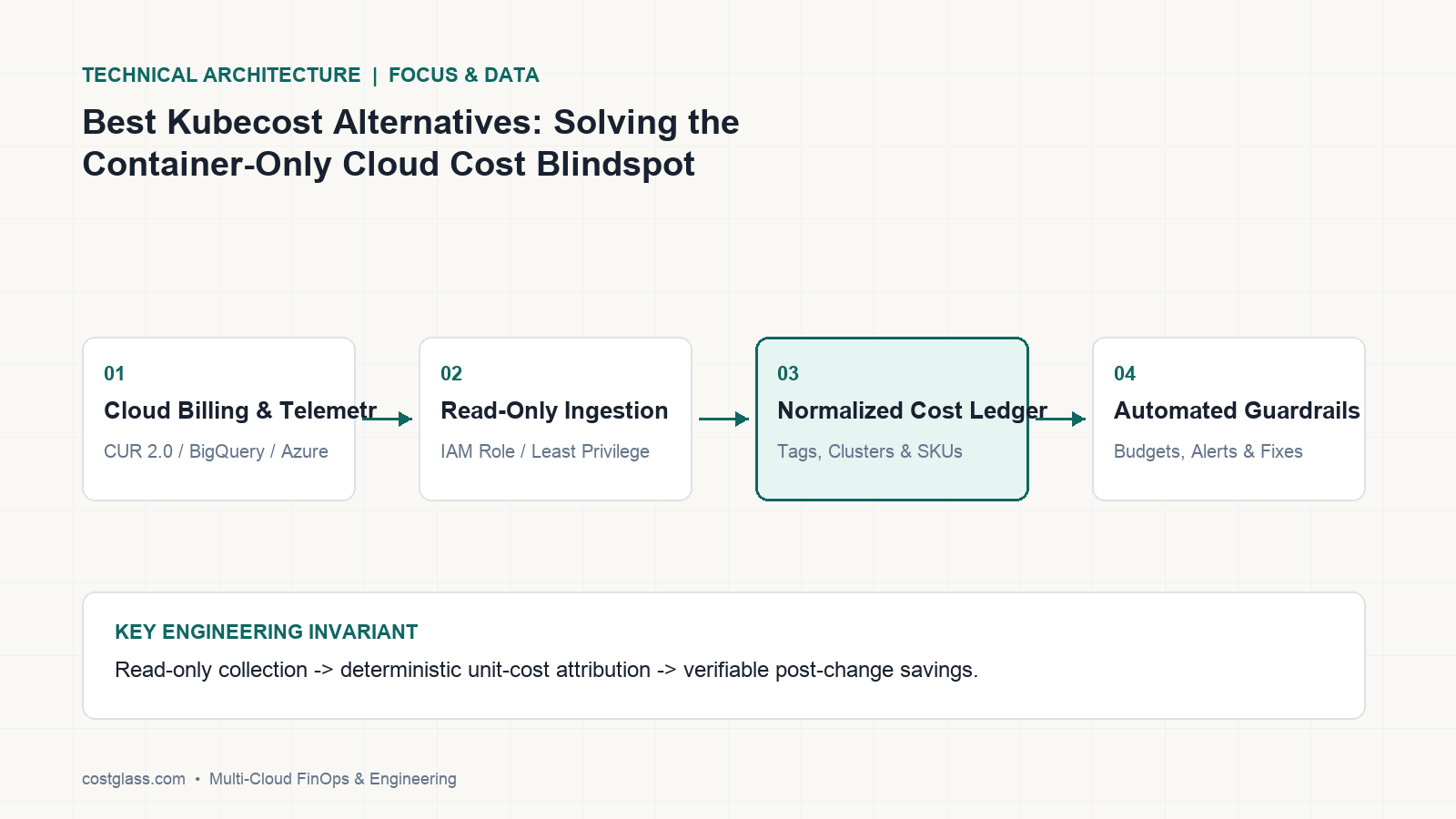
CostGlass takes a fundamentally different architectural approach. Instead of running a heavy, stateful monitoring stack inside your production clusters, CostGlass integrates with the lightweight, CNCF-standard OpenCost exporter.
The OpenCost exporter runs as a stateless, zero-overhead CronJob inside your cluster. It collects pod, namespace, controller, and GPU allocation metrics and securely ships them to the CostGlass backend. CostGlass then correlates this telemetry with your cloud provider's raw billing exports (such as AWS CUR 2.0, Azure MCA, or GCP BigQuery) in our unified multi-cloud schema.
This architecture delivers three immediate benefits:
- Zero Cluster Overhead: No Prometheus, no Thanos, and no stateful persistent volumes to manage in-cluster.
- 6-Hour Refresh Rate: Your Kubernetes cost allocation is updated every 6 hours, matching the ingestion speed of your cloud and AI spend.
- Unified Virtual Tagging: You can write Virtual Tagging rules to dynamically allocate unallocated cluster idle capacity or shared namespace costs across your business units without mutating your live Kubernetes YAML manifests.
Head-to-Head Comparison: Kubecost vs. CostGlass
| Feature | Kubecost | CostGlass | Legacy FinOps (Cloudability / CloudHealth) |
|---|---|---|---|
| Core Focus | Kubernetes clusters only | Multi-cloud, K8s, AI & Data platforms | Single-cloud legacy VMs |
| Pricing Model | Per-cluster pricing or annual contract | Predictable flat monthly fee (0% savings tax) | Percentage of cloud spend (1% - 3% tax) |
| SaaS & AI Connectors | None | 13 native connectors (Snowflake, OpenAI, Datadog) | None |
| Data Refresh Rate | In-cluster real-time (but billing lag) | Unified 6-hour refresh | 24 - 48 hour billing lag |
| Kubernetes Footprint | Heavy (Prometheus + TSDB + UI) | Lightweight stateless OpenCost exporter | Complex custom agents |
| Data Residency | Hosted SaaS (US-only) | UK, EU, US, or APAC regional cells & Private BYOC | Hosted SaaS (US-only) |
| Execution of Savings | Passive dashboard suggestions | Hands-on senior DevOps/FinOps engineers (Scale) | Passive dashboard suggestions |
The Financial Reality of Percentage-of-Spend and Legacy Pricing
When evaluating Kubecost alternatives, the commercial model is just as important as the underlying architecture. Many legacy FinOps platforms (such as Apptio Cloudability, Broadcom CloudHealth, or Finout) charge a percentage of your total cloud spend (typically 1% to 3%) or take a percentage cut of your realized savings.
This pricing model functions as a direct tax on your engineering growth. If your Kubernetes cluster expands to handle a massive customer onboarding, your FinOps software bill spikes automatically—even though the software did not perform any additional work. Furthermore, platforms like Finout charge a mandatory +25% add-on fee just to enable Kubernetes cost allocation, and an additional +$250 to $500/month for cost-per-customer unit economics.
CostGlass eliminates the cloud growth tax with transparent, predictable flat monthly pricing tiers:
- Free: $0 / £0 (up to £5,000/mo cloud spend cap)
- Starter: $99/mo (up to £15,000/mo cloud spend cap)
- Growth: $499/mo (up to £50,000/mo cloud spend cap)
- Scale: $1,499/mo (up to £100,000/mo cloud spend cap; includes 8 dedicated senior DevOps/FinOps engineer-hours every month to write Terraform PRs, rightsize instances, and execute your approved optimizations)
- Enterprise: Custom pricing (> £100,000/mo cloud spend cap; includes custom SLA and private AWS BYOC deployment)
Under our flat-rate model, as your cloud, Kubernetes, and AI workloads scale, your FinOps costs remain completely flat, allowing you to keep 100% of your cloud savings.
Why "Building Your Own" Multi-Cloud Cost Pipeline is a Trap
When faced with the limitations of container-only tools, some engineering teams attempt to build an in-house cost aggregation pipeline. They write custom Python ETL scripts to pull Kubernetes metrics, download AWS CUR 2.0 files from S3, query Snowflake usage tables, and attempt to join them in a central Postgres database or BI tool like Looker.
This DIY approach is a dangerous engineering and financial trap:
- Fragile Cloud Schemas: Cloud billing exports change constantly. A single minor update to the AWS CUR 2.0 schema or Azure MCA format will silently break your internal ETL pipelines, requiring immediate, unplanned engineering intervention.
- High Maintenance Overhead: Maintaining custom data pipelines, API connectors, and dashboard queries consumes valuable engineering sprint cycles. A team of two platform engineers spending just 15% of their time maintaining internal cost dashboards costs an organization upwards of $50,000 to $80,000 annually in wasted payroll.
- Lack of Real-Time Actionability: Internal BI dashboards are passive. They do not feature automated anomaly detection, budget alerts, or multi-cloud instance scheduling policies, meaning waste continues to compound until someone manually checks the dashboard.
Instead of diverting your core engineering talent away from shipping revenue-generating product features to build a fragile, home-grown cost pipeline, CostGlass delivers a turnkey, enterprise-grade multi-cloud ledger out-of-the-box in less than 5 minutes.
How to Configure Kubernetes OpenCost in CostGlass in 5 Minutes
Connecting your Kubernetes clusters to CostGlass is simple and secure. Unlike legacy tools that require root-level access or heavy agent configurations, CostGlass uses the lightweight, CNCF-standard OpenCost exporter.
Step 1: Install the OpenCost Exporter via Helm
Add the OpenCost Helm repository and deploy the exporter to your cluster. This configuration is stateless and does not require a local Prometheus installation:
helm repo add opencost https://opencost.github.io/opencost-helm-chart
helm repo update
Create a custom values.yaml file to configure the exporter to ship metrics securely to your CostGlass regional cell endpoint:
# values.yaml
opencost:
  exporter:
    extraEnv:
      - name: COSTGLASS_API_KEY
        value: "cg_live_your_tenant_api_key_here"
      - name: COSTGLASS_CELL_ENDPOINT
        value: "https://uk.api.costglass.com/v1/opencost" # Matches your UK/EU/US/APAC cell
    resources:
      limits:
        cpu: 200m
        memory: 256Mi
      requests:
        cpu: 50m
        memory: 128Mi
Deploy the chart to your cluster:
helm install opencost opencost/opencost -f values.yaml --namespace opencost --create-namespaceStep 2: View Allocated Costs in CostGlass
Once the OpenCost exporter is running, navigate to Cost Explorer v2 in your CostGlass console. Under the Kubernetes Costs (#finops:kubernetes) dashboard, you will immediately see:
- Namespace Allocation: Real-time run-rate spend across every namespace.
- Pod & GPU Costs: Granular tracking of expensive GPU nodes and container resource requests versus actual p95 utilization.
- Idle Capacity Allocation: A clear breakdown of unallocated node capacity, allowing you to rightsize your auto-scaling groups or EKS node pools.
By combining these Kubernetes metrics with your native AWS/Azure/GCP billing connectors, CostGlass automatically matches your container spend with the underlying cloud VMs, giving you a 100% accurate, unified cost ledger.
Frequently Asked Questions
Why is Kubecost blind to external multi-cloud and SaaS costs?
Kubecost is architected to run inside a Kubernetes cluster, reading metrics from the local API server and container runtime. It has no native integration with external cloud billing APIs (like AWS CUR 2.0), data warehouses (Snowflake), observability systems (Datadog), or AI model APIs (OpenAI/Anthropic). This limits its visibility strictly to resources running inside the container boundary.
How does CostGlass track Kubernetes costs without a heavy Prometheus footprint?
CostGlass leverages the CNCF OpenCost exporter, which runs as a lightweight, stateless agent inside your cluster. Instead of running a resource-heavy local Prometheus database, TSDB, and UI, the OpenCost exporter simply streams raw container utilization metrics to CostGlass's secure, regionalized backend, where we perform the heavy aggregation and normalization.
Can I run CostGlass in my own AWS account for strict compliance?
Yes. For fintech, healthcare, defense, and regulated enterprises with strict sovereign data governance requirements, CostGlass offers an Enterprise Self-Hosted / BYOC (Bring Your Own Cloud) deployment. The entire serverless CostGlass stack (Terraform, Lambdas, Aurora Serverless v2, DynamoDB) can be deployed privately inside your own AWS account and VPC, ensuring zero billing telemetry ever leaves your cloud boundary.
Ready to eliminate your container cost blindspots and unify your Kubernetes, multi-cloud, and AI spend under a single flat monthly fee? Explore our Kubernetes cost management documentation, compare our platform head-to-head with Kubecost, or start your 14-day free trial at CostGlass Pricing today.
Kubecost es una herramienta excelente para rastrear métricas de contenedores dentro del clúster, pero adolece de una limitación arquitectónica fundamental: es ciega a todo lo que se encuentra fuera de Kubernetes. Para las empresas de SaaS modernas, el cómputo de contenedores representa únicamente entre el 30% y el 40% de la factura total de la nube. El 60% a 70% restante—que incluye bases de datos administradas, almacenamiento de objetos, almacenes de Snowflake, registros de Datadog y tokens de OpenAI—permanece completamente fuera de monitorización. Las mejores alternativas a Kubecost resuelven esto unificando métricas ligeras de Kubernetes con las API de facturación nativas multicloud bajo un esquema único y de tarifa plana.
Al combinar la telemetría de CNCF OpenCost con las API multicloud nativas, los equipos de ingeniería pueden eliminar la pesada sobrecarga operativa derivada de la proliferación de almacenamiento de Prometheus dentro del clúster, mientras que los directores financieros obtienen un panel de control único y listo para auditorías que abarca el 100% del gasto en infraestructura.
Por qué los equipos de ingeniería superan las herramientas de costes exclusivas para contenedores
Kubernetes no opera en el vacío. Una aplicación de producción típica depende de un ecosistema de servicios gestionados, plataformas de datos y API de terceros. Aunque Kubecost proporciona visibilidad granular de las solicitudes de CPU y memoria a nivel de pod dentro de sus clústeres de Amazon EKS, Azure AKS o Google GKE, no puede ver la infraestructura que los sustenta:
- Bases de datos y almacenamiento gestionados: Sus datos persistentes almacenados en AWS RDS, Aurora, DynamoDB, Azure SQL o Google Cloud SQL son completamente invisibles para Kubecost.
- Red y transferencia de datos: Las NAT Gateways regionales, la transferencia de datos entre Availability Zones (AZ) y los cargos por tráfico de salida de Cloudflare son los principales impulsores del desperdicio en la nube, pero escapan al seguimiento exclusivo de contenedores.
- Almacenes de datos y observabilidad: El consumo de créditos de Snowflake y los costes de ingesta de registros de Datadog a menudo superan la factura de cómputo principal, pero existen enteramente fuera del perímetro de Kubernetes.
- API de inferencia de IA: Las aplicaciones modernas enrutan cada vez más tráfico hacia OpenAI o Anthropic. Estos costes de tokens impactan directamente en los márgenes brutos de su SaaS, pero no pueden asignarse mediante los namespaces estándar de Kubernetes.
Este punto ciego exclusivo de contenedores obliga a los equipos de ingeniería y finanzas a gestionar dos paneles de costes independientes: Kubecost para Kubernetes y herramientas nativas como AWS Cost Explorer o Azure Cost Management para todo lo demás. Conciliar estas dos fuentes de datos dispares es un proceso manual y propenso a errores que genera una duplicación masiva en el cómputo de compromisos (RIs y Savings Plans) y deja sin asignar la infraestructura compartida no etiquetada.
La brecha arquitectónica: Kubecost frente a CostGlass
Más allá de la brecha de visibilidad, Kubecost plantea un desafío operativo para los equipos de ingeniería de plataformas: su pesada huella dentro del clúster. Kubecost requiere un despliegue completo de Prometheus y TSDB (Time Series Database) dentro de cada clúster administrado. Esta arquitectura basada en agentes pesados introduce varios puntos críticos:
- Proliferación y mantenimiento del almacenamiento: Operar el almacenamiento de Prometheus dentro del clúster requiere un dimensionamiento constante, gestión de PV (Persistent Volumes) y asignación de memoria. No es raro que la pila de telemetría de Kubecost consuma entre el 2% y el 5% de la capacidad total de recursos de su clúster.
- Latencia en la telemetría: Conciliar las métricas internas del clúster con las API de facturación en tiempo real de los proveedores cloud es un proceso lento, lo que suele provocar un retraso en los datos de 24 a 48 horas.
- Complejidad multiclúster: Agregar costes entre múltiples clústeres requiere Kubecost Enterprise, que depende de arquitecturas complejas de Prometheus federado o implementaciones de Thanos con una notoria dificultad de mantenimiento.
La alternativa de CostGlass: integración ligera con OpenCost
CostGlass adopta un enfoque arquitectónico fundamentalmente diferente. En lugar de ejecutar una pila de monitorización pesada y con estado dentro de sus clústeres de producción, CostGlass se integra con el exportador de OpenCost, el estándar ligero de la CNCF.
El exportador de OpenCost se ejecuta como un CronJob sin estado y con sobrecarga cero dentro de su clúster. Recopila métricas de asignación de pods, namespaces, controladores y GPU, y las envía de forma segura al backend de CostGlass. A continuación, CostGlass correlaciona esta telemetría con las exportaciones de facturación sin procesar de su proveedor cloud (como AWS CUR 2.0, Azure MCA o GCP BigQuery) dentro de nuestro esquema multicloud unificado.
Esta arquitectura ofrece tres ventajas inmediatas:
- Cero sobrecarga en el clúster: Sin Prometheus, sin Thanos y sin volúmenes persistentes con estado que gestionar dentro del clúster.
- Frecuencia de actualización de 6 horas: Su asignación de costes de Kubernetes se actualiza cada 6 horas, igualando la velocidad de ingesta del gasto en la nube y en IA.
- Etiquetado virtual unificado: Puede definir reglas de Virtual Tagging para distribuir dinámicamente la capacidad ociosa no asignada del clúster o los costes de namespaces compartidos entre sus unidades de negocio sin modificar los manifiestos YAML en producción.
Comparativa directa: Kubecost frente a CostGlass
| Característica | Kubecost | CostGlass | FinOps heredado (Cloudability / CloudHealth) |
|---|---|---|---|
| Enfoque principal | Exclusivamente clústeres de Kubernetes | Multicloud, K8s, plataformas de datos e IA | Máquinas virtuales heredadas monocloud |
| Modelo de precios | Tarifa por clúster o contrato anual | Tarifa mensual fija y predecible (0% de impuesto sobre el ahorro) | Porcentaje del gasto en la nube (tasa del 1% al 3%) |
| Conectores para SaaS e IA | Ninguno | 13 conectores nativos (Snowflake, OpenAI, Datadog) | Ninguno |
| Frecuencia de actualización | Tiempo real en clúster (pero con retraso en facturación) | Actualización unificada cada 6 horas | Retraso de facturación de 24 a 48 horas |
| Huella en Kubernetes | Pesada (Prometheus + TSDB + interfaz de usuario) | Exportador de OpenCost ligero y sin estado | Agentes personalizados complejos |
| Residencia de datos | SaaS alojado (únicamente en EE. UU.) | Células regionales en Reino Unido, UE, EE. UU. o APAC y BYOC privado | SaaS alojado (únicamente en EE. UU.) |
| Ejecución de ahorros | Sugerencias pasivas en el panel | Ingenieros sénior dedicados de DevOps/FinOps (Plan Scale) | Sugerencias pasivas en el panel |
La realidad financiera del porcentaje del gasto y los modelos de precios heredados
Al evaluar alternativas a Kubecost, el modelo comercial es tan importante como la arquitectura subyacente. Muchas plataformas FinOps heredadas (como Apptio Cloudability, Broadcom CloudHealth o Finout) cobran un porcentaje del gasto total en la nube (habitualmente del 1% al 3%) o retienen una comisión porcentual de los ahorros conseguidos.
Este modelo de precios funciona como un impuesto directo sobre el crecimiento de su ingeniería. Si su clúster de Kubernetes se expande para asumir la incorporación masiva de nuevos clientes, su factura de software FinOps se incrementa automáticamente, aun cuando el software no haya realizado ningún trabajo adicional. Además, plataformas como Finout cobran una tarifa adicional obligatoria del +25% solo por habilitar la asignación de costes de Kubernetes, y entre +$250 y $500/mes adicionales para obtener métricas de coste unitario por cliente.
CostGlass elimina este impuesto al crecimiento en la nube mediante niveles de precios mensuales fijos, transparentes y predecibles:
- Free: 0 $ / 0 £ (hasta un límite de gasto en la nube de 5.000 £/mes)
- Starter: 99 $/mes (hasta un límite de gasto en la nube de 15.000 £/mes)
- Growth: 499 $/mes (hasta un límite de gasto en la nube de 50.000 £/mes)
- Scale: 1.499 $/mes (hasta un límite de gasto en la nube de 100.000 £/mes; incluye 8 horas mensuales dedicadas de ingenieros sénior de DevOps/FinOps para redactar PRs de Terraform, redimensionar instancias y ejecutar las optimizaciones aprobadas)
- Enterprise: Precios personalizados (más de 100.000 £/mes de gasto en la nube; incluye SLA a medida y despliegue privado BYOC en AWS)
Bajo nuestro modelo de tarifa plana, a medida que sus cargas de trabajo en la nube, Kubernetes e IA escalan, sus costes de FinOps se mantienen completamente estables, permitiéndole conservar el 100% de los ahorros conseguidos.
Por qué «construir su propio» pipeline de costes multicloud es una trampa
Ante las limitaciones de las herramientas exclusivas para contenedores, algunos equipos de ingeniería intentan construir un pipeline interno de agregación de costes. Escriben scripts ETL personalizados en Python para extraer métricas de Kubernetes, descargar archivos de AWS CUR 2.0 desde S3, consultar tablas de uso de Snowflake e intentar consolidar todo en una base de datos Postgres central o en una herramienta de BI como Looker.
Este enfoque casero representa una peligrosa trampa técnica y financiera:
- Esquemas cloud frágiles: Las exportaciones de facturación de la nube cambian constantemente. Una pequeña actualización en el esquema de AWS CUR 2.0 o en el formato de Azure MCA romperá de forma silenciosa sus pipelines ETL internos, demandando una intervención técnica urgente y no planificada.
- Alta sobrecarga de mantenimiento: Mantener pipelines de datos personalizados, conectores de API y consultas de paneles consume valiosos ciclos de desarrollo en los sprints de ingeniería. Un equipo de dos ingenieros de plataforma que dediquen tan solo el 15% de su tiempo a mantener paneles de costes internos supone para la empresa un coste superior a 50.000 $ - 80.000 $ anuales en salarios improductivos.
- Falta de capacidad de acción en tiempo real: Los paneles de BI internos son pasivos. Carecen de detección automatizada de anomalías, alertas presupuestarias o políticas de programación de instancias multicloud, lo que significa que el desperdicio sigue acumulándose hasta que alguien revisa manualmente el panel.
En lugar de desviar a sus ingenieros más cualificados de la entrega de funcionalidades de producto que generan ingresos para construir un pipeline de costes frágil y artesanal, CostGlass proporciona un libro de contabilidad multicloud llave en mano y de nivel empresarial en menos de 5 minutos.
Cómo configurar OpenCost para Kubernetes en CostGlass en 5 minutos
Conectar sus clústeres de Kubernetes a CostGlass es sencillo y seguro. A diferencia de las herramientas heredadas que requieren acceso a nivel de root o configuraciones complejas de agentes, CostGlass utiliza el exportador de OpenCost, ligero y estandarizado por la CNCF.
Paso 1: Instalar el exportador de OpenCost mediante Helm
Añada el repositorio de Helm de OpenCost e implemente el exportador en su clúster. Esta configuración no tiene estado y no requiere una instalación local de Prometheus:
helm repo add opencost https://opencost.github.io/opencost-helm-chart
helm repo update
Cree un archivo values.yaml personalizado para configurar el exportador de modo que envíe las métricas de forma segura al endpoint de su célula regional de CostGlass:
# values.yaml
opencost:
  exporter:
    extraEnv:
      - name: COSTGLASS_API_KEY
        value: "cg_live_your_tenant_api_key_here"
      - name: COSTGLASS_CELL_ENDPOINT
        value: "https://uk.api.costglass.com/v1/opencost" # Matches your UK/EU/US/APAC cell
    resources:
      limits:
        cpu: 200m
        memory: 256Mi
      requests:
        cpu: 50m
        memory: 128Mi
Despliegue el chart en su clúster:
helm install opencost opencost/opencost -f values.yaml --namespace opencost --create-namespacePaso 2: Visualizar los costes asignados en CostGlass
Una vez que el exportador de OpenCost esté en ejecución, diríjase a Cost Explorer v2 en su consola de CostGlass. Dentro del panel de Kubernetes Costs (#finops:kubernetes), verá de forma inmediata:
- Asignación por Namespace: Gasto de ritmo de ejecución en tiempo real en cada namespace.
- Costes de pods y GPUs: Rastreo granular de nodos GPU de alto coste y solicitudes de recursos de contenedores frente a la utilización real en el percentil 95 (p95).
- Asignación de capacidad ociosa: Un desglose transparente de la capacidad no asignada de los nodos, lo que le permite redimensionar sus grupos de autoescalado o node pools de EKS.
Al combinar estas métricas de Kubernetes con sus conectores nativos de facturación de AWS/Azure/GCP, CostGlass concilia automáticamente el gasto de sus contenedores con las máquinas virtuales subyacentes de la nube, brindándole un libro de contabilidad de costes unificado y con un 100% de precisión.
Preguntas frecuentes
¿Por qué Kubecost es ciego a los costes externos multicloud y SaaS?
Kubecost está diseñado arquitectónicamente para ejecutarse dentro de un clúster de Kubernetes, leyendo métricas directamente desde el servidor API local y el runtime de contenedores. No cuenta con integración nativa con las API de facturación de la nube externa (como AWS CUR 2.0), almacenes de datos (Snowflake), sistemas de observabilidad (Datadog) o API de modelos de IA (OpenAI/Anthropic). Esto restringe su visibilidad estrictamente a los recursos que operan dentro del perímetro de los contenedores.
¿Cómo rastrea CostGlass los costes de Kubernetes sin una pesada huella de Prometheus?
CostGlass utiliza el exportador de OpenCost de la CNCF, el cual funciona como un agente ligero y sin estado dentro de su clúster. En lugar de ejecutar una base de datos local de Prometheus, TSDB e interfaz de usuario con un alto consumo de recursos, el exportador de OpenCost simplemente transmite las métricas brutas de utilización de contenedores al backend seguro y regionalizado de CostGlass, donde realizamos la agregación y normalización complejas.
¿Puedo ejecutar CostGlass en mi propia cuenta de AWS para un cumplimiento normativo estricto?
Sí. Para empresas de tecnología financiera, salud, defensa y sectores regulados con requisitos estrictos de gobernanza soberana de datos, CostGlass ofrece una implementación Enterprise Self-Hosted / BYOC (Bring Your Own Cloud). Toda la infraestructura serverless de CostGlass (Terraform, Lambdas, Aurora Serverless v2, DynamoDB) se puede desplegar de forma privada dentro de su propia cuenta de AWS y VPC, garantizando que ninguna telemetría de facturación salga jamás de su perímetro cloud.
¿Preparado para eliminar los puntos ciegos de costes en contenedores y unificar su gasto de Kubernetes, multicloud e IA bajo una única tarifa plana mensual? Explore nuestra documentación de gestión de costes de Kubernetes, compare nuestra plataforma directamente con Kubecost o inicie su prueba gratuita de 14 días consultando los precios de CostGlass hoy mismo.
Kubecost ist ein hervorragendes Tool zur Erfassung von containerinternen Cluster-Metriken, leidet jedoch unter einer massiven architektonischen Einschränkung: Es ist blind für alles außerhalb von Kubernetes. Bei modernen SaaS-Unternehmen machen Container-Compute-Ressourcen nur 30 % bis 40 % der gesamten Cloud-Rechnung aus. Die restlichen 60 % bis 70 % – darunter verwaltete Datenbanken, Objektspeicher, Snowflake-Warehouses, Datadog-Logs und OpenAI-Tokens – bleiben völlig unüberwacht. Die besten Kubecost-Alternativen lösen dieses Problem, indem sie schlanke Kubernetes-Metriken mit nativen Multi-Cloud-Billing-APIs unter einem einheitlichen Pauschaltarif-Schema zusammenführen.
Durch die Kombination von CNCF OpenCost-Telemetrie mit nativen Multi-Cloud-APIs können Engineering-Teams den hohen operativen Overhead ausufernder clusterinterner Prometheus-Speicher beseitigen, während CFOs eine auditierbare, zentrale Übersicht (Single Pane of Glass) über 100 % ihrer Infrastrukturausgaben erhalten.
Warum Engineering-Teams über reine Container-Kosten-Tools hinauswachsen
Kubernetes läuft nicht im luftleeren Raum. Eine typische Produktionsanwendung basiert auf einem Ökosystem aus verwalteten Diensten, Datenplattformen und APIs von Drittanbietern. Während Kubecost detaillierte Einblicke in CPU- und Speicheranforderungen auf Pod-Ebene innerhalb Ihrer Amazon EKS-, Azure AKS- oder Google GKE-Cluster bietet, sieht es die unterstützende Infrastruktur schlichtweg nicht:
- Verwaltete Datenbanken & Storage: Ihre zustandsbehafteten Daten in AWS RDS, Aurora, DynamoDB, Azure SQL oder Google Cloud SQL sind für Kubecost völlig unsichtbar.
- Netzwerk & Datentransfer: Regionale NAT Gateways, Datenübertragungen über Availability Zones (AZs) hinweg und Egress-Gebühren von Cloudflare gehören zu den Haupttreibern von Cloud-Verschwendung, entziehen sich jedoch der reinen Container-Erfassung.
- Data Warehouses & Observability: Der Verbrauch von Snowflake-Credits und die Ingestion-Kosten von Datadog-Logs übersteigen häufig die eigentliche Compute-Rechnung, existieren jedoch vollständig außerhalb der Grenzen von Kubernetes.
- KI-Inferenz-APIs: Moderne Anwendungen leiten immer mehr Datenverkehr an OpenAI oder Anthropic weiter. Diese Token-Kosten wirken sich direkt auf Ihre SaaS-Bruttomargen aus, lassen sich jedoch nicht über Standard-Kubernetes-Namespaces zuordnen.
Dieser blinde Fleck zwingt Engineering- und Finanzteams dazu, zwei getrennte Kosten-Dashboards zu betreiben: Kubecost für Kubernetes und native Tools wie AWS Cost Explorer oder Azure Cost Management für alles andere. Die Konsolidierung dieser beiden unterschiedlichen Datenquellen ist ein manueller, fehleranfälliger Prozess, der zu massiven Doppelzählungen von Commitments (RIs und Savings Plans) führt und ungetaggte, gemeinsam genutzte Infrastruktur unallocated lässt.
Die Architekturlücke: Kubecost vs. CostGlass
Neben der mangelnden Sichtbarkeit stellt Kubecost Plattform-Engineering-Teams auch vor operative Herausforderungen: seinen enormen Footprint innerhalb des Clusters. Kubecost erfordert ein vollständiges Prometheus- und TSDB-Deployment (Time Series Database) in jedem verwalteten Cluster. Diese agentenlastige Architektur bringt mehrere Nachteile mit sich:
- Speicher-Sprawl & Wartung: Der Betrieb von Prometheus-Speicher im Cluster erfordert ständiges Rightsizing, Persistent-Volume-(PV)-Management und Speicherallokation. Es ist keine Seltenheit, dass der Telemetrie-Stack von Kubecost 2 % bis 5 % der gesamten Ressourcenkapazität Ihres Clusters beansprucht.
- Telemetrie-Verzögerung: Der Abgleich clusterinterner Metriken mit den Echtzeit-Abrechnungs-APIs der Cloud-Provider ist langsam und führt häufig zu einer Datenverzögerung von 24 bis 48 Stunden.
- Multi-Cluster-Komplexität: Das Aggregieren von Kosten über mehrere Cluster hinweg erfordert Kubecost Enterprise, das auf komplexen föderierten Prometheus-Architekturen oder Thanos-Deployments basiert, die bekanntermaßen schwer zu warten sind.
Die CostGlass-Alternative: Schlanke OpenCost-Integration
CostGlass verfolgt einen grundlegend anderen architektonischen Ansatz. Anstatt einen schweren, zustandsbehafteten Monitoring-Stack innerhalb Ihrer Produktionscluster auszuführen, integriert CostGlass den leichtgewichtigen, CNCF-standardisierten OpenCost exporter.
Der OpenCost exporter läuft als zustandsloser CronJob ohne Overhead innerhalb Ihres Clusters. Er sammelt Allokationsmetriken zu Pods, Namespaces, Controllern sowie GPUs und überträgt diese sicher an das CostGlass-Backend. CostGlass korreliert diese Telemetriedaten anschließend mit den Rohdaten-Abrechnungsexporten Ihres Cloud-Providers (wie AWS CUR 2.0, Azure MCA oder GCP BigQuery) in unserem einheitlichen Multi-Cloud-Schema.
Diese Architektur bietet drei unmittelbare Vorteile:
- Null Cluster-Overhead: Kein Prometheus, kein Thanos und keine zustandsbehafteten Persistent Volumes, die im Cluster verwaltet werden müssen.
- 6-Stunden-Aktualisierungsrate: Ihre Kubernetes-Kostenallokation wird alle 6 Stunden aktualisiert und entspricht damit der Erfassungsgeschwindigkeit Ihrer Cloud- und KI-Ausgaben.
- Einheitliches Virtual Tagging: Sie können Regeln für Virtual Tagging definieren, um nicht zugewiesene Cluster-Leerlaufkapazitäten oder geteilte Namespace-Kosten dynamisch über Ihre Geschäftsbereiche hinweg zuzuordnen – ohne Ihre produktiven Kubernetes-YAML-Manifeste verändern zu müssen.
Direkter Vergleich: Kubecost vs. CostGlass
| Feature | Kubecost | CostGlass | Legacy FinOps (Cloudability / CloudHealth) |
|---|---|---|---|
| Hauptfokus | Nur Kubernetes-Cluster | Multi-Cloud, K8s, KI- & Datenplattformen | Single-Cloud Legacy-VMs |
| Preismodell | Bepreisung pro Cluster oder Jahresvertrag | Vorhersehbare monatliche Pauschale (0 % Einsparungssteuer) | Prozentsatz der Cloud-Ausgaben (1 % – 3 % Steuer) |
| SaaS- & KI-Konnektoren | Keine | 13 native Konnektoren (Snowflake, OpenAI, Datadog) | Keine |
| Datenaktualisierungsrate | Clusterintern in Echtzeit (aber Abrechnungsverzögerung) | Einheitliche 6-Stunden-Aktualisierung | 24 – 48 Stunden Abrechnungsverzögerung |
| Kubernetes-Footprint | Schwer (Prometheus + TSDB + UI) | Schlanker zustandsloser OpenCost exporter | Komplexe benutzerdefinierte Agenten |
| Datenresidenz | Hosted SaaS (nur USA) | Regionale Zellen in UK, EU, US oder APAC & Private BYOC | Hosted SaaS (nur USA) |
| Umsetzung von Einsparungen | Passive Dashboard-Vorschläge | Erfahrene Senior DevOps/FinOps Engineers (Scale) | Passive Dashboard-Vorschläge |
Die finanzielle Realität von prozentualen Preismodellen und Legacy-Tarifen
Bei der Evaluierung von Kubecost-Alternativen ist das kommerzielle Modell genauso wichtig wie die zugrundeliegende Architektur. Viele traditionelle FinOps-Plattformen (wie Apptio Cloudability, Broadcom CloudHealth oder Finout) berechnen einen Prozentsatz Ihrer gesamten Cloud-Ausgaben (typischerweise 1 % bis 3 %) oder verlangen eine prozentuale Beteiligung an Ihren realisierten Einsparungen.
Dieses Preismodell wirkt wie eine direkte Steuer auf Ihr technisches Wachstum. Wenn Ihr Kubernetes-Cluster skaliert, um ein massives Kunden-Onboarding zu bewältigen, steigt Ihre FinOps-Software-Rechnung automatisch an – obwohl die Software keinerlei Mehrarbeit geleistet hat. Darüber hinaus erheben Plattformen wie Finout eine obligatorische Zusatzgebühr von +25 % allein für die Aktivierung der Kubernetes-Kostenallokation und weitere +250 $ bis 500 $/Monat für Stückkostenrechnungen pro Kunde.
CostGlass schafft diese Wachstumssteuer mit transparenten, planbaren monatlichen Pauschaltarifen ab:
- Free: 0 $ / 0 £ (bis zu 5.000 £/Monat Cloud-Ausgaben-Limit)
- Starter: 99 $/Monat (bis zu 15.000 £/Monat Cloud-Ausgaben-Limit)
- Growth: 499 $/Monat (bis zu 50.000 £/Monat Cloud-Ausgaben-Limit)
- Scale: 1.499 $/Monat (bis zu 100.000 £/Monat Cloud-Ausgaben-Limit; beinhaltet jeden Monat 8 dedizierte Stunden von Senior DevOps/FinOps Engineers, um Terraform-PRs zu schreiben, Instanzen anzupassen und Ihre freigegebenen Optimierungen umzusetzen)
- Enterprise: Individuelle Preise (> 100.000 £/Monat Cloud-Ausgaben-Limit; beinhaltet maßgeschneidertes SLA und privates AWS BYOC-Deployment)
In unserem Festpreismodell bleiben Ihre FinOps-Kosten absolut stabil, selbst wenn Ihre Cloud-, Kubernetes- und KI-Workloads wachsen. So behalten Sie 100 % Ihrer Cloud-Einsparungen.
Warum der Eigenbau einer Multi-Cloud-Kosten-Pipeline eine Falle ist
Angesichts der Grenzen reiner Container-Tools versuchen manche Engineering-Teams, eine interne Kostenaggregations-Pipeline selbst zu entwickeln. Sie schreiben benutzerdefinierte Python-ETL-Skripte, um Kubernetes-Metriken abzurufen, laden AWS CUR 2.0-Dateien aus S3 herunter, fragen Snowflake-Nutzungstabellen ab und versuchen, diese in einer zentralen Postgres-Datenbank oder einem BI-Tool wie Looker zusammenzuführen.
Dieser Do-it-yourself-Ansatz ist eine gefährliche technische und finanzielle Falle:
- Fragile Cloud-Schemas: Abrechnungsexporte der Cloud-Anbieter ändern sich ständig. Eine einzige minimale Aktualisierung am AWS CUR 2.0-Schema oder am Azure MCA-Format führt dazu, dass Ihre internen ETL-Pipelines lautlos fehlschlagen und sofortiges, ungeplantes Eingreifen der Entwickler erfordern.
- Hoher Wartungsaufwand: Die Pflege benutzerdefinierter Datenpipelines, API-Konnektoren und Dashboard-Abfragen bindet wertvolle Kapazitäten in den Entwicklungssprints. Ein Team aus zwei Plattform-Engineers, das nur 15 % seiner Zeit für die Wartung interner Kosten-Dashboards aufwendet, verursacht jährlich 50.000 bis 80.000 $ an verschwendeten Personalkosten.
- Fehlende Handlungsfähigkeit in Echtzeit: Interne BI-Dashboards sind passiv. Sie verfügen über keine automatisierte Anomalieerkennung, keine Budgetwarnungen oder Richtlinien zur Instanzenplanung über mehrere Clouds hinweg. Das bedeutet, dass sich Ineffizienzen weiter aufsummieren, bis jemand das Dashboard manuell prüft.
Anstatt Ihre besten Engineering-Talente von der Entwicklung umsatzrelevanter Produktfunktionen abzuziehen, um eine fragile, selbstgestrickte Pipeline zu bauen, bietet CostGlass ein schlüsselfertiges, unternehmenstaugliches Multi-Cloud-Ledger – einsatzbereit in weniger als 5 Minuten.
So konfigurieren Sie Kubernetes OpenCost in CostGlass in 5 Minuten
Die Anbindung Ihrer Kubernetes-Cluster an CostGlass ist einfach und sicher. Im Gegensatz zu herkömmlichen Tools, die Root-Zugriff oder schwere Agentenkonfigurationen erfordern, verwendet CostGlass den schlanken, CNCF-standardisierten OpenCost exporter.
Schritt 1: OpenCost Exporter via Helm installieren
Fügen Sie das OpenCost-Helm-Repository hinzu und deployen Sie den Exporter in Ihrem Cluster. Diese Konfiguration ist zustandslos und erfordert keine lokale Prometheus-Installation:
helm repo add opencost https://opencost.github.io/opencost-helm-chart
helm repo update
Erstellen Sie eine eigene values.yaml-Datei, um den Exporter so zu konfigurieren, dass er Metriken sicher an den Endpunkt Ihrer regionalen CostGlass-Zelle sendet:
# values.yaml
opencost:
  exporter:
    extraEnv:
      - name: COSTGLASS_API_KEY
        value: "cg_live_your_tenant_api_key_here"
      - name: COSTGLASS_CELL_ENDPOINT
        value: "https://uk.api.costglass.com/v1/opencost" # Entspricht Ihrer UK/EU/US/APAC-Zelle
    resources:
      limits:
        cpu: 200m
        memory: 256Mi
      requests:
        cpu: 50m
        memory: 128Mi
Deployen Sie das Chart in Ihrem Cluster:
helm install opencost opencost/opencost -f values.yaml --namespace opencost --create-namespaceSchritt 2: Zugewiesene Kosten in CostGlass einsehen
Sobald der OpenCost exporter läuft, navigieren Sie in Ihrer CostGlass-Konsole zu Cost Explorer v2. Im Dashboard Kubernetes Costs (#finops:kubernetes) sehen Sie sofort:
- Namespace-Allokation: Echtzeit-Run-Rate-Ausgaben über jeden einzelnen Namespace hinweg.
- Pod- & GPU-Kosten: Detaillierte Nachverfolgung teurer GPU-Nodes sowie von Container-Ressourcenanforderungen im Vergleich zur tatsächlichen p95-Auslastung.
- Allokation ungenutzter Kapazitäten: Eine klare Aufschlüsselung nicht zugewiesener Node-Kapazitäten, damit Sie Ihre Auto-Scaling-Groups oder EKS-Node-Pools präzise anpassen können.
Durch die Kombination dieser Kubernetes-Metriken mit Ihren nativen AWS-, Azure- und GCP-Abrechnungskonnektoren gleicht CostGlass Ihre Containerausgaben automatisch mit den zugrundeliegenden Cloud-VMs ab und liefert Ihnen ein zu 100 % präzises, einheitliches Kosten-Ledger.
Häufig gestellte Fragen (FAQ)
Warum erfasst Kubecost externe Multi-Cloud- und SaaS-Kosten nicht?
Kubecost ist architektonisch darauf ausgelegt, innerhalb eines Kubernetes-Clusters zu laufen und Metriken vom lokalen API-Server sowie der Container-Runtime auszulesen. Es besitzt keine native Integration mit externen Cloud-Abrechnungs-APIs (wie AWS CUR 2.0), Data Warehouses (Snowflake), Observability-Systemen (Datadog) oder KI-Modell-APIs (OpenAI/Anthropic). Dies schränkt seine Sichtbarkeit streng auf Ressourcen ein, die sich innerhalb der Container-Grenze befinden.
Wie erfasst CostGlass Kubernetes-Kosten ohne schweren Prometheus-Footprint?
CostGlass nutzt den CNCF OpenCost exporter, der als schlanker, zustandsloser Agent in Ihrem Cluster ausgeführt wird. Anstatt eine ressourcenintensive lokale Prometheus-Datenbank, TSDB und Benutzeroberfläche zu betreiben, überträgt der OpenCost exporter lediglich rohe Container-Nutzungsmetriken an das sichere, regionalisierte Backend von CostGlass, wo die aufwendige Aggregation und Normalisierung stattfindet.
Kann ich CostGlass für strenge Compliance-Anforderungen im eigenen AWS-Account betreiben?
Ja. Für Fintech-, Healthcare-, Verteidigungs- und regulierte Unternehmen mit strengen Anforderungen an die Datensouveränität bietet CostGlass ein Enterprise Self-Hosted / BYOC (Bring Your Own Cloud)-Deployment. Der gesamte serverlose CostGlass-Stack (Terraform, Lambdas, Aurora Serverless v2, DynamoDB) kann privat in Ihrem eigenen AWS-Account und Ihrer VPC bereitgestellt werden, sodass keine Abrechnungstelemetriedaten Ihre Cloud-Grenzen verlassen.
Sind Sie bereit, blinde Flecken bei Ihren Containerkosten zu beseitigen und Ihre Kubernetes-, Multi-Cloud- und KI-Ausgaben unter einer einzigen monatlichen Pauschale zu vereinen? Entdecken Sie unsere Dokumentation zum Kubernetes-Kostenmanagement, vergleichen Sie unsere Plattform direkt mit Kubecost oder starten Sie noch heute Ihre 14-tägige kostenlose Testversion unter CostGlass Pricing.
Kubecost est un excellent outil pour suivre les métriques des conteneurs au sein d'un cluster, mais il souffre d'une limitation architecturale majeure : il est aveugle à tout ce qui se trouve en dehors de Kubernetes. Pour les entreprises SaaS modernes, le calcul conteneurisé ne représente que 30 % à 40 % de la facture cloud globale. Les 60 % à 70 % restants (bases de données gérées, stockage objet, entrepôts Snowflake, journaux Datadog et jetons OpenAI) restent entièrement hors de portée. Les meilleures alternatives à Kubecost résolvent ce problème en unifiant les métriques légères de Kubernetes avec les API de facturation multi-cloud natives sous un schéma tarifaire forfaitaire unique.
En combinant la télémétrie CNCF OpenCost aux API multi-cloud natives, les équipes d'ingénierie éliminent la charge opérationnelle liée à la prolifération du stockage Prometheus dans le cluster, tandis que les directeurs financiers obtiennent un panneau de contrôle unique et auditable couvrant 100 % de leurs dépenses d'infrastructure.
Pourquoi les équipes d'ingénierie abandonnent les outils de coûts dédiés uniquement aux conteneurs
Kubernetes ne fonctionne pas en vase clos. Une application de production type dépend d'un écosystème de services managés, de plateformes de données et d'API tierces. Bien que Kubecost offre une visibilité granulaire sur les requêtes CPU et mémoire au niveau des pods dans vos clusters Amazon EKS, Azure AKS ou Google GKE, il ne voit pas l'infrastructure sous-jacente :
- Bases de données managées et stockage : Vos données avec état stockées dans AWS RDS, Aurora, DynamoDB, Azure SQL ou Google Cloud SQL sont totalement invisibles pour Kubecost.
- Réseau et transfert de données : Les passerelles NAT régionales, les transferts de données inter-zones de disponibilité (AZ) et les frais de sortie Cloudflare sont des facteurs majeurs de gaspillage cloud, mais échappent au suivi centré sur les conteneurs.
- Entrepôts de données et observabilité : La consommation de crédits Snowflake et l'ingestion de journaux Datadog dépassent souvent la facture de calcul principale, tout en existant entièrement hors du périmètre Kubernetes.
- API d'inférence IA : Les applications modernes acheminent de plus en plus de trafic vers OpenAI ou Anthropic. Ces coûts de jetons ont un impact direct sur vos marges brutes SaaS, mais ne peuvent pas être cartographiés via les namespaces Kubernetes standards.
Cet angle mort contraint les équipes d'ingénierie et de finance à gérer deux tableaux de bord de coûts distincts : Kubecost pour Kubernetes, et des outils natifs comme AWS Cost Explorer ou Azure Cost Management pour tout le reste. Réconcilier ces deux sources de données disparates est un processus manuel et source d'erreurs, qui entraîne un double comptage massif des engagements (RIs et Savings Plans) et laisse les infrastructures partagées non étiquetées sans allocation.
Le fossé architectural : Kubecost vs. CostGlass
Au-delà de ce manque de visibilité, Kubecost pose un défi opérationnel aux équipes d'ingénierie de plateforme : son empreinte lourde au sein même du cluster. Kubecost nécessite le déploiement complet de Prometheus et d'une base de données temporelle (TSDB) dans chaque cluster managé. Cette architecture lourde en agents introduit plusieurs difficultés majeures :
- Prolifération du stockage et maintenance : Exploiter le stockage Prometheus au sein du cluster nécessite un redimensionnement continu, une gestion des volumes persistants (PV) et une allocation mémoire constante. Il n'est pas rare que la pile de télémétrie de Kubecost consomme 2 % à 5 % de la capacité totale de calcul de votre cluster.
- Latence de la télémétrie : La réconciliation des métriques internes au cluster avec les API de facturation en temps réel des fournisseurs cloud est lente, entraînant souvent un retard de 24 à 48 heures.
- Complexité multi-cluster : Consolider les coûts sur plusieurs clusters nécessite Kubecost Enterprise, qui repose sur des architectures Prometheus fédérées complexes ou des déploiements Thanos réputés difficiles à maintenir.
L'alternative CostGlass : une intégration légère avec OpenCost
CostGlass adopte une approche architecturale fondamentalement différente. Au lieu d'exécuter une pile de surveillance avec état et lourde dans vos clusters de production, CostGlass s'intègre à l'exportateur standard CNCF OpenCost.
L'exportateur OpenCost fonctionne sous forme de CronJob sans état et sans surcharge au sein de votre cluster. Il collecte les métriques d'allocation des pods, des namespaces, des contrôleurs et des GPU, puis les transmet de manière sécurisée au backend CostGlass. CostGlass corrèle ensuite cette télémétrie avec les exports de facturation bruts de vos fournisseurs cloud (tels que AWS CUR 2.0, Azure MCA ou GCP BigQuery) dans notre schéma multi-cloud unifié.
Cette architecture apporte trois avantages immédiats :
- Zéro surcharge de cluster : Aucun composant Prometheus, Thanos ou volume persistant avec état à gérer dans le cluster.
- Actualisation toutes les 6 heures : L'allocation des coûts Kubernetes est actualisée toutes les 6 heures, s'alignant sur la vitesse d'ingestion de vos dépenses cloud et IA.
- Étiquetage virtuel unifié : Vous pouvez concevoir des règles de Virtual Tagging pour ventiler dynamiquement la capacité inactive non allouée ou les coûts des namespaces partagés entre vos unités organisationnelles, sans modifier vos manifestes YAML Kubernetes en production.
Comparaison directe : Kubecost vs. CostGlass
| Fonctionnalité | Kubecost | CostGlass | FinOps historique (Cloudability / CloudHealth) |
|---|---|---|---|
| Périmètre principal | Clusters Kubernetes uniquement | Multi-cloud, K8s, IA & plateformes de données | Machines virtuelles héritées mono-cloud |
| Modèle tarifaire | Prix par cluster ou contrat annuel | Tarif mensuel fixe et prévisible (0 % de taxe sur les économies) | Pourcentage des dépenses cloud (taxe de 1 % à 3 %) |
| Connecteurs SaaS & IA | Aucun | 13 connecteurs natifs (Snowflake, OpenAI, Datadog) | Aucun |
| Fréquence d'actualisation | Temps réel in-cluster (mais latence de facturation) | Actualisation unifiée toutes les 6 heures | Latence de facturation de 24 à 48 heures |
| Empreinte Kubernetes | Lourde (Prometheus + TSDB + UI) | Exportateur OpenCost léger et sans état | Agents personnalisés complexes |
| Résidence des données | SaaS hébergé (États-Unis uniquement) | Cellules régionales UK, EU, US ou APAC & BYOC privé | SaaS hébergé (États-Unis uniquement) |
| Exécution des économies | Suggestions passives sur tableau de bord | Ingénieurs senior DevOps/FinOps dédiés (Scale) | Suggestions passives sur tableau de bord |
La réalité financière du pourcentage des dépenses et des tarifs traditionnels
Lors de l'évaluation des alternatives à Kubecost, le modèle commercial est tout aussi stratégique que l'architecture technique. De nombreuses plateformes FinOps historiques (comme Apptio Cloudability, Broadcom CloudHealth ou Finout) facturent un pourcentage de vos dépenses cloud totales (généralement 1 % à 3 %) ou prélèvent une commission sur les économies réalisées.
Ce modèle tarifaire agit comme une taxe directe sur votre croissance technique. Si votre cluster Kubernetes s'étend pour absorber l'intégration d'un client majeur, votre facture d'outil FinOps grimpe automatiquement, même si le logiciel n'a fourni aucun effort supplémentaire. De plus, des plateformes comme Finout appliquent des frais supplémentaires obligatoires de +25 % simplement pour activer l'allocation des coûts Kubernetes, ainsi que +250 $ à 500 $/mois supplémentaires pour calculer le coût unitaire par client.
CostGlass élimine cette taxe sur la croissance du cloud grâce à des forfaits mensuels fixes, transparents et prévisibles :
- Free : 0 $ / 0 £ (plafond jusqu'à 5 000 £/mois de dépenses cloud)
- Starter : 99 $/mois (plafond jusqu'à 15 000 £/mois de dépenses cloud)
- Growth : 499 $/mois (plafond jusqu'à 50 000 £/mois de dépenses cloud)
- Scale : 1 499 $/mois (plafond jusqu'à 100 000 £/mois de dépenses cloud ; comprend 8 heures d'ingénierie senior DevOps/FinOps dédiées chaque mois pour soumettre des PR Terraform, redimensionner les instances et appliquer vos optimisations validées)
- Enterprise : Tarification sur mesure (dépenses cloud > 100 000 £/mois ; comprend un SLA sur mesure et un déploiement privé AWS BYOC)
Avec notre modèle à prix fixe, à mesure que vos charges de travail cloud, Kubernetes et IA se développent, vos coûts FinOps restent parfaitement stables, vous permettant de conserver 100 % des économies générées.
Pourquoi concevoir son propre pipeline de coûts multi-cloud est un piège
Face aux limites des outils cantonnés aux conteneurs, certaines équipes d'ingénierie tentent de créer leur propre pipeline d'agrégation des coûts en interne. Elles écrivent des scripts ETL Python sur mesure pour extraire les métriques Kubernetes, télécharger les fichiers AWS CUR 2.0 depuis S3, interroger les tables d'utilisation Snowflake et tenter de croiser le tout dans une base Postgres centrale ou un outil BI comme Looker.
Cette démarche artisanale représente un piège technique et financier dangereux :
- Schémas cloud instables : Les formats d'exportation de facturation cloud changent constamment. Une modification mineure du schéma AWS CUR 2.0 ou du format Azure MCA brisera silencieusement vos pipelines ETL internes, imposant des interventions d'urgence non planifiées.
- Charge de maintenance élevée : Maintenir des pipelines de données personnalisés, des connecteurs d'API et des requêtes analytiques consomme un temps de sprint précieux. Une équipe de deux ingénieurs plateforme consacrant ne serait-ce que 15 % de leur temps à maintenir des tableaux de bord internes coûte à l'entreprise entre 50 000 $ et 80 000 $ par an en temps de travail gaspillé.
- Absence d'actionnabilité en temps réel : Les tableaux de bord BI internes sont passifs. Ils n'intègrent ni détection automatisée des anomalies, ni alertes budgétaires, ni politiques de planification d'instances multi-cloud, ce qui laisse les dépenses superflues s'accumuler jusqu'à ce que quelqu'un vérifie manuellement les graphiques.
Plutôt que de détourner vos meilleurs talents du développement de fonctionnalités génératrices de revenus pour concevoir un pipeline de coûts fragile, CostGlass fournit un registre multi-cloud clé en main de niveau entreprise, opérationnel en moins de 5 minutes.
Comment configurer Kubernetes OpenCost dans CostGlass en 5 minutes
Connecter vos clusters Kubernetes à CostGlass est simple et sécurisé. Contrairement aux outils traditionnels qui exigent des accès root ou des configurations d'agents complexes, CostGlass s'appuie sur l'exportateur standard CNCF OpenCost, particulièrement léger.
Étape 1 : Installer l'exportateur OpenCost via Helm
Ajoutez le dépôt Helm OpenCost et déployez l'exportateur sur votre cluster. Cette configuration est sans état et ne nécessite pas d'installation Prometheus locale :
helm repo add opencost https://opencost.github.io/opencost-helm-chart
helm repo update
Créez un fichier values.yaml personnalisé pour configurer l'exportateur afin qu'il transmette les métriques de façon sécurisée vers le point de terminaison de votre cellule régionale CostGlass :
# values.yaml
opencost:
  exporter:
    extraEnv:
      - name: COSTGLASS_API_KEY
        value: "cg_live_your_tenant_api_key_here"
      - name: COSTGLASS_CELL_ENDPOINT
        value: "https://uk.api.costglass.com/v1/opencost" # Correspond à votre cellule UK/EU/US/APAC
    resources:
      limits:
        cpu: 200m
        memory: 256Mi
      requests:
        cpu: 50m
        memory: 128Mi
Déployez le chart sur votre cluster :
helm install opencost opencost/opencost -f values.yaml --namespace opencost --create-namespaceÉtape 2 : Visualiser les coûts alloués dans CostGlass
Une fois l'exportateur OpenCost opérationnel, rendez-vous dans Cost Explorer v2 sur votre console CostGlass. Sous le tableau de bord Kubernetes Costs (#finops:kubernetes), vous visualiserez immédiatement :
- L'allocation par namespace : Le taux de dépenses projeté en temps réel pour chaque namespace.
- Les coûts des pods et des GPU : Un suivi précis des nœuds GPU onéreux et des demandes de ressources des conteneurs comparées à l'utilisation réelle au percentile p95.
- L'allocation de la capacité inactive : Une décomposition claire de la capacité non allouée des nœuds, vous permettant de redimensionner vos groupes d'auto-scaling ou vos pools de nœuds EKS.
En associant ces métriques Kubernetes à vos connecteurs de facturation natifs AWS/Azure/GCP, CostGlass réconcilie automatiquement les dépenses de vos conteneurs avec les machines virtuelles sous-jacentes, vous offrant un registre de coûts unifié et rigoureusement exact.
Foire aux questions (FAQ)
Pourquoi Kubecost est-il aveugle aux coûts multi-cloud et SaaS externes ?
Kubecost est conçu pour s'exécuter à l'intérieur d'un cluster Kubernetes, lisant les métriques depuis le serveur d'API local et le moteur d'exécution des conteneurs. Il ne dispose d'aucune intégration native avec les API externes de facturation cloud (comme AWS CUR 2.0), les entrepôts de données (Snowflake), les outils d'observabilité (Datadog) ou les API de modèles d'IA (OpenAI/Anthropic). Sa visibilité est donc strictement limitée aux ressources situées dans le périmètre du cluster.
Comment CostGlass suit-il les coûts Kubernetes sans l'empreinte lourde de Prometheus ?
CostGlass s'appuie sur l'exportateur CNCF OpenCost, qui fonctionne sous la forme d'un agent léger et sans état au sein de votre cluster. Au lieu d'exécuter une base Prometheus locale consommatrice de ressources, une TSDB et une interface utilisateur, l'exportateur OpenCost transmet simplement les métriques brutes d'utilisation des conteneurs au backend sécurisé et régionalisé de CostGlass, qui prend en charge l'agrégation et la normalisation.
Puis-je exécuter CostGlass dans mon propre compte AWS pour des exigences strictes de conformité ?
Oui. Pour les secteurs de la fintech, de la santé, de la défense et les entreprises réglementées soumises à de strictes exigences de souveraineté des données, CostGlass propose un déploiement Enterprise Self-Hosted / BYOC (Bring Your Own Cloud). L'intégralité de la pile serverless de CostGlass (Terraform, Lambdas, Aurora Serverless v2, DynamoDB) peut être déployée en privé au sein de votre compte AWS et de votre VPC, garantissant qu'aucune donnée de télémétrie de facturation ne quitte votre périmètre cloud.
Prêt à éliminer les angles morts des coûts conteneurs et à unifier vos dépenses Kubernetes, multi-cloud et IA sous un forfait mensuel fixe unique ? Consultez notre documentation sur la gestion des coûts Kubernetes, comparez notre plateforme avec Kubecost, ou démarrez dès aujourd'hui votre essai gratuit de 14 jours sur Tarifs CostGlass.
Ready to unify your multi-cloud costs?
See your AWS, Azure, GCP, and Kubernetes spend in canonical FOCUS 1.0 in under 15 minutes.