Multi-Cloud Instance Scheduler: Slash Dev/Staging Costs by 65% Across AWS, Azure, GCP, and OCI
Slash cloud dev/staging costs by 65% with a multi-cloud instance scheduler. CostGlass automates off-hours start/stop for AWS, Azure, GCP, and OCI VMs.
- Canonical cost normalization across AWS, Azure, GCP, Kubernetes, and LLM APIs into FOCUS 1.0 schema.
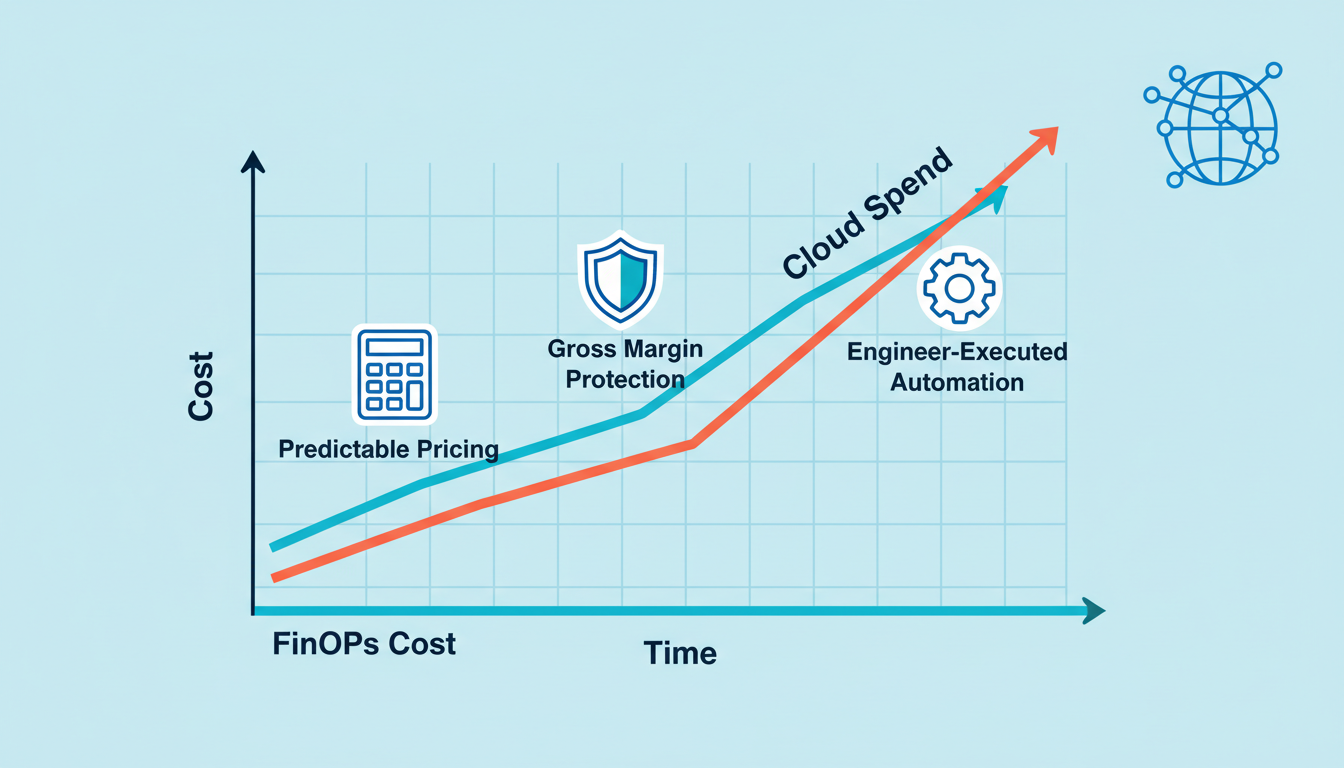
- Real-time COGS and gross margin attribution mapped directly to engineering teams and customer tenants.
- Flat monthly pricing with engineer-executed savings automation, avoiding vendor lock-in or savings tax penalties.
Development and staging environments often consume a significant portion of a company's cloud budget, despite being idle outside of business hours. Manually stopping and starting these resources is tedious, error-prone, and rarely consistent across distributed teams and multiple cloud providers. This often leads to unnecessary 24/7 spend on resources that are only used 8-10 hours a day.
Automated multi-cloud instance scheduling is the engineering discipline of dynamically stopping and starting cloud compute and database resources based on predefined schedules, tags, and snooze policies. For non-production environments, this can lead to immediate, measurable savings of 65% or more, directly impacting EBITDA and freeing up budget for revenue-generating initiatives.
The Hidden Cost of Always-On Non-Production Environments
Consider a typical engineering team with dev, staging, and QA environments running across AWS, Azure, and GCP. Each environment might consist of several virtual machines (VMs), database instances (RDS, Azure SQL, Cloud SQL), and potentially autoscaling groups. If these resources run 24/7, you're paying for 168 hours a week, even if they're only actively used for 40-50 hours (Monday to Friday, 9 AM to 6 PM).
This "always-on" default posture is a significant source of cloud waste. While individual instances might seem inexpensive, the cumulative effect across dozens or hundreds of non-production resources quickly adds up to tens or hundreds of thousands of dollars annually. For CFOs, this translates directly to eroded gross margins and reduced profitability.
Why Manual Scheduling Fails at Scale
Organizations often attempt manual scheduling, relying on engineers to remember to stop and start resources. This approach faces several challenges:
- Human Error: Forgetting to stop instances, leading to overnight or weekend waste.
- Cognitive Load: Engineers are diverted from product development to perform mundane operational tasks.
- Lack of Centralization: Different teams use different scripts or no scripts at all, leading to inconsistent application of policies.
- Multi-Cloud Complexity: Managing schedules across AWS, Azure, GCP, and other providers with native tools becomes a fragmented nightmare.
- Production Safeguards: Accidental shutdown of production resources is a constant risk without robust safeguards.
- Developer Experience: Rigid schedules can frustrate developers needing to work off-hours or on weekends.
CostGlass Multi-Cloud Instance Scheduler: Automated Savings with Developer Flexibility
CostGlass provides a powerful, tag-driven Multi-Cloud Instance Scheduler that automates the start/stop process across your entire cloud estate. It's designed to deliver maximum cost savings without compromising developer productivity or risking production environments.
Here's how CostGlass tackles the challenges:
Unified Multi-Cloud Support: Automate scheduling for:
- AWS: EC2 instances, Autoscaling Groups (ASG), RDS instances.
- Azure: Azure VMs, Virtual Machine Scale Sets (VMSS), Azure Flexible Databases.
- GCP: GCP instances, Managed Instance Groups (MIG), Cloud SQL instances.
- OCI: OCI instances, Instance Pools.
- Alibaba Cloud: Alibaba ECS, ESS.
Tag-Driven Policy Enforcement: Apply schedules using cloud tags like
cg-schedule:non-prod-mon-fridirectly on your resources. This integrates seamlessly with existing tagging strategies and Terraform-managed infrastructure.Named Schedule Templates: Create reusable schedule templates (e.g., "Non-Prod Mon-Fri 9-5", "Weekend Only") that can be applied across different accounts and clouds, ensuring consistency.
Production Resource Safeguards: CostGlass intelligently detects potential production resources and requires explicit confirmation for scheduling, preventing accidental shutdowns. This is a critical feature for any enterprise-grade scheduler.
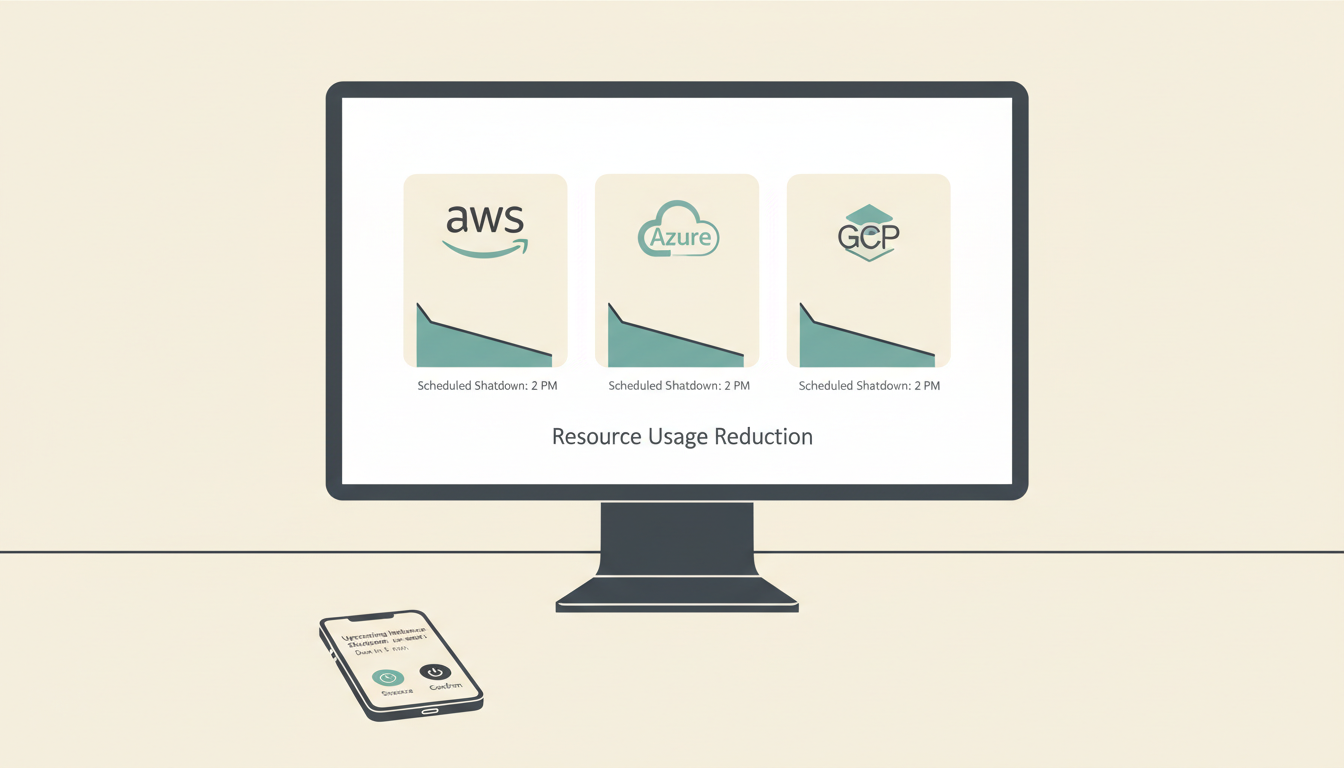
Developer Snooze & Delay Links: When a resource is about to shut down, CostGlass can send a pre-shutdown warning via Slack, Microsoft Teams, or email. Developers receive a 1-click signed link to snooze the shutdown for 1h, 2h, 3h, or 1 day, offering flexibility without manual intervention from FinOps teams.
Holiday Stop Calendars: Define global or regional holiday calendars to automatically suspend schedules, preventing resources from starting up on public holidays.
Autoscaling Group & VMSS Graceful Handling: CostGlass safely suspends autoscaling policies before stopping instances within an ASG/VMSS and restores capacity on start, preventing unwanted scale-in/out events.
CFO & CTO Business Case: From Cloud Waste to EBITDA Impact
For CTOs and CFOs, the CostGlass Multi-Cloud Instance Scheduler translates directly into significant, measurable financial benefits:
| Feature | Traditional Manual/Scripted | CostGlass Multi-Cloud Scheduler | ROI for C-Suite |
|---|---|---|---|
| Savings Potential | Inconsistent, often 30-40% | Consistent 65%+ for non-prod | Direct EBITDA Improvement: Automated savings directly increase profit margins by reducing non-essential cloud spend. |
| Engineer Time | High; manual effort, script maintenance, debugging | Low; set-and-forget, tag-driven | Increased Engineering Productivity: Engineers focus on product development, not cloud babysitting, accelerating time-to-market. |
| Multi-Cloud Management | Fragmented, distinct tools/scripts per cloud | Unified platform for 8 clouds | Reduced Operational Overhead: Single pane of glass for multi-cloud scheduling simplifies governance and reduces tool sprawl. |
| Developer Experience | Frustrating; rigid shutdowns, no self-service snooze | Flexible; 1-click snooze links, pre-shutdown warnings | Improved Developer Satisfaction: Empowers developers while maintaining cost control, fostering a positive engineering culture. |
| Risk of Production Impact | High; accidental shutdown of critical resources | Low; production safeguards, explicit confirmation | Enhanced Business Continuity: Mitigates the risk of costly outages due to accidental resource termination. |
| Cost Transparency | Hard to track scheduled savings vs. other optimizations | Integrated with Savings Engine, transparent metrics | Audit-Ready Financials: Clear reporting on savings achieved, supporting board-level financial reviews and compliance. |
By implementing CostGlass's scheduler, organizations can convert what was once a source of cloud waste into a predictable, automated cost-saving mechanism. This not only improves the bottom line but also streamlines operations and enhances developer experience.
The Hidden Cost of "Building Your Own" Multi-Cloud Scheduler
Many organizations initially consider building an in-house solution for multi-cloud scheduling. This path, while seemingly appealing for its customizability, quickly becomes a significant engineering liability:
- Fragile Cloud APIs: Each cloud provider has different APIs for managing instances and autoscaling groups. These APIs change, requiring continuous maintenance and updates to your custom scripts.
- Security & IAM Complexity: Building a secure solution that adheres to least-privilege IAM principles across multiple clouds is non-trivial and often leads to over-permissioned service accounts.
- Autoscaling Group Integration: Safely stopping and starting ASGs/VMSS without causing thrashing or data loss requires careful orchestration and understanding of cloud-specific autoscaling behaviors.
- Developer Experience Features: Implementing features like 1-click snooze links, holiday calendars, and production safeguards is a massive undertaking, diverting engineering resources from core product development.
- Ongoing Maintenance: Debugging failed schedules, handling edge cases (e.g., instances stuck in a
stoppingstate), and keeping up with new cloud services becomes a perpetual drain on engineering time. - Lack of Unified View: Without a dedicated FinOps platform, correlating scheduled savings with overall cloud spend and other optimization efforts is challenging.
CostGlass offers this capability out-of-the-box, integrating directly with your multi-cloud billing data and savings engine. This means you get immediate, reliable savings without the multi-year engineering investment and ongoing maintenance burden of a DIY solution.
How to Configure Automated Multi-Cloud Scheduling in CostGlass
Getting started with automated instance scheduling in CostGlass is straightforward:
Connect Your Cloud Accounts: Ensure your AWS, Azure, GCP, OCI, and other cloud accounts are connected to CostGlass with the necessary read-only IAM permissions. You can find detailed instructions in our Connect Overview documentation.
Define Named Schedule Templates: Navigate to the
Instance Schedulersection in CostGlass. Create new Named Schedule Templates, specifying start and stop times, days of the week, and timezones. For example, a template for non-production might beMon-Fri, start 08:00, stop 19:00 UTC.Apply Tags to Resources: In your cloud environment, apply the
cg-schedule:<template-name>tag to the VMs, ASGs, RDS instances, or other resources you want to schedule. For example,cg-schedule:non-prod-mon-fri. CostGlass will automatically detect these tags.Review & Activate: CostGlass will show you a preview of the resources that will be affected and the projected savings. Once confirmed, activate the scheduler. It will then begin orchestrating the start/stop actions based on your defined schedules.
Configure Notifications (Optional but Recommended): Set up Slack, Teams, or email notifications for pre-shutdown warnings to empower your developers with snooze options. This is configured in the
Notificationssection of CostGlass.
By following these steps, you can quickly achieve significant cost reductions for your non-production environments across your entire multi-cloud footprint.
Frequently Asked Questions
Q: Can CostGlass schedule resources in Autoscaling Groups or Virtual Machine Scale Sets?
A: Yes, CostGlass can safely schedule resources within Autoscaling Groups (AWS) and Virtual Machine Scale Sets (Azure). It intelligently suspends the autoscaling policies before stopping instances and restores them upon restart, ensuring no unintended scaling events occur and maintaining the integrity of your application during scheduled downtime.
Q: How does CostGlass handle timezones for schedules across different regions?
A: CostGlass allows you to define schedules with specific timezones. When applying a cg-schedule tag to a resource, you can also specify a cg-schedule-timezone tag if the resource's local timezone differs from the schedule's default. This ensures that instances start and stop at the correct local time, regardless of their physical cloud region.
Q: What if a developer needs an instance to stay running past its scheduled stop time?
A: CostGlass includes a developer-friendly snooze feature. When an instance is nearing its scheduled shutdown, a notification can be sent to the responsible team via Slack, Teams, or email. This notification contains a 1-click link that allows the developer to temporarily snooze the shutdown for a specified period (e.g., 1 hour, 3 hours, 1 day), providing flexibility without requiring manual intervention from FinOps or platform teams.
Ready to cut your non-production cloud costs by 65% or more? Explore how CostGlass's Multi-Cloud Instance Scheduler can automate savings for your AWS, Azure, GCP, and OCI environments. Start your free trial today and take control of your cloud spend at CostGlass or dive deeper into the documentation for our instance scheduler.
Los entornos de desarrollo y staging a menudo consumen una parte significativa del presupuesto de la nube de una empresa, a pesar de estar inactivos fuera del horario comercial. Detener e iniciar manualmente estos recursos es tedioso, propenso a errores y rara vez consistente entre equipos distribuidos y múltiples proveedores de la nube. Esto a menudo conduce a un gasto innecesario 24/7 en recursos que solo se utilizan de 8 a 10 horas al día.
La programación automatizada de instancias multi-nube es la disciplina de ingeniería que detiene e inicia dinámicamente los recursos de cómputo y bases de datos en la nube basándose en programaciones predefinidas, etiquetas y políticas de aplazamiento. Para entornos no productivos, esto puede generar ahorros inmediatos y medibles del 65% o más, impactando directamente el EBITDA y liberando presupuesto para iniciativas que generen ingresos.
El Costo Oculto de los Entornos No Productivos Siempre Activos
Considere un equipo de ingeniería típico con entornos de desarrollo, staging y QA ejecutándose en AWS, Azure y GCP. Cada entorno podría consistir en varias máquinas virtuales (VMs), instancias de bases de datos (RDS, Azure SQL, Cloud SQL) y, potencialmente, grupos de autoescalado. Si estos recursos se ejecutan 24/7, está pagando por 168 horas a la semana, incluso si solo se utilizan activamente durante 40-50 horas (de lunes a viernes, de 9 AM a 6 PM).
Esta postura predeterminada de "siempre activo" es una fuente significativa de desperdicio en la nube. Si bien las instancias individuales pueden parecer económicas, el efecto acumulativo en docenas o cientos de recursos no productivos se suma rápidamente a decenas o cientos de miles de dólares anualmente. Para los CFOs, esto se traduce directamente en una erosión de los márgenes brutos y una reducción de la rentabilidad.
Por Qué la Programación Manual Falla a Escala
Las organizaciones a menudo intentan la programación manual, confiando en que los ingenieros recuerden detener e iniciar los recursos. Este enfoque enfrenta varios desafíos:
- Error Humano: Olvidar detener las instancias, lo que lleva a desperdicios durante la noche o el fin de semana.
- Carga Cognitiva: Los ingenieros se desvían del desarrollo de productos para realizar tareas operativas mundanas.
- Falta de Centralización: Diferentes equipos usan diferentes scripts o ninguno en absoluto, lo que lleva a una aplicación inconsistente de las políticas.
- Complejidad Multi-Nube: La gestión de programaciones en AWS, Azure, GCP y otros proveedores con herramientas nativas se convierte en una pesadilla fragmentada.
- Salvaguardias de Producción: El apagado accidental de recursos de producción es un riesgo constante sin salvaguardias robustas.
- Experiencia del Desarrollador: Las programaciones rígidas pueden frustrar a los desarrolladores que necesitan trabajar fuera del horario laboral o los fines de semana.
Programador de Instancias Multi-Nube de CostGlass: Ahorros Automatizados con Flexibilidad para Desarrolladores
CostGlass proporciona un potente Programador de Instancias Multi-Nube basado en etiquetas que automatiza el proceso de inicio/parada en todo su patrimonio en la nube. Está diseñado para ofrecer el máximo ahorro de costos sin comprometer la productividad del desarrollador ni poner en riesgo los entornos de producción.
Así es como CostGlass aborda los desafíos:
Soporte Multi-Nube Unificado: Automatice la programación para:
- AWS: Instancias EC2, Grupos de Autoescalado (ASG), instancias RDS.
- Azure: VMs de Azure, Conjuntos de Escala de Máquinas Virtuales (VMSS), Bases de Datos Flexibles de Azure.
- GCP: Instancias de GCP, Grupos de Instancias Administradas (MIG), instancias de Cloud SQL.
- OCI: Instancias de OCI, Grupos de Instancias.
- Alibaba Cloud: Alibaba ECS, ESS.
Aplicación de Políticas Basada en Etiquetas: Aplique programaciones utilizando etiquetas de la nube como
cg-schedule:non-prod-mon-fridirectamente en sus recursos. Esto se integra perfectamente con las estrategias de etiquetado existentes y la infraestructura gestionada por Terraform.Plantillas de Programación Nombradas: Cree plantillas de programación reutilizables (por ejemplo, "No productivo de L-V 9-5", "Solo fines de semana") que se puedan aplicar en diferentes cuentas y nubes, garantizando la coherencia.
Salvaguardias de Recursos de Producción: CostGlass detecta inteligentemente los posibles recursos de producción y requiere una confirmación explícita para la programación, evitando apagados accidentales. Esta es una característica crítica para cualquier programador de nivel empresarial.
Enlaces de Aplazamiento y Retraso para Desarrolladores: Cuando un recurso está a punto de apagarse, CostGlass puede enviar una advertencia previa al apagado a través de Slack, Microsoft Teams o correo electrónico. Los desarrolladores reciben un enlace firmado de 1 clic para aplazar el apagado por 1h, 2h, 3h o 1 día, ofreciendo flexibilidad sin la intervención manual de los equipos de FinOps.
Calendarios de Parada por Vacaciones: Defina calendarios de vacaciones globales o regionales para suspender automáticamente las programaciones, evitando que los recursos se inicien en días festivos.
Manejo Elegante de Grupos de Autoescalado y VMSS: CostGlass suspende de forma segura las políticas de autoescalado antes de detener las instancias dentro de un ASG/VMSS y restaura la capacidad al iniciar, evitando eventos de escalado no deseados.
Caso de Negocio para CFO y CTO: Del Desperdicio en la Nube al Impacto en el EBITDA
Para los CTOs y CFOs, el Programador de Instancias Multi-Nube de CostGlass se traduce directamente en beneficios financieros significativos y medibles:
| Característica | Manual/Scripted Tradicional | Programador Multi-Nube de CostGlass | ROI para la C-Suite |
|---|---|---|---|
| Potencial de Ahorro | Inconsistente, a menudo 30-40% | Consistente 65%+ para no productivo | Mejora Directa del EBITDA: Los ahorros automatizados aumentan directamente los márgenes de beneficio al reducir el gasto no esencial en la nube. |
| Tiempo del Ingeniero | Alto; esfuerzo manual, mantenimiento de scripts, depuración | Bajo; configurar y olvidar, basado en etiquetas | Mayor Productividad de Ingeniería: Los ingenieros se centran en el desarrollo de productos, no en el cuidado de la nube, acelerando el tiempo de comercialización. |
| Gestión Multi-Nube | Fragmentada, herramientas/scripts distintos por nube | Plataforma unificada para 8 nubes | Reducción de la Sobrecarga Operativa: Un único panel de control para la programación multi-nube simplifica la gobernanza y reduce la proliferación de herramientas. |
| Experiencia del Desarrollador | Frustrante; apagados rígidos, sin aplazamiento de autoservicio | Flexible; enlaces de aplazamiento de 1 clic, advertencias previas al apagado | Mejora de la Satisfacción del Desarrollador: Empodera a los desarrolladores mientras mantiene el control de costos, fomentando una cultura de ingeniería positiva. |
| Riesgo de Impacto en Producción | Alto; apagado accidental de recursos críticos | Bajo; salvaguardias de producción, confirmación explícita | Continuidad del Negocio Mejorada: Mitiga el riesgo de costosas interrupciones debido a la terminación accidental de recursos. |
| Transparencia de Costos | Difícil de rastrear los ahorros programados frente a otras optimizaciones | Integrado con el Motor de Ahorros, métricas transparentes | Finanzas Listas para Auditoría: Informes claros sobre los ahorros logrados, apoyando las revisiones financieras a nivel de junta y el cumplimiento. |
Al implementar el programador de CostGlass, las organizaciones pueden convertir lo que antes era una fuente de desperdicio en la nube en un mecanismo de ahorro de costos predecible y automatizado. Esto no solo mejora los resultados finales, sino que también agiliza las operaciones y mejora la experiencia del desarrollador.
El Costo Oculto de "Construir Su Propio" Programador Multi-Nube
Muchas organizaciones consideran inicialmente construir una solución interna para la programación multi-nube. Este camino, aunque aparentemente atractivo por su personalización, se convierte rápidamente en una responsabilidad de ingeniería significativa:
- APIs de la Nube Frágiles: Cada proveedor de la nube tiene diferentes APIs para administrar instancias y grupos de autoescalado. Estas APIs cambian, lo que requiere un mantenimiento y actualizaciones continuos de sus scripts personalizados.
- Complejidad de Seguridad e IAM: Construir una solución segura que cumpla con los principios de IAM de menor privilegio en múltiples nubes no es trivial y a menudo conduce a cuentas de servicio con permisos excesivos.
- Integración de Grupos de Autoescalado: Detener e iniciar de forma segura ASGs/VMSS sin causar inestabilidad o pérdida de datos requiere una orquestación cuidadosa y una comprensión de los comportamientos de autoescalado específicos de la nube.
- Características de Experiencia del Desarrollador: Implementar características como enlaces de aplazamiento de 1 clic, calendarios de vacaciones y salvaguardias de producción es una tarea masiva, que desvía los recursos de ingeniería del desarrollo de productos centrales.
- Mantenimiento Continuo: Depurar programaciones fallidas, manejar casos excepcionales (por ejemplo, instancias atascadas en un estado de
stopping) y mantenerse al día con los nuevos servicios en la nube se convierte en un drenaje perpetuo del tiempo de ingeniería. - Falta de Vista Unificada: Sin una plataforma FinOps dedicada, correlacionar los ahorros programados con el gasto general en la nube y otros esfuerzos de optimización es un desafío.
CostGlass ofrece esta capacidad lista para usar, integrándose directamente con sus datos de facturación multi-nube y su motor de ahorros. Esto significa que obtiene ahorros inmediatos y confiables sin la inversión de ingeniería de varios años y la carga de mantenimiento continuo de una solución de bricolaje.
Cómo Configurar la Programación Multi-Nube Automatizada en CostGlass
Comenzar con la programación automatizada de instancias en CostGlass es sencillo:
Conecte Sus Cuentas en la Nube: Asegúrese de que sus cuentas de AWS, Azure, GCP, OCI y otras nubes estén conectadas a CostGlass con los permisos IAM de solo lectura necesarios. Puede encontrar instrucciones detalladas en nuestra documentación de Descripción General de Conexión.
Defina Plantillas de Programación Nombradas: Navegue a la sección
Instance Scheduleren CostGlass. Cree nuevas Plantillas de Programación Nombradas, especificando las horas de inicio y parada, los días de la semana y las zonas horarias. Por ejemplo, una plantilla para no producción podría serMon-Fri, start 08:00, stop 19:00 UTC.Aplique Etiquetas a los Recursos: En su entorno de nube, aplique la etiqueta
cg-schedule:<template-name>a las VMs, ASGs, instancias RDS u otros recursos que desee programar. Por ejemplo,cg-schedule:non-prod-mon-fri. CostGlass detectará automáticamente estas etiquetas.Revise y Active: CostGlass le mostrará una vista previa de los recursos que se verán afectados y los ahorros proyectados. Una vez confirmado, active el programador. Luego comenzará a orquestar las acciones de inicio/parada según sus programaciones definidas.
Configure Notificaciones (Opcional pero Recomendado): Configure notificaciones de Slack, Teams o correo electrónico para advertencias previas al apagado para empoderar a sus desarrolladores con opciones de aplazamiento. Esto se configura en la sección
Notificationsde CostGlass.
Siguiendo estos pasos, puede lograr rápidamente reducciones significativas de costos para sus entornos no productivos en toda su huella multi-nube.
Preguntas Frecuentes
P: ¿Puede CostGlass programar recursos en Grupos de Autoescalado o Conjuntos de Escala de Máquinas Virtuales?
R: Sí, CostGlass puede programar de forma segura recursos dentro de Grupos de Autoescalado (AWS) y Conjuntos de Escala de Máquinas Virtuales (Azure). Suspende inteligentemente las políticas de autoescalado antes de detener las instancias y las restaura al reiniciar, asegurando que no ocurran eventos de escalado no deseados y manteniendo la integridad de su aplicación durante el tiempo de inactividad programado.
P: ¿Cómo maneja CostGlass las zonas horarias para las programaciones en diferentes regiones?
R: CostGlass le permite definir programaciones con zonas horarias específicas. Al aplicar una etiqueta cg-schedule a un recurso, también puede especificar una etiqueta cg-schedule-timezone si la zona horaria local del recurso difiere de la predeterminada de la programación. Esto asegura que las instancias se inicien y detengan a la hora local correcta, independientemente de su región física en la nube.
P: ¿Qué sucede si un desarrollador necesita que una instancia siga ejecutándose más allá de su hora de parada programada?
R: CostGlass incluye una función de aplazamiento amigable para el desarrollador. Cuando una instancia se acerca a su apagado programado, se puede enviar una notificación al equipo responsable a través de Slack, Teams o correo electrónico. Esta notificación contiene un enlace de 1 clic que permite al desarrollador aplazar temporalmente el apagado por un período específico (por ejemplo, 1 hora, 3 horas, 1 día), lo que proporciona flexibilidad sin requerir la intervención manual de los equipos de FinOps o de plataforma.
¿Listo para reducir sus costos en la nube no productivos en un 65% o más? Explore cómo el Programador de Instancias Multi-Nube de CostGlass puede automatizar los ahorros para sus entornos de AWS, Azure, GCP y OCI. Comience su prueba gratuita hoy mismo y tome el control de su gasto en la nube en CostGlass o profundice en la documentación de nuestro programador de instancias.
Entwicklungs- und Staging-Umgebungen verbrauchen oft einen erheblichen Teil des Cloud-Budgets eines Unternehmens, obwohl sie außerhalb der Geschäftszeiten untätig sind. Das manuelle Stoppen und Starten dieser Ressourcen ist mühsam, fehleranfällig und selten konsistent über verteilte Teams und mehrere Cloud-Anbieter hinweg. Dies führt oft zu unnötigen 24/7-Ausgaben für Ressourcen, die nur 8-10 Stunden am Tag genutzt werden.
Automatisiertes Multi-Cloud Instance Scheduling ist die Ingenieurdisziplin, Cloud-Compute- und Datenbankressourcen basierend auf vordefinierten Zeitplänen, Tags und Snooze-Richtlinien dynamisch zu stoppen und zu starten. Für Nicht-Produktionsumgebungen kann dies zu sofortigen, messbaren Einsparungen von 65 % oder mehr führen, was sich direkt auf das EBITDA auswirkt und Budget für umsatzgenerierende Initiativen freisetzt.
Die versteckten Kosten von ständig aktiven Nicht-Produktionsumgebungen
Stellen Sie sich ein typisches Ingenieurteam mit Entwicklungs-, Staging- und QA-Umgebungen vor, die über AWS, Azure und GCP laufen. Jede Umgebung könnte aus mehreren virtuellen Maschinen (VMs), Datenbankinstanzen (RDS, Azure SQL, Cloud SQL) und potenziell Autoscaling-Gruppen bestehen. Wenn diese Ressourcen 24/7 laufen, zahlen Sie für 168 Stunden pro Woche, selbst wenn sie nur 40-50 Stunden aktiv genutzt werden (Montag bis Freitag, 9 bis 18 Uhr).
Diese „Always-On“-Standardhaltung ist eine erhebliche Quelle von Cloud-Verschwendung. Während einzelne Instanzen günstig erscheinen mögen, summiert sich der kumulative Effekt über Dutzende oder Hunderte von Nicht-Produktionsressourcen schnell zu Zehntausenden oder Hunderttausenden von Dollar jährlich. Für CFOs bedeutet dies direkt eine Erosion der Bruttomargen und eine Verringerung der Rentabilität.
Warum manuelles Scheduling im großen Maßstab fehlschlägt
Organisationen versuchen oft, manuelles Scheduling zu betreiben, indem sie sich darauf verlassen, dass Ingenieure daran denken, Ressourcen zu stoppen und zu starten. Dieser Ansatz steht vor mehreren Herausforderungen:
- Menschlicher Fehler: Vergessen, Instanzen zu stoppen, was zu Verschwendung über Nacht oder am Wochenende führt.
- Kognitive Belastung: Ingenieure werden von der Produktentwicklung abgelenkt, um banale operative Aufgaben zu erledigen.
- Mangelnde Zentralisierung: Verschiedene Teams verwenden unterschiedliche Skripte oder gar keine Skripte, was zu einer inkonsistenten Anwendung von Richtlinien führt.
- Multi-Cloud-Komplexität: Die Verwaltung von Zeitplänen über AWS, Azure, GCP und andere Anbieter mit nativen Tools wird zu einem fragmentierten Albtraum.
- Produktionsschutz: Das versehentliche Herunterfahren von Produktionsressourcen ist ohne robuste Schutzmaßnahmen ein ständiges Risiko.
- Entwicklererfahrung: Starre Zeitpläne können Entwickler frustrieren, die außerhalb der Geschäftszeiten oder am Wochenende arbeiten müssen.
CostGlass Multi-Cloud Instance Scheduler: Automatisierte Einsparungen mit Entwicklerflexibilität
CostGlass bietet einen leistungsstarken, Tag-gesteuerten Multi-Cloud Instance Scheduler, der den Start-/Stopp-Prozess über Ihre gesamte Cloud-Infrastruktur automatisiert. Er wurde entwickelt, um maximale Kosteneinsparungen zu erzielen, ohne die Produktivität der Entwickler zu beeinträchtigen oder Produktionsumgebungen zu gefährden.
Hier erfahren Sie, wie CostGlass die Herausforderungen angeht:
Vereinheitlichte Multi-Cloud-Unterstützung: Automatisieren Sie die Zeitplanung für:
- AWS: EC2-Instanzen, Autoscaling Groups (ASG), RDS-Instanzen.
- Azure: Azure VMs, Virtual Machine Scale Sets (VMSS), Azure Flexible Databases.
- GCP: GCP-Instanzen, Managed Instance Groups (MIG), Cloud SQL-Instanzen.
- OCI: OCI-Instanzen, Instance Pools.
- Alibaba Cloud: Alibaba ECS, ESS.
Tag-gesteuerte Richtliniendurchsetzung: Wenden Sie Zeitpläne mithilfe von Cloud-Tags wie
cg-schedule:non-prod-mon-fridirekt auf Ihre Ressourcen an. Dies lässt sich nahtlos in bestehende Tagging-Strategien und Terraform-verwaltete Infrastruktur integrieren.Benannte Zeitplanvorlagen: Erstellen Sie wiederverwendbare Zeitplanvorlagen (z. B. „Non-Prod Mo-Fr 9-17 Uhr“, „Nur Wochenende“), die über verschiedene Konten und Clouds hinweg angewendet werden können, um Konsistenz zu gewährleisten.
Produktionsressourcenschutz: CostGlass erkennt intelligent potenzielle Produktionsressourcen und erfordert eine explizite Bestätigung für die Zeitplanung, um versehentliche Abschaltungen zu verhindern. Dies ist eine entscheidende Funktion für jeden Scheduler auf Unternehmensebene.
Entwickler-Snooze- & Verzögerungslinks: Wenn eine Ressource kurz vor dem Herunterfahren steht, kann CostGlass eine Vorab-Warnung über Slack, Microsoft Teams oder E-Mail senden. Entwickler erhalten einen 1-Klick-Signaturlink, um das Herunterfahren für 1h, 2h, 3h oder 1 Tag zu verschieben, was Flexibilität ohne manuelles Eingreifen von FinOps-Teams bietet.
Feiertags-Stopp-Kalender: Definieren Sie globale oder regionale Feiertagskalender, um Zeitpläne automatisch auszusetzen und zu verhindern, dass Ressourcen an Feiertagen gestartet werden.
Autoscaling Group & VMSS Graceful Handling: CostGlass setzt Autoscaling-Richtlinien sicher aus, bevor Instanzen innerhalb einer ASG/VMSS gestoppt werden, und stellt die Kapazität beim Start wieder her, wodurch unerwünschte Scale-in-/Scale-out-Ereignisse verhindert werden.
CFO- & CTO-Business Case: Von Cloud-Verschwendung zu EBITDA-Auswirkungen
Für CTOs und CFOs führt der CostGlass Multi-Cloud Instance Scheduler direkt zu erheblichen, messbaren finanziellen Vorteilen:
| Feature | Traditionell manuell/geskriptet | CostGlass Multi-Cloud Scheduler | ROI für die C-Suite |
|---|---|---|---|
| Einsparpotenzial | Inkonsistent, oft 30-40% | Konsistent 65%+ für Nicht-Produktion | Direkte EBITDA-Verbesserung: Automatisierte Einsparungen erhöhen direkt die Gewinnmargen durch Reduzierung unnötiger Cloud-Ausgaben. |
| Ingenieurzeit | Hoch; manueller Aufwand, Skriptwartung, Debugging | Niedrig; einmal einrichten, dann vergessen, Tag-gesteuert | Erhöhte Ingenieurproduktivität: Ingenieure konzentrieren sich auf die Produktentwicklung, nicht auf Cloud-Babysitting, was die Markteinführungszeit beschleunigt. |
| Multi-Cloud-Management | Fragmentiert, unterschiedliche Tools/Skripte pro Cloud | Vereinheitlichte Plattform für 8 Clouds | Reduzierter Betriebsaufwand: Ein einziger Überblick für Multi-Cloud-Scheduling vereinfacht die Governance und reduziert die Tool-Vielfalt. |
| Entwicklererfahrung | Frustrierend; starre Abschaltungen, keine Self-Service-Snooze | Flexibel; 1-Klick-Snooze-Links, Vorab-Abschaltwarnungen | Verbesserte Entwicklerzufriedenheit: Ermöglicht Entwicklern, während die Kostenkontrolle erhalten bleibt, und fördert eine positive Ingenieurkultur. |
| Risiko von Produktionsauswirkungen | Hoch; versehentliches Herunterfahren kritischer Ressourcen | Niedrig; Produktionsschutz, explizite Bestätigung | Verbesserte Geschäftskontinuität: Mindert das Risiko kostspieliger Ausfälle aufgrund versehentlicher Ressourcenbeendigung. |
| Kostentransparenz | Schwer, geplante Einsparungen im Vergleich zu anderen Optimierungen zu verfolgen | Integriert in die Savings Engine, transparente Metriken | Audit-fähige Finanzdaten: Klare Berichterstattung über erzielte Einsparungen, Unterstützung von Finanzprüfungen auf Vorstandsebene und Compliance. |
Durch die Implementierung des CostGlass Schedulers können Unternehmen eine Quelle der Cloud-Verschwendung in einen vorhersehbaren, automatisierten Kosteneinsparungsmechanismus umwandeln. Dies verbessert nicht nur das Endergebnis, sondern optimiert auch den Betrieb und verbessert die Entwicklererfahrung.
Die versteckten Kosten des „Selbstbauens“ eines Multi-Cloud-Schedulers
Viele Organisationen ziehen zunächst in Betracht, eine interne Lösung für das Multi-Cloud-Scheduling zu entwickeln. Dieser Weg, der aufgrund seiner Anpassbarkeit scheinbar attraktiv ist, wird schnell zu einer erheblichen technischen Belastung:
- Fragile Cloud-APIs: Jeder Cloud-Anbieter hat unterschiedliche APIs zur Verwaltung von Instanzen und Autoscaling-Gruppen. Diese APIs ändern sich und erfordern kontinuierliche Wartung und Aktualisierungen Ihrer benutzerdefinierten Skripte.
- Sicherheits- & IAM-Komplexität: Der Aufbau einer sicheren Lösung, die den IAM-Prinzipien des geringsten Privilegs über mehrere Clouds hinweg entspricht, ist nicht trivial und führt oft zu überberechtigten Dienstkonten.
- Autoscaling Group Integration: Das sichere Stoppen und Starten von ASGs/VMSS ohne Thrashing oder Datenverlust erfordert eine sorgfältige Orchestrierung und ein Verständnis der Cloud-spezifischen Autoscaling-Verhaltensweisen.
- Entwicklererfahrungsfunktionen: Die Implementierung von Funktionen wie 1-Klick-Snooze-Links, Feiertagskalendern und Produktionsschutzmaßnahmen ist ein massives Unterfangen, das Ingenieurressourcen von der Kernproduktentwicklung ablenkt.
- Laufende Wartung: Das Debuggen fehlgeschlagener Zeitpläne, die Behandlung von Randfällen (z. B. Instanzen, die im Status
stoppinghängen bleiben) und das Mithalten mit neuen Cloud-Diensten wird zu einer ständigen Belastung der Ingenieurzeit. - Mangel an einheitlicher Ansicht: Ohne eine dedizierte FinOps-Plattform ist die Korrelation von geplanten Einsparungen mit den gesamten Cloud-Ausgaben und anderen Optimierungsbemühungen schwierig.
CostGlass bietet diese Funktion sofort einsatzbereit und integriert sich direkt in Ihre Multi-Cloud-Abrechnungsdaten und Ihre Savings Engine. Das bedeutet, Sie erhalten sofortige, zuverlässige Einsparungen ohne die mehrjährige technische Investition und den laufenden Wartungsaufwand einer DIY-Lösung.
So konfigurieren Sie das automatisierte Multi-Cloud-Scheduling in CostGlass
Der Einstieg in das automatisierte Instance Scheduling in CostGlass ist unkompliziert:
Verbinden Sie Ihre Cloud-Konten: Stellen Sie sicher, dass Ihre AWS-, Azure-, GCP-, OCI- und andere Cloud-Konten mit CostGlass verbunden sind und über die erforderlichen schreibgeschützten IAM-Berechtigungen verfügen. Detaillierte Anweisungen finden Sie in unserer Connect Overview-Dokumentation.
Definieren Sie benannte Zeitplanvorlagen: Navigieren Sie im CostGlass zum Abschnitt
Instance Scheduler. Erstellen Sie neue benannte Zeitplanvorlagen, indem Sie Start- und Stoppzeiten, Wochentage und Zeitzonen angeben. Eine Vorlage für Nicht-Produktion könnte beispielsweiseMo-Fr, Start 08:00, Stopp 19:00 UTCsein.Wenden Sie Tags auf Ressourcen an: Wenden Sie in Ihrer Cloud-Umgebung das Tag
cg-schedule:<template-name>auf die VMs, ASGs, RDS-Instanzen oder andere Ressourcen an, die Sie planen möchten. Zum Beispielcg-schedule:non-prod-mon-fri. CostGlass erkennt diese Tags automatisch.Überprüfen & Aktivieren: CostGlass zeigt Ihnen eine Vorschau der betroffenen Ressourcen und der prognostizierten Einsparungen an. Nach Bestätigung aktivieren Sie den Scheduler. Er beginnt dann mit der Orchestrierung der Start-/Stopp-Aktionen basierend auf Ihren definierten Zeitplänen.
Benachrichtigungen konfigurieren (optional, aber empfohlen): Richten Sie Slack-, Teams- oder E-Mail-Benachrichtigungen für Vorab-Abschaltwarnungen ein, um Ihren Entwicklern Snooze-Optionen zu ermöglichen. Dies wird im Abschnitt
Notificationsvon CostGlass konfiguriert.
Durch Befolgen dieser Schritte können Sie schnell erhebliche Kostensenkungen für Ihre Nicht-Produktionsumgebungen über Ihre gesamte Multi-Cloud-Infrastruktur hinweg erzielen.
Häufig gestellte Fragen
F: Kann CostGlass Ressourcen in Autoscaling Groups oder Virtual Machine Scale Sets planen?
A: Ja, CostGlass kann Ressourcen innerhalb von Autoscaling Groups (AWS) und Virtual Machine Scale Sets (Azure) sicher planen. Es setzt die Autoscaling-Richtlinien intelligent aus, bevor Instanzen gestoppt werden, und stellt sie beim Neustart wieder her, um unerwünschte Skalierungsereignisse zu vermeiden und die Integrität Ihrer Anwendung während geplanter Ausfallzeiten zu gewährleisten.
F: Wie geht CostGlass mit Zeitzonen für Zeitpläne über verschiedene Regionen hinweg um?
A: CostGlass ermöglicht es Ihnen, Zeitpläne mit spezifischen Zeitzonen zu definieren. Wenn Sie ein cg-schedule-Tag auf eine Ressource anwenden, können Sie auch ein cg-schedule-timezone-Tag angeben, wenn die lokale Zeitzone der Ressource von der Standardzeitzone des Zeitplans abweicht. Dies stellt sicher, dass Instanzen zur korrekten lokalen Zeit starten und stoppen, unabhängig von ihrer physischen Cloud-Region.
F: Was ist, wenn ein Entwickler möchte, dass eine Instanz über die geplante Stoppzeit hinaus läuft?
A: CostGlass enthält eine entwicklerfreundliche Snooze-Funktion. Wenn eine Instanz kurz vor der geplanten Abschaltung steht, kann eine Benachrichtigung an das zuständige Team über Slack, Teams oder E-Mail gesendet werden. Diese Benachrichtigung enthält einen 1-Klick-Link, der es dem Entwickler ermöglicht, die Abschaltung vorübergehend für einen bestimmten Zeitraum (z. B. 1 Stunde, 3 Stunden, 1 Tag) zu verschieben, was Flexibilität bietet, ohne manuelles Eingreifen von FinOps- oder Plattformteams zu erfordern.
Bereit, Ihre Nicht-Produktions-Cloud-Kosten um 65 % oder mehr zu senken? Erfahren Sie, wie der Multi-Cloud Instance Scheduler von CostGlass Einsparungen für Ihre AWS-, Azure-, GCP- und OCI-Umgebungen automatisieren kann. Starten Sie noch heute Ihre kostenlose Testversion und übernehmen Sie die Kontrolle über Ihre Cloud-Ausgaben unter CostGlass oder tauchen Sie tiefer in die Dokumentation für unseren Instance Scheduler ein.
Les environnements de développement et de staging consomment souvent une part importante du budget cloud d'une entreprise, bien qu'ils soient inactifs en dehors des heures de bureau. L'arrêt et le démarrage manuels de ces ressources sont fastidieux, sujets aux erreurs et rarement cohérents entre les équipes distribuées et les multiples fournisseurs de cloud. Cela conduit souvent à des dépenses inutiles 24h/24 et 7j/7 pour des ressources qui ne sont utilisées que 8 à 10 heures par jour.
La planification automatisée d'instances multi-cloud est la discipline d'ingénierie qui consiste à arrêter et démarrer dynamiquement les ressources de calcul et de base de données cloud en fonction de plannings prédéfinis, de tags et de politiques de mise en veille. Pour les environnements de non-production, cela peut entraîner des économies immédiates et mesurables de 65 % ou plus, impactant directement l'EBITDA et libérant du budget pour des initiatives génératrices de revenus.
Le coût caché des environnements de non-production toujours actifs
Considérez une équipe d'ingénierie typique avec des environnements de développement, de staging et de QA fonctionnant sur AWS, Azure et GCP. Chaque environnement peut se composer de plusieurs machines virtuelles (VM), d'instances de base de données (RDS, Azure SQL, Cloud SQL) et potentiellement de groupes de mise à l'échelle automatique. Si ces ressources fonctionnent 24h/24 et 7j/7, vous payez pour 168 heures par semaine, même si elles ne sont utilisées activement que 40 à 50 heures (du lundi au vendredi, de 9h à 18h).
Cette posture par défaut "toujours active" est une source importante de gaspillage de cloud. Bien que les instances individuelles puissent sembler peu coûteuses, l'effet cumulatif sur des dizaines ou des centaines de ressources de non-production s'élève rapidement à des dizaines ou des centaines de milliers de dollars par an. Pour les directeurs financiers, cela se traduit directement par une érosion des marges brutes et une réduction de la rentabilité.
Pourquoi la planification manuelle échoue à grande échelle
Les organisations tentent souvent une planification manuelle, en comptant sur les ingénieurs pour se souvenir d'arrêter et de démarrer les ressources. Cette approche est confrontée à plusieurs défis :
- Erreur humaine : Oubli d'arrêter les instances, entraînant un gaspillage pendant la nuit ou le week-end.
- Charge cognitive : Les ingénieurs sont détournés du développement de produits pour effectuer des tâches opérationnelles banales.
- Manque de centralisation : Différentes équipes utilisent différents scripts ou pas de scripts du tout, ce qui entraîne une application incohérente des politiques.
- Complexité multi-cloud : La gestion des plannings sur AWS, Azure, GCP et d'autres fournisseurs avec des outils natifs devient un cauchemar fragmenté.
- Mesures de protection de la production : L'arrêt accidentel des ressources de production est un risque constant sans des mesures de protection robustes.
- Expérience développeur : Des plannings rigides peuvent frustrer les développeurs qui ont besoin de travailler en dehors des heures de bureau ou le week-end.
Planificateur d'instances Multi-Cloud CostGlass : Économies automatisées avec flexibilité pour les développeurs
CostGlass fournit un Planificateur d'instances Multi-Cloud puissant, basé sur des tags, qui automatise le processus de démarrage/arrêt sur l'ensemble de votre patrimoine cloud. Il est conçu pour offrir des économies maximales sans compromettre la productivité des développeurs ni risquer les environnements de production.
Voici comment CostGlass relève les défis :
Support multi-cloud unifié : Automatisez la planification pour :
- AWS : Instances EC2, Groupes de mise à l'échelle automatique (ASG), instances RDS.
- Azure : Machines virtuelles Azure, Groupes de machines virtuelles identiques (VMSS), Bases de données flexibles Azure.
- GCP : Instances GCP, Groupes d'instances gérées (MIG), instances Cloud SQL.
- OCI : Instances OCI, Pools d'instances.
- Alibaba Cloud : Alibaba ECS, ESS.
Application de politiques basée sur les tags : Appliquez des plannings à l'aide de tags cloud comme
cg-schedule:non-prod-mon-fridirectement sur vos ressources. Cela s'intègre parfaitement aux stratégies de tagging existantes et à l'infrastructure gérée par Terraform.Modèles de planning nommés : Créez des modèles de planning réutilisables (par exemple, "Non-Prod Lun-Ven 9-17", "Week-end seulement") qui peuvent être appliqués sur différents comptes et clouds, garantissant la cohérence.
Mesures de protection des ressources de production : CostGlass détecte intelligemment les ressources de production potentielles et nécessite une confirmation explicite pour la planification, empêchant les arrêts accidentels. C'est une fonctionnalité essentielle pour tout planificateur de niveau entreprise.
Liens de mise en veille et de délai pour les développeurs : Lorsqu'une ressource est sur le point de s'arrêter, CostGlass peut envoyer un avertissement avant l'arrêt via Slack, Microsoft Teams ou e-mail. Les développeurs reçoivent un lien signé en 1 clic pour mettre en veille l'arrêt pendant 1h, 2h, 3h ou 1 jour, offrant une flexibilité sans intervention manuelle des équipes FinOps.
Calendriers d'arrêt pour les jours fériés : Définissez des calendriers de jours fériés mondiaux ou régionaux pour suspendre automatiquement les plannings, empêchant les ressources de démarrer les jours fériés.
Gestion gracieuse des groupes de mise à l'échelle automatique et des VMSS : CostGlass suspend en toute sécurité les politiques de mise à l'échelle automatique avant d'arrêter les instances au sein d'un ASG/VMSS et restaure la capacité au démarrage, empêchant les événements de mise à l'échelle indésirables.
Cas d'affaires pour les DAF et les DSI : Du gaspillage cloud à l'impact sur l'EBITDA
Pour les DSI et les DAF, le planificateur d'instances multi-cloud CostGlass se traduit directement par des avantages financiers significatifs et mesurables :
| Fonctionnalité | Manuel/Scripté traditionnel | Planificateur multi-cloud CostGlass | ROI pour la direction |
|---|---|---|---|
| Potentiel d'économies | Incohérent, souvent 30-40% | 65%+ constant pour la non-prod | Amélioration directe de l'EBITDA : Les économies automatisées augmentent directement les marges bénéficiaires en réduisant les dépenses cloud non essentielles. |
| Temps d'ingénieur | Élevé ; effort manuel, maintenance des scripts, débogage | Faible ; "set-and-forget", basé sur les tags | Productivité d'ingénierie accrue : Les ingénieurs se concentrent sur le développement de produits, pas sur la surveillance du cloud, accélérant le délai de mise sur le marché. |
| Gestion multi-cloud | Fragmenté, outils/scripts distincts par cloud | Plateforme unifiée pour 8 clouds | Réduction des frais généraux opérationnels : Un tableau de bord unique pour la planification multi-cloud simplifie la gouvernance et réduit la prolifération des outils. |
| Expérience développeur | Frustrante ; arrêts rigides, pas de mise en veille en libre-service | Flexible ; liens de mise en veille en 1 clic, avertissements avant l'arrêt | Amélioration de la satisfaction des développeurs : Autonomise les développeurs tout en maintenant le contrôle des coûts, favorisant une culture d'ingénierie positive. |
| Risque d'impact sur la production | Élevé ; arrêt accidentel de ressources critiques | Faible ; mesures de protection de la production, confirmation explicite | Continuité des activités améliorée : Atténue le risque de pannes coûteuses dues à la terminaison accidentelle des ressources. |
| Transparence des coûts | Difficile de suivre les économies planifiées par rapport à d'autres optimisations | Intégré au moteur d'économies, métriques transparentes | Finances prêtes pour l'audit : Rapports clairs sur les économies réalisées, soutenant les examens financiers au niveau du conseil d'administration et la conformité. |
En mettant en œuvre le planificateur de CostGlass, les organisations peuvent convertir ce qui était auparavant une source de gaspillage cloud en un mécanisme d'économie de coûts prévisible et automatisé. Cela améliore non seulement les résultats, mais rationalise également les opérations et améliore l'expérience des développeurs.
Le coût caché de la construction de votre propre planificateur multi-cloud
De nombreuses organisations envisagent initialement de construire une solution interne pour la planification multi-cloud. Cette voie, bien qu'apparemment attrayante pour sa personnalisation, devient rapidement une responsabilité d'ingénierie importante :
- API Cloud fragiles : Chaque fournisseur de cloud a des API différentes pour gérer les instances et les groupes de mise à l'échelle automatique. Ces API changent, nécessitant une maintenance et des mises à jour continues de vos scripts personnalisés.
- Complexité de la sécurité et de l'IAM : Construire une solution sécurisée qui adhère aux principes IAM du moindre privilège sur plusieurs clouds n'est pas trivial et conduit souvent à des comptes de service sur-permissionnés.
- Intégration des groupes de mise à l'échelle automatique : Arrêter et démarrer en toute sécurité les ASG/VMSS sans provoquer de problèmes ou de perte de données nécessite une orchestration minutieuse et une compréhension des comportements de mise à l'échelle automatique spécifiques au cloud.
- Fonctionnalités d'expérience développeur : La mise en œuvre de fonctionnalités telles que les liens de mise en veille en 1 clic, les calendriers de jours fériés et les mesures de protection de la production est une entreprise massive, détournant les ressources d'ingénierie du développement de produits de base.
- Maintenance continue : Le débogage des plannings échoués, la gestion des cas limites (par exemple, les instances bloquées dans un état
stopping) et le suivi des nouveaux services cloud deviennent un fardeau perpétuel pour le temps d'ingénierie. - Manque de vue unifiée : Sans une plateforme FinOps dédiée, corréler les économies planifiées avec les dépenses cloud globales et les autres efforts d'optimisation est difficile.
CostGlass offre cette capacité prête à l'emploi, s'intégrant directement à vos données de facturation multi-cloud et à votre moteur d'économies. Cela signifie que vous obtenez des économies immédiates et fiables sans l'investissement d'ingénierie de plusieurs années et le fardeau de maintenance continue d'une solution DIY.
Comment configurer la planification multi-cloud automatisée dans CostGlass
Commencer avec la planification d'instances automatisée dans CostGlass est simple :
Connectez vos comptes cloud : Assurez-vous que vos comptes AWS, Azure, GCP, OCI et autres clouds sont connectés à CostGlass avec les permissions IAM en lecture seule nécessaires. Vous trouverez des instructions détaillées dans notre documentation Vue d'ensemble de la connexion.
Définissez des modèles de planning nommés : Accédez à la section
Instance Schedulerdans CostGlass. Créez de nouveaux modèles de planning nommés, en spécifiant les heures de début et de fin, les jours de la semaine et les fuseaux horaires. Par exemple, un modèle pour la non-production pourrait êtreLun-Ven, début 08:00, fin 19:00 UTC.Appliquez des tags aux ressources : Dans votre environnement cloud, appliquez le tag
cg-schedule:<template-name>aux VM, ASG, instances RDS ou autres ressources que vous souhaitez planifier. Par exemple,cg-schedule:non-prod-mon-fri. CostGlass détectera automatiquement ces tags.Vérifiez et activez : CostGlass vous montrera un aperçu des ressources qui seront affectées et des économies projetées. Une fois confirmé, activez le planificateur. Il commencera alors à orchestrer les actions de démarrage/arrêt en fonction de vos plannings définis.
Configurez les notifications (facultatif mais recommandé) : Configurez les notifications Slack, Teams ou e-mail pour les avertissements avant l'arrêt afin de donner à vos développeurs des options de mise en veille. Ceci est configuré dans la section
Notificationsde CostGlass.
En suivant ces étapes, vous pouvez rapidement réaliser des réductions de coûts significatives pour vos environnements de non-production sur l'ensemble de votre empreinte multi-cloud.
Questions fréquemment posées
Q: CostGlass peut-il planifier des ressources dans des groupes de mise à l'échelle automatique ou des groupes de machines virtuelles identiques ?
R: Oui, CostGlass peut planifier en toute sécurité des ressources au sein de groupes de mise à l'échelle automatique (AWS) et de groupes de machines virtuelles identiques (Azure). Il suspend intelligemment les politiques de mise à l'échelle automatique avant d'arrêter les instances et les restaure au redémarrage, garantissant qu'aucun événement de mise à l'échelle involontaire ne se produit et maintenant l'intégrité de votre application pendant les temps d'arrêt planifiés.
Q: Comment CostGlass gère-t-il les fuseaux horaires pour les plannings dans différentes régions ?
R: CostGlass vous permet de définir des plannings avec des fuseaux horaires spécifiques. Lors de l'application d'un tag cg-schedule à une ressource, vous pouvez également spécifier un tag cg-schedule-timezone si le fuseau horaire local de la ressource diffère du fuseau horaire par défaut du planning. Cela garantit que les instances démarrent et s'arrêtent à l'heure locale correcte, quelle que soit leur région cloud physique.
Q: Que se passe-t-il si un développeur a besoin qu'une instance reste en cours d'exécution au-delà de son heure d'arrêt prévue ?
R: CostGlass inclut une fonction de mise en veille conviviale pour les développeurs. Lorsqu'une instance approche de son arrêt programmé, une notification peut être envoyée à l'équipe responsable via Slack, Teams ou e-mail. Cette notification contient un lien en 1 clic qui permet au développeur de mettre temporairement en veille l'arrêt pendant une période spécifiée (par exemple, 1 heure, 3 heures, 1 jour), offrant une flexibilité sans nécessiter d'intervention manuelle des équipes FinOps ou de plateforme.
Prêt à réduire vos coûts cloud de non-production de 65 % ou plus ? Découvrez comment le planificateur d'instances multi-cloud de CostGlass peut automatiser les économies pour vos environnements AWS, Azure, GCP et OCI. Commencez votre essai gratuit dès aujourd'hui et prenez le contrôle de vos dépenses cloud sur CostGlass ou plongez plus profondément dans la documentation de notre planificateur d'instances.
Ready to unify your multi-cloud costs?
See your AWS, Azure, GCP, and Kubernetes spend in canonical FOCUS 1.0 in under 15 minutes.