Connect Akamai / Linode
Connect Linode (Akamai Connected Cloud) accounts with an account read-only token.
Connect Akamai / Linode
Connect one or more Linode (Akamai Connected Cloud) accounts with a read-only personal access token so their invoices appear next to your other cloud costs.
- You paste a Linode personal access token that has only the Account read-only permission. Nothing is installed or deployed.
- The token is verified with Linode before it is stored. A bad token is rejected.
- CostGlass reads invoices and the account balance only. It cannot change your Linodes.
- Linode reports costs by invoice month, so figures are monthly, with the current month shown as a single running total when Linode reports one.
- The balance on the card is an account balance, not month-to-date spend.
How it works
Linode has no bulk cost export, so CostGlass polls Linode's API with your token on a schedule. The token lives in CostGlass's encrypted secrets store and is not shown again after you save it.
- A Linode account where you can create personal access tokens.
- An owner or admin account in CostGlass, and room in your plan for another connection.
Step by step
Read Only and leave every other permission on No Access. This is the account:read_only scope. Set an expiry you are comfortable with and copy the token straight away, because Linode shows it only once.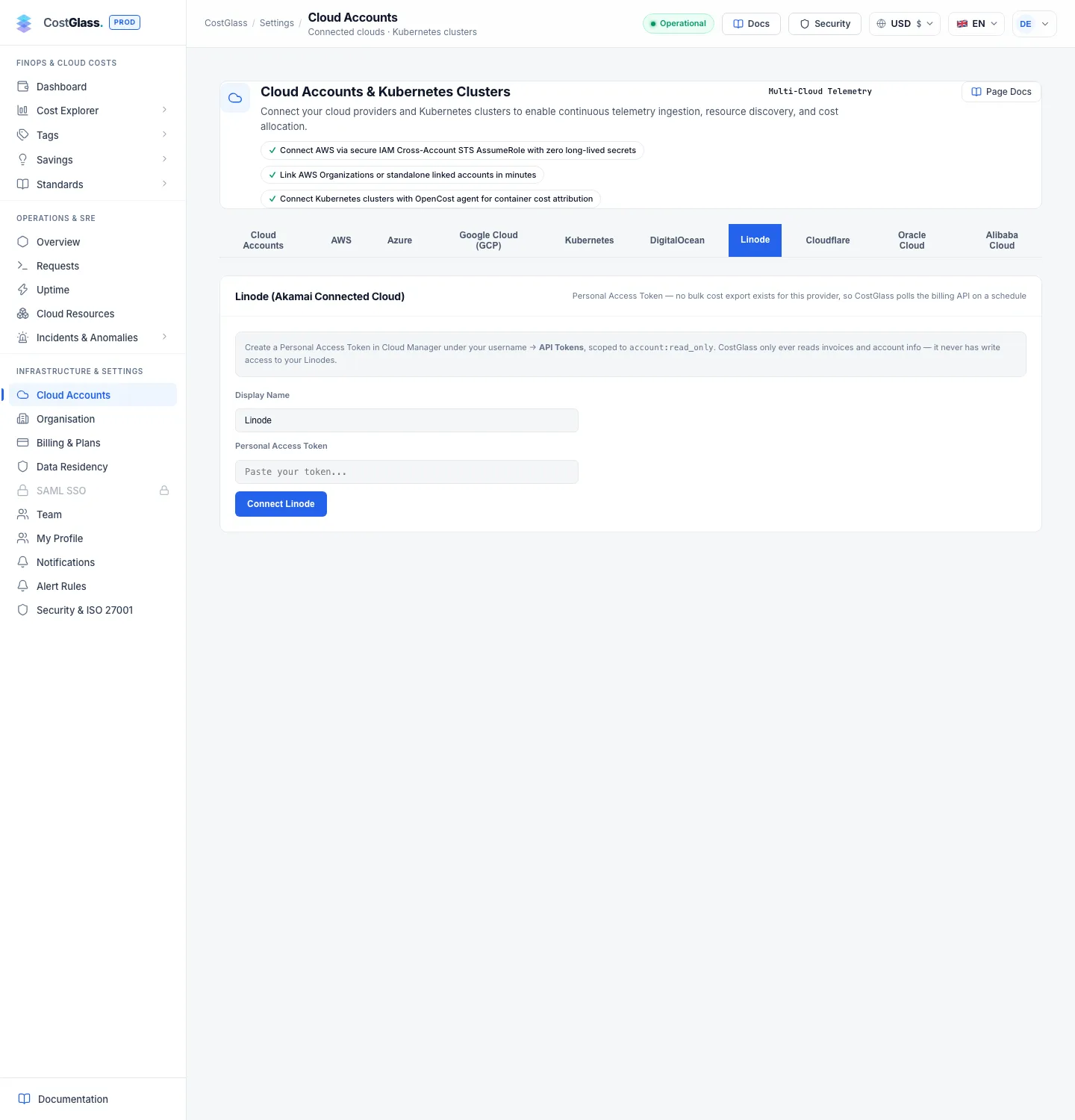
If Linode rejects the token you see Linode rejected this token with a reminder to check that it was created with account:read_only. Connecting the same Linode account twice is refused.
What data you will see
| Data | Detail |
|---|---|
| Closed invoices | The most recent 25 invoices, split by item label and region (for example a Linode plan in a region). One monthly figure for each. |
| Current month so far | If the current month has no invoice yet and Linode reports accrued charges, one row labelled "Linode Usage (Month to Date)". |
| Credits | Negative invoice items are stored as credits, separately from usage. |
| Region | Kept where Linode gives one, so you can see where invoiced items ran. |
| Currency | USD. |
| Daily figures | Not available. Linode reports by invoice month, so daily charts and daily anomaly detection do not include Linode. |
What the account balance means
Each connected account shows Account balance with a "cached ≤30 min" note. This is the balance Linode keeps on the account: payments you have made net of charges. It is not your spend this month, and a negative or positive number does not mean you overspent. CostGlass labels it as a balance on purpose. For spend, use the invoice-based figures in Cost Explorer and Reports.
Syncing and several accounts
- CostGlass syncs every six hours. Click Sync Now on a card to sync that account now; Sync all appears with two or more accounts.
- Click + Add another Linode account to connect another account with its own token. Each has its own card and status, and one failing token does not stop the others.
- Disconnect asks you to confirm and deletes the stored token. Cost already collected is kept.