Connect Oracle Cloud (OCI)
Give CostGlass read-only access to Oracle Cost and Usage Reports with a Resource Manager stack or your own Terraform.
Connect Oracle Cloud (OCI)
Give CostGlass read-only access to your Oracle Cloud Cost and Usage Reports, using a dedicated IAM user and a signing key that CostGlass generates for you.
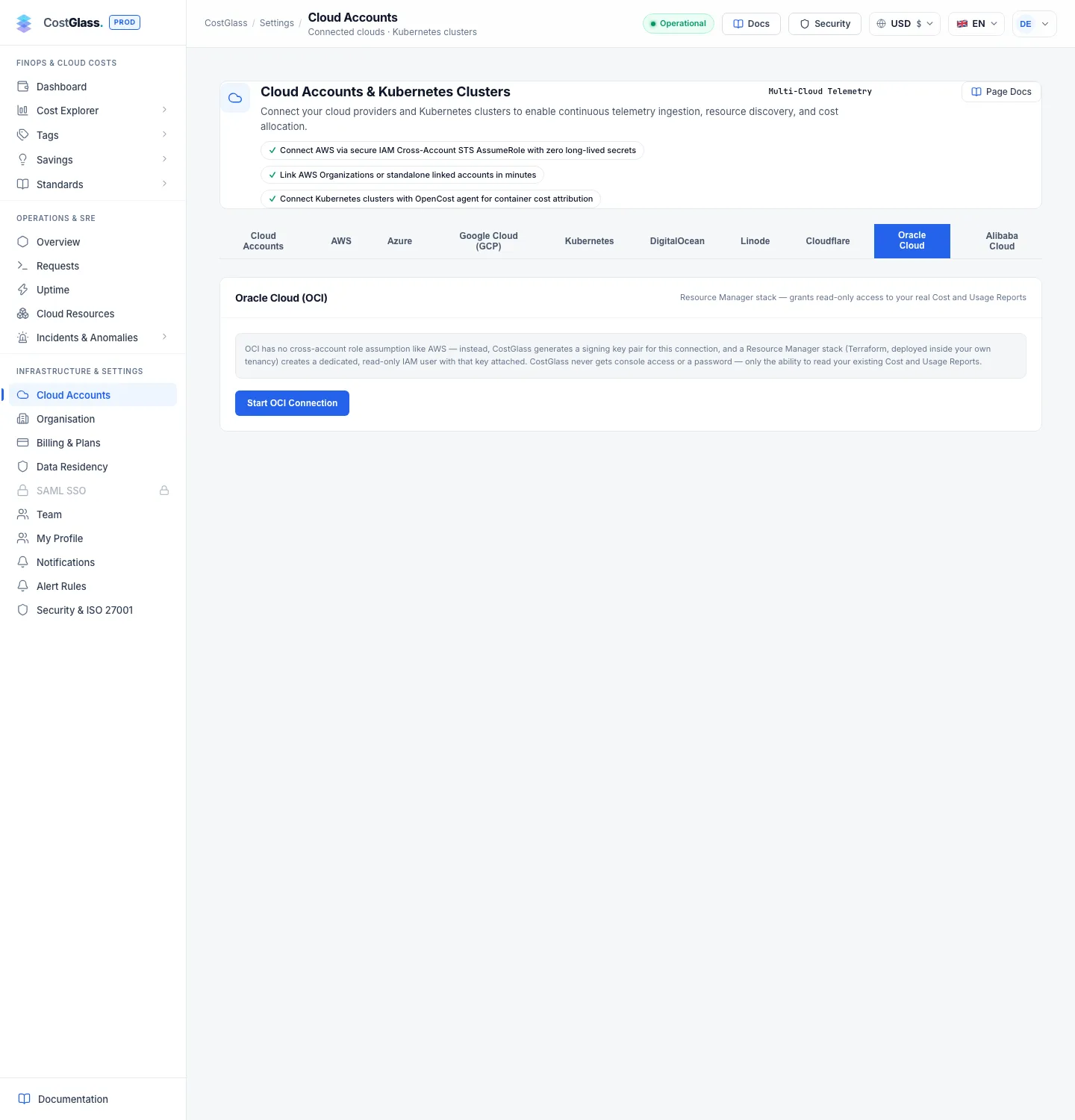
- Oracle Cloud has no cross-account role like AWS. Instead CostGlass creates a signing key pair for the connection, keeps the private half in its encrypted vault and gives you a Terraform stack that registers the public half on a new read-only user in your tenancy.
- You run the stack in Oracle Resource Manager (browser only, no tools to install), or with your own Terraform if you prefer.
- You paste three outputs back into CostGlass: the tenancy OCID, the CostGlass user OCID and the home region.
- CostGlass reads the cost reports Oracle already produces. It cannot sign in to the console and has no write access.
- On a brand-new tenancy Oracle can take up to 24 hours to publish the first report. CostGlass connects anyway and loads the data when it appears.
- You can connect more than one tenancy to the same organisation.
How it works
Oracle publishes your cost data as CSV files called Cost and Usage Reports. They are written to a storage bucket that lives in an Oracle-owned tenancy, not in yours, and Oracle gives you access to them through an IAM policy. CostGlass needs a user it can sign in as, so the stack creates one.
- Tenancy
- Your top-level Oracle Cloud account. Every resource lives inside it.
- OCID
- Oracle Cloud Identifier: the long ID (it starts with ocid1.) that Oracle gives every resource. Your tenancy and each user have one.
- API signing key
- A pair of keys. The private half proves who is calling. The public half is registered on a user so Oracle can check the proof. CostGlass keeps the private half and only ever shows you the public half.
- Resource Manager
- Oracle's built-in service for running Terraform from the browser. You upload a file and click Apply.
- Home region
- The region your tenancy was created in. Oracle stores Cost and Usage Reports there, whichever region you work in day to day.
- Identity Domains
- Oracle's current way of organising users. The stack creates the new group in the Default identity domain.
The stack creates exactly these things in your tenancy:
| Resource | Name | Purpose |
|---|---|---|
| IAM user | costglass-readonly-billing | The identity CostGlass signs in as. It has no console password. It carries the email address you supply. |
| IAM group | CostGlassReadOnly | Holds the user and receives the policy. |
| Group membership | n/a | Puts the user in the group. |
| API key | n/a | Registers CostGlass's public signing key on the user. |
| IAM policy | CostGlassReadOnlyBillingPolicy | Allows reading the cost reports, plus a read-only inventory (see below). |
The policy has one statement that lets the group read objects in Oracle's cost-report tenancy, and several read-only statements for resource inventory:
inspect compartments in tenancyinspect tenancies in tenancyread instance-family in tenancyinspect volume-family in tenancyread public-ips in tenancy
No use or manage permission is ever granted. The inventory statements are what let CostGlass list compute instances, volumes and reserved IP addresses so it can look for savings. If you connected before they existed, apply a fresh stack to add them; the Cloud Accounts card shows a notice when that is needed.
- An Oracle Cloud tenancy where you (or a colleague) can create IAM users, groups and policies.
- An email address you control for the CostGlass user. A shared FinOps mailbox is ideal. It must not be used by any other user in the tenancy.
- An owner or admin account in CostGlass, and room in your plan for another connection (see Manage accounts).
- Your tenancy uses Identity Domains with a Default domain. The generated policy refers to the group as Default/CostGlassReadOnly.
Connect with Resource Manager (recommended)
costglass-oci-readonly.zip and contains one Terraform file with the public key already filled in. The page also shows the key's fingerprint; keep it visible, you will compare it later.tenancy_ocid and region from your session, and the signing key is pre-filled. It asks for one value: costglass_user_email. Enter the email address you chose.tenancy_ocid, costglass_user_ocid, region and, if you want the extra safety check, api_key_fingerprint.What each field means
| Where | Field | What to enter |
|---|---|---|
| Resource Manager | costglass_user_email | An email address you control, unique in the tenancy. Oracle requires one for every user when Identity Domains are used. The user never signs in with it. |
| Resource Manager | tenancy_ocid | Filled in by Resource Manager. Leave it. |
| Resource Manager | region | Filled in by Resource Manager. Any region you can use works; it is only where the job runs. |
| Resource Manager | costglass_public_key | CostGlass's public key, already filled in. Do not edit. |
| CostGlass | Tenancy OCID | The tenancy_ocid output, starting ocid1.tenancy. |
| CostGlass | CostGlass User OCID | The costglass_user_ocid output, starting ocid1.user. |
| CostGlass | OCI Region (home region) | The region output. This is your tenancy home region, for example uk-london-1 or us-ashburn-1, not necessarily where you ran the stack. |
| CostGlass | API key fingerprint (recommended) | The api_key_fingerprint output. It must match the fingerprint shown in step 1. |
What happens when you verify
CostGlass signs a real request with the stored private key and asks Oracle to list your Cost and Usage Reports bucket. There are three outcomes:
| Result | What you see | What it means |
|---|---|---|
| Connected with data | A card for the tenancy with the last sync time and a record count. | Reports exist and were read. |
| Connected, reports pending | A green message saying Oracle has not published your first cost report yet. | Your key, user and tenancy are right, but the report bucket cannot be read yet. See the next section. |
| Rejected | A red message under the form. | The key, user or tenancy do not match, or the fingerprint is from a different key. Nothing is saved as active. |
The same tenancy cannot be connected twice. A second attempt returns a message that it is already connected.
Waiting for the first report, resuming and starting over
Oracle generates cost reports roughly every six hours. For a tenancy that was only just created, the first report can take up to 24 hours, and a policy you applied a few minutes ago may need a short time to take effect. Until a report exists Oracle cannot be asked for it.
Resume or start over
If you leave before pasting the outputs, the Oracle Cloud tab shows You have an unfinished Oracle Cloud connection with two buttons:
| Button | What it does | When to use it |
|---|---|---|
| Resume this connection | Keeps the same signing key. The stack you already applied stays valid; you only paste its outputs again. | Almost always. For example when you applied the stack but have not verified yet. |
| Start over with a new key | Discards the unfinished connection and its stored key and generates a new key. | Only if you want a new key. You then need to apply a new stack, because the old stack carries the old public key. |
Only one OCI connection can be mid-setup at a time; starting over replaces the unfinished one.
Using Terraform directly instead of Resource Manager
The downloaded zip is ordinary Terraform: one main.tf that uses the official oracle/oci provider. Resource Manager is just a convenient place to run it. If your organisation standardises on Terraform, runs it through its own pipeline or does not want to use the Oracle console for this, you can run the same file yourself. Nothing else changes: you still paste the same outputs into CostGlass.
Running it locally
- You need Terraform installed and credentials for the OCI provider (the OCI CLI session or an API key in
~/.oci/config). These are yours; they are never sent to CostGlass. - The file only configures the provider with a region. In Resource Manager, tenancy and region come from your session; locally you pass them with
-varas shown. - The public key is the default value of the
costglass_public_keyvariable, so you do not need to supply it. - Use an identity that is allowed to create users, groups, API keys and policies in the tenancy root compartment.
- Keep the Terraform state somewhere safe. It holds OCIDs and the public key only; there is no secret in it, because CostGlass never gives you the private key.
- To remove CostGlass access later, run
terraform destroywith the same variables, or delete the stack in Resource Manager, then disconnect the tenancy in CostGlass.
define tenancy usage-report as … line uses a fixed ID that belongs to Oracle, the same for every customer. Changing it makes the policy silently useless.Connecting more than one tenancy
Once one tenancy is connected the tab lists it as a card, with the heading Connected Oracle Cloud tenancies. Click + Add another Oracle Cloud tenancy and repeat the steps with the other tenancy. Each tenancy has its own key, user and sync status, and one failing tenancy never stops the others syncing. Sync all appears when there are two or more. Every connection counts towards your plan's limit.
How syncing works and what you will see
- CostGlass checks every six hours, or when you click Sync Now on a tenancy's card. Each card shows the last sync time, the status and the number of records.
- Oracle's reports can be several hours behind, and on each pass CostGlass reads up to the most recent 60 report files rather than the whole history. Costs appear in Cost Explorer and Reports next to your other clouds.
- The card shows the tenancy OCID and home region. CostGlass does not read compartment names for cost data, so budgets and filters apply to the tenancy as a whole.
- Disconnecting asks you to confirm, stops reading reports and deletes the stored signing key. Cost data already collected is kept. Your own user, group and policy stay in Oracle until you remove them.
Troubleshooting
costglass_user_email. Tenancies that use Identity Domains refuse to create a user without one.region output, which is the home region. The reports live there.What CostGlass can and cannot do
- It can read the cost reports and the read-only inventory the policy allows.
- It cannot change, create or delete anything in your tenancy.
- It has no console password and no administrator access.
- The private signing key is stored only in CostGlass's encrypted secrets store and is not returned by any screen.