Data residency & retention
Your fixed region, how long cost history is kept, purge now and the data handling summary.
Data residency & retention
See where your organisation's data lives, choose how long cost history is kept, and delete expired history on demand.
- Your organisation's region is chosen at sign-up and cannot be changed. All its data is stored and processed in that region.
- Regions are London (UK), Frankfurt (EU), Virginia (US) and Singapore (Asia Pacific), though only the regions currently open can be chosen at sign-up.
- You choose how long cost history is kept: 90 days to 7 years. A daily job deletes older records.
- Purge Old Data Now runs that deletion immediately. It cannot be undone.
- The Data Handling Summary states facts about your settings. It is not an audit report or certification.
- Sign in to your organisation. Everyone can open the page.
Your region is fixed
When an organisation is created, the sign-up page asks where its data should live. Each region is a separate site with its own database, queues and sign-in service. That choice is permanent for that organisation. The page shows your region name, its AWS region code and the legal jurisdiction for information (for example UK GDPR for London).
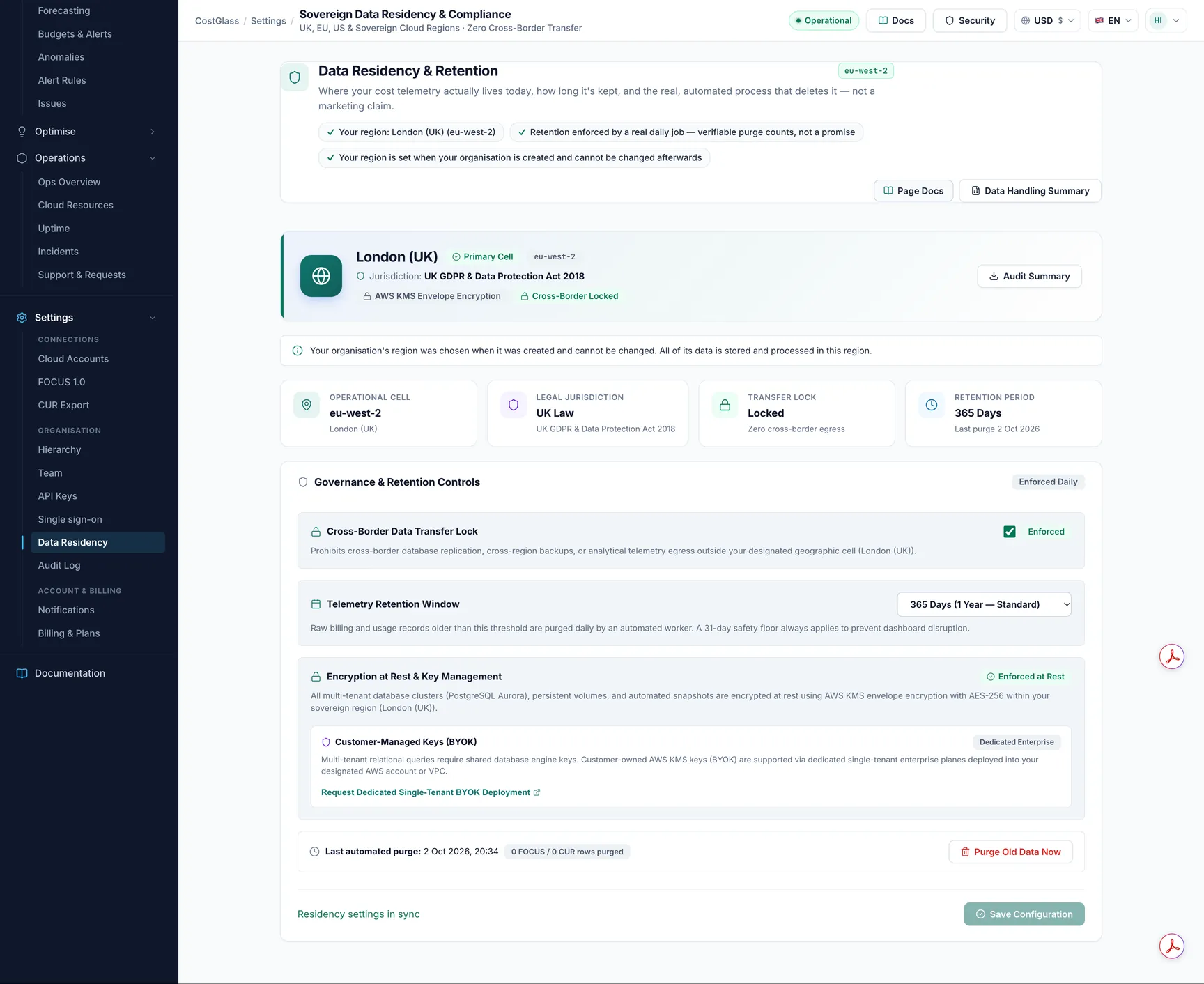
Settings you can change
| Setting | What it does | Default / options |
|---|---|---|
| Cross-Border Data Transfer Lock | Records that your data must not be replicated or backed up outside your region. Your data already stays in your region; this setting records your requirement and appears in the Data Handling Summary. | On |
| Telemetry Retention Window | Cost records older than this are deleted daily. A 31 day safety floor always applies so the current and previous month are never touched. | 365 days. Options: 90, 180, 365, 730, 2555 |
| Encryption and customer keys | Data at rest is encrypted with AWS KMS. Customer-managed keys are available only in a dedicated single-tenant deployment: use Request Dedicated Single-Tenant BYOK Deployment to raise a request. A recorded key reference, if one exists, shows as Recorded Key. | Not editable on this page |
What retention deletes
- Cost records older than the window (the main cost table and the CUR line-item sample).
- Audit log events older than 24 months, separately from your cost window.
It does not delete the current inventory of resources, your configuration, or anything younger than 31 days. Shortening retention reduces how far back Cost Explorer, Reports and anomaly baselines can look.
The card shows Last automated purge with real row counts, or Never executed.
Purge now
Data Handling Summary
Click Data Handling Summary to see a factual summary: your region and jurisdiction, retention policy and how it is enforced, the transfer lock, and encryption wording. Download Audit JSON saves it as a file. It states plainly that it is a configuration summary, not a third-party audit, and does not claim certifications. If your customers need a formal report, speak to your account team.